
To set up a VPN on iPhone, the easiest way is to download a VPN app from the App Store, sign in, tap Allow when it asks to add VPN configurations, and tap Connect. You can also add a VPN manually in Settings, General, VPN & Device Management, VPN if your provider or workplace gives you server details. When it’s on, a small VPN icon appears at the top of the screen.
Below I’ll show both methods step by step, when you actually need a VPN on iPhone, and how to choose one you can trust.
[ADD PERSONAL EXPERIENCE: one line about when you use a VPN on your phone, for example on hotel or airport Wi-Fi.]
Table of Contents
What Is a VPN on iPhone?
A VPN (virtual private network) creates an encrypted connection between your iPhone and a VPN server. Your internet traffic travels through that tunnel, so people on the same Wi-Fi network can’t see what you’re doing, and websites see the VPN server’s IP address instead of yours.
A VPN on iPhone helps with:
- Public Wi-Fi safety at cafes, airports and hotels.
- Privacy from your internet provider and the network you’re on.
- Hiding your IP address from websites and apps.
- Work access to company systems, if your employer provides a VPN.
It doesn’t make you fully anonymous, and it won’t stop phishing links or scam calls.
Method 1: Set Up a VPN on iPhone With an App (Easiest)
This is the best method for most people.
- Open the App Store and search for your VPN provider.
- Tap Get and install the app.
- Open the app and sign in, or create an account.
- When iOS asks to Add VPN Configurations, tap Allow, then confirm with Face ID, Touch ID or your passcode.
- Choose a server location, or let the app pick the fastest one.
- Tap Connect. You’ll see the VPN icon in the status bar.
Most apps also offer settings like auto-connect on untrusted Wi-Fi and a kill switch that blocks internet if the VPN drops.
Method 2: Set Up a VPN on iPhone Manually
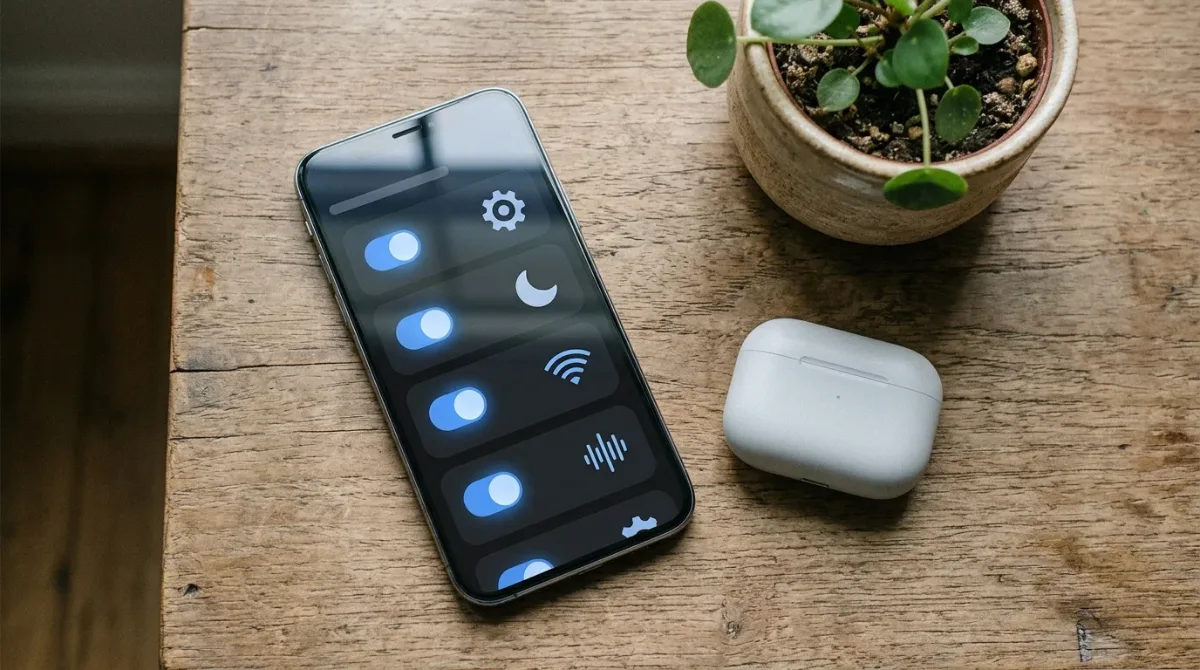
Use this if your workplace or VPN provider gives you server details instead of an app.
- Open Settings, General, VPN & Device Management, VPN.
- Tap Add VPN Configuration.
- Tap Type and choose IKEv2, IPSec or L2TP.
- Enter the Description, Server, Remote ID and, if given, Local ID.
- Under User Authentication, enter the username and password from your provider. These are often different from your account login.
- For L2TP or IPSec, enter the shared secret if required.
- Leave Proxy off unless told otherwise, then tap Done.
iOS supports IKEv2, IPSec and L2TP natively. For OpenVPN or WireGuard, you need the provider’s app.
How to Turn a VPN on iPhone On or Off
- In the app: tap Connect or Disconnect.
- In Settings: go to Settings, General, VPN & Device Management, VPN and flip the Status switch. If you have more than one VPN, tap the one you want first.
- Many people also see a VPN switch near the top of the main Settings screen once a VPN is installed.
When Do You Need a VPN on iPhone?
- Useful: public Wi-Fi in airports, hotels, cafes and trains.
- Useful: if you want more privacy from your internet provider or mobile carrier.
- Required: if your job needs a VPN to reach company apps.
- Less needed: on your own secure home Wi-Fi for everyday browsing, since most websites already use encryption (HTTPS).
VPN vs iCloud Private Relay
If you pay for iCloud+, you also get iCloud Private Relay (Settings, your name, iCloud, Private Relay). It hides your IP address and browsing in Safari and protects some other traffic, but it isn’t a full VPN. It doesn’t cover all apps and doesn’t let you choose a country. A VPN protects all your iPhone’s internet traffic.
For more simple guides, visit TrickieTech. Apple’s own help is in the iPhone User Guide.
How to Choose a Safe VPN for iPhone
Not every VPN on iPhone is trustworthy. Before you install one, check these points:
- A clear no-logs policy, ideally checked by an independent audit.
- Modern protocols like WireGuard or IKEv2 for speed and security.
- A kill switch that blocks internet if the VPN connection drops.
- Servers near you for good speed, plus the countries you travel to.
- A real company with a known address, support and reviews from trusted tech sites.
- Fair pricing, including the renewal price after the first year.
- A money-back guarantee or free trial so you can test it.
Avoid apps with lots of ads, unclear owners, or reviews mentioning pop-ups and data sharing.
Free vs Paid VPN on iPhone
| Free VPN | Paid VPN | |
|---|---|---|
| Cost | Free, sometimes with ads | Monthly or yearly subscription |
| Speed | Often slower, data caps | Faster, usually unlimited |
| Server choice | Few locations | Many countries |
| Privacy | Varies; some collect data | Usually stronger policies and audits |
| Best for | Occasional public Wi-Fi use | Daily use, travel, streaming |
If cost is a concern, a reputable provider’s free tier is safer than an unknown free app.
Turn On a VPN Automatically on Public Wi-Fi
Most VPN apps can connect by themselves when you join Wi-Fi you don’t trust. Look in the app’s settings for auto-connect, trusted networks or Wi-Fi protection, and choose to connect on all networks except your home Wi-Fi. This way you never forget to turn on the VPN on iPhone at a cafe or hotel.
You can also build a simple automation in the Shortcuts app (Automation tab, then Wi-Fi) to open your VPN app or run its shortcut when you join a specific network, if your VPN app offers Shortcuts actions.
VPN on iPhone Not Working? Quick Fixes
- Switch servers. The one you picked may be busy or down.
- Change the protocol in the app, for example from WireGuard to IKEv2.
- Turn the VPN off and on, or toggle Airplane Mode for 10 seconds.
- Update the VPN app and iOS.
- Delete and reinstall the VPN profile from Settings, General, VPN & Device Management.
- Check the network. Some hotel, school or work Wi-Fi networks block VPNs.
- Contact the provider’s support if nothing works.
Does a VPN Drain Your iPhone Battery?
A little. Encrypting traffic and staying connected to a server uses some extra power, especially on weak mobile signal. Most people won’t notice much difference in daily use. To save battery, connect only on public Wi-Fi, choose a nearby server, and use efficient protocols like WireGuard.
What a VPN on iPhone Can’t Do
- It can’t stop you from typing your password into a fake website.
- It can’t remove malware or stop scam calls and texts.
- It doesn’t hide what you do from the apps and accounts you sign in to.
- It doesn’t make illegal activity legal.
Pair your VPN with good habits: two-factor authentication, a password manager and keeping iOS updated.
Real-Life Examples
“I work from cafes every week”
Turning on auto-connect for untrusted Wi-Fi meant the VPN switched on by itself at every cafe, with no need to remember.
“My company gave me server details”
The manual IKEv2 setup in Settings, using the server and Remote ID from IT, connected straight away.
[ADD PERSONAL EXPERIENCE: add a short real example from your own VPN use.]
Simple Words You’ll See
- VPN: a service that encrypts your internet traffic and hides your IP address.
- IP address: your device’s address on the internet.
- Protocol: the method a VPN uses to connect, like WireGuard or IKEv2.
- Kill switch: a feature that blocks internet if the VPN drops.
- No-logs policy: a promise not to keep records of what you do online.
Use a VPN on iPhone While Traveling
A VPN is especially handy abroad, where you’ll use lots of hotel and airport Wi-Fi.
- Install and sign in before you leave. Some countries block VPN app stores or websites.
- Check local laws. VPNs are legal in the US, UK, Canada, Australia and most of Europe, but a few countries restrict them.
- Connect to a server at home if your bank or apps act strangely with foreign logins.
- Watch mobile data if you’re roaming, since a VPN adds a small amount of extra data use.
Banking Apps and Streaming With a VPN
Some banking apps flag logins from VPN servers as unusual and ask for extra checks, or block them. If that happens, pause the VPN briefly while you use the bank app on a trusted network, or connect to a server in your own country. Streaming services may also block VPN servers or limit content by region, and some don’t allow VPN use in their terms of service.
Other iPhone Privacy Settings to Turn On
A VPN on iPhone works best alongside Apple’s built-in privacy features:
- Private Wi-Fi Address: Settings, Wi-Fi, tap the info button next to a network, and keep Private Wi-Fi Address on. It stops networks tracking your phone’s hardware address.
- Limit IP Address Tracking: in the same Wi-Fi network screen, and in Cellular, Cellular Data Options. It hides your IP from known trackers in Mail and Safari.
- Safari privacy: Settings, Apps, Safari, turn on Prevent Cross-Site Tracking.
- App Tracking: Settings, Privacy & Security, Tracking, and turn off Allow Apps to Request to Track if you don’t want apps asking.
How to Remove a VPN From iPhone
- Disconnect in the VPN app.
- Go to Settings, General, VPN & Device Management, VPN.
- Tap the info button next to the VPN and choose Delete VPN.
- Delete the VPN app from your Home Screen.
- Cancel any subscription in Settings, your name, Subscriptions, if you paid through the App Store.
Deleting the app alone may not cancel a subscription, so check step 5.
Parents: VPNs on Kids’ iPhones
Some kids install VPN apps to get around school filters or parental controls. If you use Screen Time, you can stop new app installs without permission with Ask to Buy in Family Sharing, and limit app types in Content & Privacy Restrictions. If you see an unknown VPN profile in Settings, General, VPN & Device Management, talk with your child about why it’s there before removing it.
VPN on iPhone vs VPN on Your Router
You can also install a VPN on some home routers, so every device in the house is covered without separate apps. That’s handy for smart TVs and game consoles that can’t run VPN apps. But a router VPN only protects you at home. When you leave the house, your iPhone needs its own VPN app to stay protected on public Wi-Fi and mobile data. For most people, a VPN app on each device is simpler and works everywhere.
Does a VPN on iPhone Work on Mobile Data?
Yes. A VPN protects both Wi-Fi and mobile data (cellular) connections. On mobile data, your carrier can’t see which websites you visit, only that you’re connected to a VPN server. Mobile networks are already fairly secure, so the biggest benefit there is privacy from your carrier rather than protection from hackers nearby. You’ll use a small amount of extra data for the encryption, usually a few percent.
Quick Checklist
- Pick a trusted VPN with a no-logs policy and kill switch.
- Install the app from the App Store and allow the VPN configuration.
- Tap Connect and look for the VPN icon.
- Turn on auto-connect for untrusted Wi-Fi.
- Use the manual Settings method only if you have server details.
- Keep iOS and the app updated.
- Cancel subscriptions you don’t use.
Frequently Asked Questions
How do I turn on a VPN on my iPhone?
Open your VPN app and tap Connect, or go to Settings, General, VPN & Device Management, VPN and turn on the Status switch. When the VPN is on, a small VPN icon appears in the status bar at the top of the screen.
Does iPhone have a built-in VPN?
No. iPhone has built-in VPN settings, but you need a VPN service to connect to, either through an app or with server details from your provider or workplace. iCloud Private Relay, part of iCloud+, hides your IP address in Safari but is not a full VPN.
Is it safe to use a free VPN on iPhone?
Be careful. Running VPN servers costs money, so some free VPNs show ads, limit speed or collect and sell your data. If you want a free option, pick a well-known provider with a free tier and a clear no-logs policy. Paid VPNs are usually faster and more private.
Should I keep my VPN on all the time?
It is most useful on public Wi-Fi, like cafes, hotels and airports. Leaving it on all the time is fine, but it can use a little more battery and some apps or banking sites may ask for extra security checks. Many VPN apps can turn on automatically on untrusted Wi-Fi.
Does a VPN slow down my iPhone?
It can slow your internet a little, because traffic travels through the VPN server first. Choosing a server close to you and a modern protocol like WireGuard or IKEv2 keeps the slowdown small. It does not make the iPhone itself slower.
Is using a VPN legal?
Yes, using a VPN is legal in the US, UK, Canada, Australia and most countries. Some countries restrict or ban VPNs. Anything illegal is still illegal with a VPN, and some streaming services do not allow VPN use in their terms.
The Bottom Line
Setting up a VPN on iPhone takes a few minutes: install a trusted VPN app, allow the configuration and tap Connect. Use the manual method in Settings if your provider or workplace gives you server details.
Use it on public Wi-Fi, choose a provider with a clear no-logs policy, and remember a VPN protects your connection, not you from scams.
{“@context”:”https://schema.org”,”@type”:”FAQPage”,”mainEntity”:[{“@type”:”Question”,”name”:”How do I turn on a VPN on my iPhone?”,”acceptedAnswer”:{“@type”:”Answer”,”text”:”Open your VPN app and tap Connect, or go to Settings, General, VPN & Device Management, VPN and turn on the Status switch. When the VPN is on, a small VPN icon appears in the status bar at the top of the screen.”}},{“@type”:”Question”,”name”:”Does iPhone have a built-in VPN?”,”acceptedAnswer”:{“@type”:”Answer”,”text”:”No. iPhone has built-in VPN settings, but you need a VPN service to connect to, either through an app or with server details from your provider or workplace. iCloud Private Relay, part of iCloud+, hides your IP address in Safari but is not a full VPN.”}},{“@type”:”Question”,”name”:”Is it safe to use a free VPN on iPhone?”,”acceptedAnswer”:{“@type”:”Answer”,”text”:”Be careful. Running VPN servers costs money, so some free VPNs show ads, limit speed or collect and sell your data. If you want a free option, pick a well-known provider with a free tier and a clear no-logs policy. Paid VPNs are usually faster and more private.”}},{“@type”:”Question”,”name”:”Should I keep my VPN on all the time?”,”acceptedAnswer”:{“@type”:”Answer”,”text”:”It is most useful on public Wi-Fi, like cafes, hotels and airports. Leaving it on all the time is fine, but it can use a little more battery and some apps or banking sites may ask for extra security checks. Many VPN apps can turn on automatically on untrusted Wi-Fi.”}},{“@type”:”Question”,”name”:”Does a VPN slow down my iPhone?”,”acceptedAnswer”:{“@type”:”Answer”,”text”:”It can slow your internet a little, because traffic travels through the VPN server first. Choosing a server close to you and a modern protocol like WireGuard or IKEv2 keeps the slowdown small. It does not make the iPhone itself slower.”}},{“@type”:”Question”,”name”:”Is using a VPN legal?”,”acceptedAnswer”:{“@type”:”Answer”,”text”:”Yes, using a VPN is legal in the US, UK, Canada, Australia and most countries. Some countries restrict or ban VPNs. Anything illegal is still illegal with a VPN, and some streaming services do not allow VPN use in their terms.”}}]}