
To recover a hacked Instagram account, first check your email for a message from Instagram about an email or password change, and use its link to undo the change. If that doesn’t work, go to instagram.com/hacked on a phone or computer you’ve used before and follow the steps. Once you’re back in, change your password, log out unknown devices and turn on two-factor authentication.
Below are seven easy steps based on Instagram’s official recovery process, plus how to avoid scams and stop it happening again.
[ADD PERSONAL EXPERIENCE: one line about when you or someone you know had an Instagram account hacked.]
Table of Contents
Signs Your Instagram Account Is Hacked
- You can’t log in with your usual password.
- You got an email saying your email, phone or password was changed.
- Posts, stories or DMs appear that you didn’t make, often crypto or giveaway scams.
- Your username, bio or profile photo changed.
- Friends say you sent them strange links or asked for money.
- You see login alerts from places or devices you don’t recognize.
Do These First
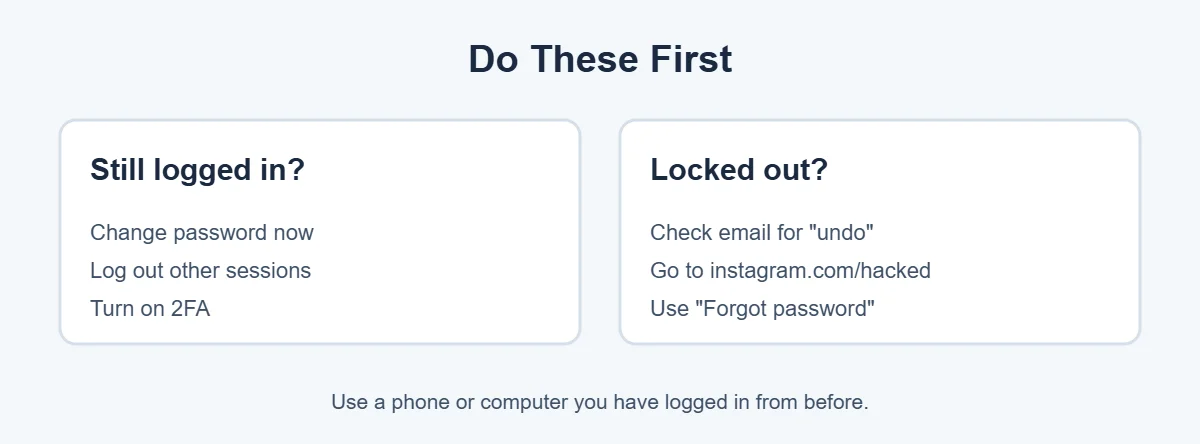
Your next step depends on whether you can still get in.
- Still logged in somewhere? Change your password immediately in Accounts Center, Password and security. Then check Where you’re logged in and log out of anything you don’t recognize.
- Locked out? Follow the steps below, starting with your email inbox.
Use a phone or computer you’ve logged in to Instagram from before, and your usual Wi-Fi if possible. Instagram trusts familiar devices and networks more.
7 Easy Steps to Recover a Hacked Instagram Account
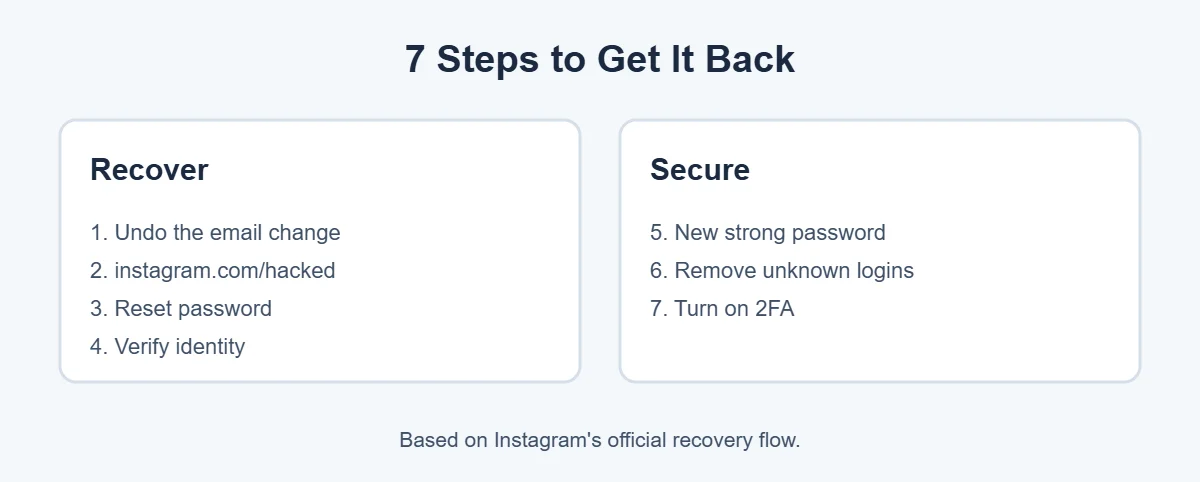
1. Undo the email change
When someone changes the email on your account, Instagram sends a message to your old email address. It usually includes an option like “revert this change” or “secure your account.” Open that email and use the link. Do this quickly, because the link can expire. Check your spam folder too.
Make sure the email is really from Instagram. Real emails come from an instagram.com address, and you can also check under Accounts Center, Password and security, Emails from Instagram once you’re back in.
2. Go to instagram.com/hacked
Open instagram.com/hacked in a browser, or tap Forgot password (iPhone) or Get help logging in (Android) on the login screen. Choose the option that fits, such as “My account was hacked,” and enter your username, email or phone number.
3. Reset your password
Instagram may send a login link or a code to your email or phone. Use it to set a new password. If your Instagram is linked to Facebook, you may be able to log in through Facebook instead.
4. Verify your identity
If Instagram can’t confirm it’s you another way, it may ask for a video selfie. You’ll record a short clip turning your head in different directions. Instagram uses it to check you’re a real person and match you to photos on the account. It’s not posted to your profile. Reviews can take a few days.
5. Set a new, strong password
Choose a password you’ve never used before, at least 12 characters long. Don’t reuse your email password. A password manager makes this easy.
6. Remove unknown logins and apps
Go to Accounts Center, Password and security, Where you’re logged in and log out of any device you don’t recognize. Then check your linked email and phone number are yours, and remove any third-party apps you don’t use.
7. Turn on two-factor authentication
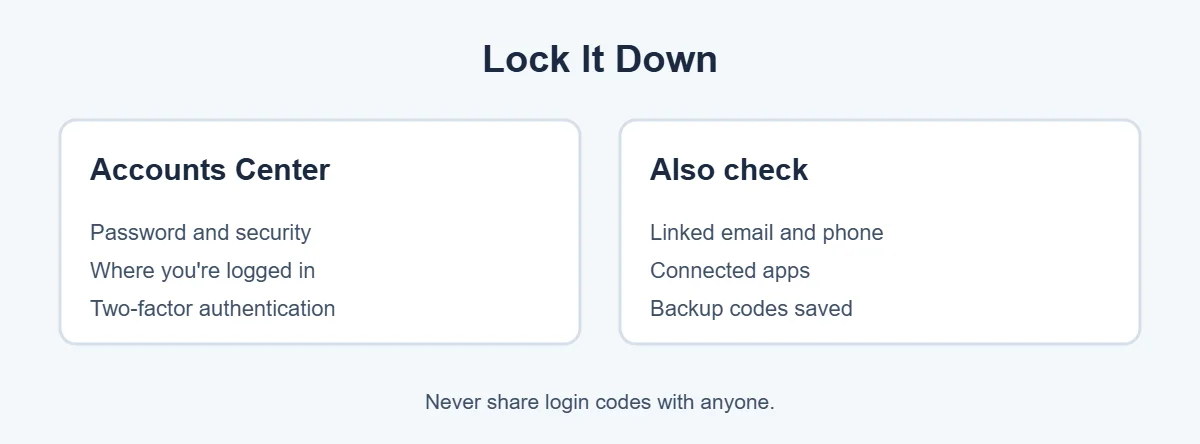
In Accounts Center, Password and security, Two-factor authentication, choose your account and turn it on. An authentication app is safer than text messages. Save the backup codes somewhere safe, like your password manager, so you can get in if you lose your phone.
Watch Out for Recovery Scams
After a hack, scammers often contact you offering to “recover” your account for a fee. They may say they’re Instagram staff or “ethical hackers.” They’re not. Instagram doesn’t charge to recover accounts, and it doesn’t contact you by DM to help with a hack. Only use official Instagram pages.
For more simple guides, visit TrickieTech. Instagram’s own help is at the Instagram Help Center.
How Do Instagram Accounts Get Hacked?
Knowing how a hacked Instagram account happens helps you close the gap. The most common ways a hacked Instagram account starts:
- Phishing DMs: “Vote for me in this contest,” “Your account will be deleted for copyright,” or “You’ve won a blue badge” messages that lead to a fake login page.
- Hacked friends: a friend’s hacked account messages you asking for a code. That code is your password reset code.
- Reused passwords: your password leaked from another site in a data breach, and criminals tried it on Instagram.
- Hacked email: if your email is taken over, the hacker can reset your Instagram password.
- Fake follower and “analytics” apps: apps that ask for your Instagram password to show who viewed your profile.
- SIM swaps: a scammer moves your phone number to their SIM to receive your text codes.
The Code Scam: Never Share Login Codes
This trick catches many people. A friend’s account, already hacked, sends you a message like “I accidentally sent you a code, can you send it back?” Meanwhile, the hacker is trying to reset your password, and the code is your reset code. Once you share it, they’re in.
The rule is simple: never share a code sent to your phone or email with anyone, even a friend. Instagram, Meta and your bank will never ask you for one.
If Your Hacked Instagram Account Was Deleted or Disabled
Sometimes the hacker deletes the account, or Instagram disables it because the hacker posted scams.
- Deleted: if the hacker requested deletion, Instagram gives a short window before it’s permanent. Try to log in quickly. If you can, the deletion is usually canceled.
- Disabled: when you try to log in, Instagram should show a message with an option to appeal. Follow it and explain your account was hacked.
- Can’t find a way back: keep using instagram.com/hacked and the Help Center. Avoid making a new account with the same details while recovery is in progress.
Warn Your Followers
A hacked Instagram account is often used to scam your friends, so warn them early. While you recover it:
- Post on your other social accounts or tell friends by text that your Instagram was hacked.
- Ask them not to click links or send money or codes to “you.”
- Ask friends to report fake posts from your account, which helps Instagram act faster.
Once you’re back in, delete any posts, stories or DMs the hacker sent, and check your bio and links for changes.
Secure Your Email Too
Your email is the key to your Instagram. Many people end up with a hacked Instagram account because their email was hacked first. If someone has your email password, they can take your account again. Change your email password, turn on two-factor authentication for your email, and check its settings for forwarding rules you didn’t create. In Gmail, check Settings, Forwarding and POP/IMAP, and Filters. In Outlook, check Mail, Forwarding and Rules.
Business and Creator Accounts
If you run a business or creator account, a hacked Instagram account can cost you money as well as followers.
- Check Meta Business Suite or Business Settings for unknown admins or partners and remove them.
- Look at ad accounts and payment methods for charges you didn’t make, and contact your bank if needed.
- Give team members their own access through Meta’s business tools instead of sharing the password.
- Consider Meta Verified for extra account support, which is available in many countries for a monthly fee.
Real-Life Examples
“My friend asked me to send a code back”
The friend’s account had been hacked. Sharing the code let the hacker take the second account too. Undoing the email change from Instagram’s email got it back within minutes.
“The hacker changed my email and phone”
The original email still had Instagram’s “revert this change” message. Using it reset the account, and turning on an authentication app stopped further attempts.
“I had to do a video selfie”
After submitting the selfie on instagram.com/hacked, the account was restored a few days later.
[ADD PERSONAL EXPERIENCE: add a short real example if you have one.]
Quick Checklist
- Check your email for Instagram’s “undo” message.
- Go to instagram.com/hacked from a familiar device.
- Reset your password with the link or code.
- Do the video selfie if asked.
- Set a new, unique password.
- Log out unknown devices and remove odd apps.
- Turn on two-factor authentication and save backup codes.
- Secure your email account.
- Warn your followers and delete scam posts.
Hacked Instagram Account: What Not to Do
- Don’t pay anyone who offers to fix a hacked Instagram account. Real help from Instagram is free.
- Don’t send repeated recovery requests every few minutes. Too many attempts can slow the process.
- Don’t create a new account with the same username or email while you’re still trying to recover the old one.
- Don’t log in through links in DMs or emails. Type instagram.com yourself, or use the official app.
- Don’t give your password to follower, “who viewed my profile” or analytics apps.
Hacked Instagram Account Recovery on iPhone vs Android
The steps are almost the same on both, but button names differ a little:
| Step | iPhone | Android |
|---|---|---|
| Start recovery | Tap Forgot password on the login screen | Tap Get help logging in |
| Choose method | Email, phone or Facebook | Email, phone or Facebook |
| Hacked option | Need more help, or instagram.com/hacked | Need more help, or instagram.com/hacked |
| Security settings | Profile, menu, Accounts Center | Profile, menu, Accounts Center |
If the app doesn’t show the option you need, open instagram.com/hacked in a browser on the same phone. A hacked Instagram account can be recovered from either the app or the browser.
How to Tell If Your Instagram Is Being Targeted
Before a hacked Instagram account happens, there are often warning signs. Watch for password reset emails you didn’t request, login codes arriving out of nowhere, and DMs from strangers or friends asking you to “verify” or “vote.” If you see these, change your password and turn on two-factor authentication straight away. That alone stops most attacks before they succeed.
Protect Your Photos and Memories
Your Instagram holds years of photos, videos and messages. Even if you recover a hacked Instagram account, it’s worth keeping your own copy in case anything happens again. Go to Accounts Center, Your information and permissions, Download your information, choose your Instagram account and request a download. Instagram prepares a file with your photos, videos, comments and messages and emails you when it’s ready. Save it on your computer or a cloud drive. Doing this every few months means that even in the worst case, your memories are safe.
Tell Instagram About Impersonation
Sometimes the problem isn’t a hacked Instagram account but a fake one copying your name and photos to trick your followers. If that happens, go to the fake profile, tap the three dots, choose Report, then select that it’s pretending to be someone. You can also use the impersonation form in the Instagram Help Center, even if you don’t have an account. Ask friends to report it too, and post on your real account that the copy is fake, so nobody sends it money or personal details. Fake profiles are reviewed separately from a hacked Instagram account, so report both if you’re dealing with each.
Frequently Asked Questions
How do I recover a hacked Instagram account?
First, look for an email from Instagram about an email or password change and use its link to undo it. If that doesn’t work, go to instagram.com/hacked on a device you’ve used before and follow the steps. Instagram may send a login link, a code, or ask for a video selfie.
What if the hacker changed my email and phone number?
Instagram usually emails your original address when the email changes, with an option to reverse it. Act quickly, because the link can expire. If you missed it, use instagram.com/hacked, choose the option that fits, and follow the identity checks, which may include a video selfie.
How does the Instagram video selfie work?
If Instagram can’t confirm it’s you another way, it may ask you to record a short video selfie turning your head in different directions. It’s used to check you’re a real person who matches photos on the account. Instagram says it isn’t posted to your profile. Reviews can take a few days.
How long does it take to recover a hacked Instagram account?
If you undo the email change or reset your password, it can take minutes. If you need identity verification, it can take a few days. Be patient and avoid sending repeated requests, which can slow things down. Never pay anyone who promises a faster recovery.
Can someone recover my Instagram for money?
Be very careful. People offering to recover Instagram accounts for a fee, especially in DMs, comments or ads, are almost always scammers. Only use Instagram’s official recovery pages. Instagram doesn’t charge to recover your account.
How do I stop my Instagram from being hacked again?
Use a strong password you don’t use anywhere else, turn on two-factor authentication with an authentication app, save your backup codes, and keep your email account secure. Never share login codes, and ignore DMs asking you to vote, verify or claim a prize through a link.
The Bottom Line
To recover a hacked Instagram account, act fast: undo the email change from Instagram’s message, then use instagram.com/hacked from a familiar device. Be ready to verify with a video selfie.
Once you’re back in, set a new password, log out unknown devices, and turn on two-factor authentication with an app. Never pay anyone to recover your account.
{“@context”:”https://schema.org”,”@type”:”FAQPage”,”mainEntity”:[{“@type”:”Question”,”name”:”How do I recover a hacked Instagram account?”,”acceptedAnswer”:{“@type”:”Answer”,”text”:”First, look for an email from Instagram about an email or password change and use its link to undo it. If that doesn’t work, go to instagram.com/hacked on a device you’ve used before and follow the steps. Instagram may send a login link, a code, or ask for a video selfie.”}},{“@type”:”Question”,”name”:”What if the hacker changed my email and phone number?”,”acceptedAnswer”:{“@type”:”Answer”,”text”:”Instagram usually emails your original address when the email changes, with an option to reverse it. Act quickly, because the link can expire. If you missed it, use instagram.com/hacked, choose the option that fits, and follow the identity checks, which may include a video selfie.”}},{“@type”:”Question”,”name”:”How does the Instagram video selfie work?”,”acceptedAnswer”:{“@type”:”Answer”,”text”:”If Instagram can’t confirm it’s you another way, it may ask you to record a short video selfie turning your head in different directions. It’s used to check you’re a real person who matches photos on the account. Instagram says it isn’t posted to your profile. Reviews can take a few days.”}},{“@type”:”Question”,”name”:”How long does it take to recover a hacked Instagram account?”,”acceptedAnswer”:{“@type”:”Answer”,”text”:”If you undo the email change or reset your password, it can take minutes. If you need identity verification, it can take a few days. Be patient and avoid sending repeated requests, which can slow things down. Never pay anyone who promises a faster recovery.”}},{“@type”:”Question”,”name”:”Can someone recover my Instagram for money?”,”acceptedAnswer”:{“@type”:”Answer”,”text”:”Be very careful. People offering to recover Instagram accounts for a fee, especially in DMs, comments or ads, are almost always scammers. Only use Instagram’s official recovery pages. Instagram doesn’t charge to recover your account.”}},{“@type”:”Question”,”name”:”How do I stop my Instagram from being hacked again?”,”acceptedAnswer”:{“@type”:”Answer”,”text”:”Use a strong password you don’t use anywhere else, turn on two-factor authentication with an authentication app, save your backup codes, and keep your email account secure. Never share login codes, and ignore DMs asking you to vote, verify or claim a prize through a link.”}}]}