
To recover a hacked Facebook account, go to facebook.com/hacked on a device you’ve used before and follow the steps. If the hacker changed your email, look for Facebook’s message to your old email with an option to secure your account. Once you’re back in, change your password, log out unknown devices, and turn on two-factor authentication.
Below are seven easy steps based on Facebook’s official recovery process, plus how to avoid recovery scams and keep your account safe.
[ADD PERSONAL EXPERIENCE: one line about a hacked Facebook account you or a family member dealt with.]
Table of Contents
Signs Your Facebook Account Is Hacked
- Your password no longer works.
- You got an email that your email, phone or password changed.
- Posts, comments or messages appear that you didn’t make, often fake sales or crypto scams.
- Your name, birthday or profile picture changed.
- Friends get friend requests from a second “you.”
- Ads are running from your account that you didn’t create.
Do These First
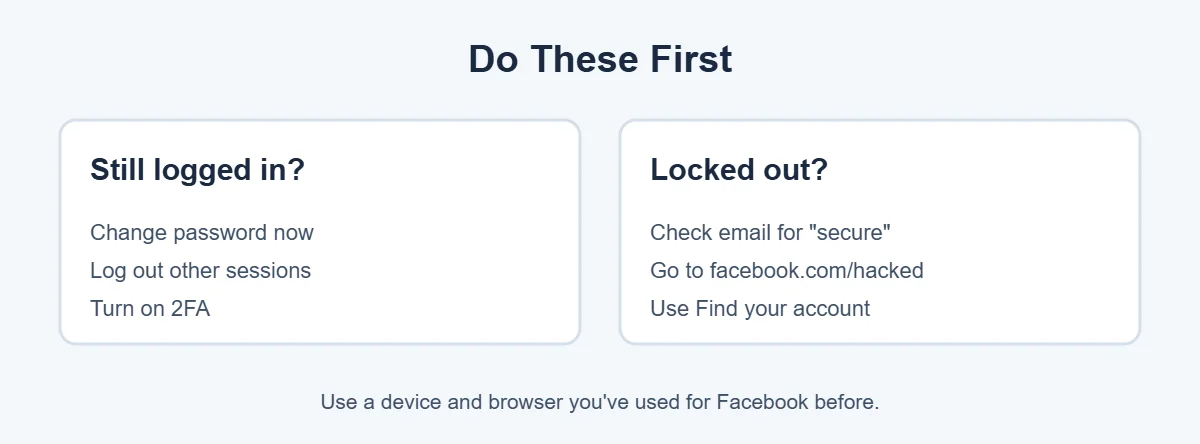
- Still logged in on a phone or computer? Change your password straight away in Settings, Accounts Center, Password and security. Then open Where you’re logged in and log out of devices you don’t recognize.
- Locked out? Follow the steps below, starting with your email.
Try recovery on a phone or computer you’ve used for Facebook before, ideally on your home Wi-Fi. Facebook trusts familiar devices more.
7 Easy Steps to Recover a Hacked Facebook Account
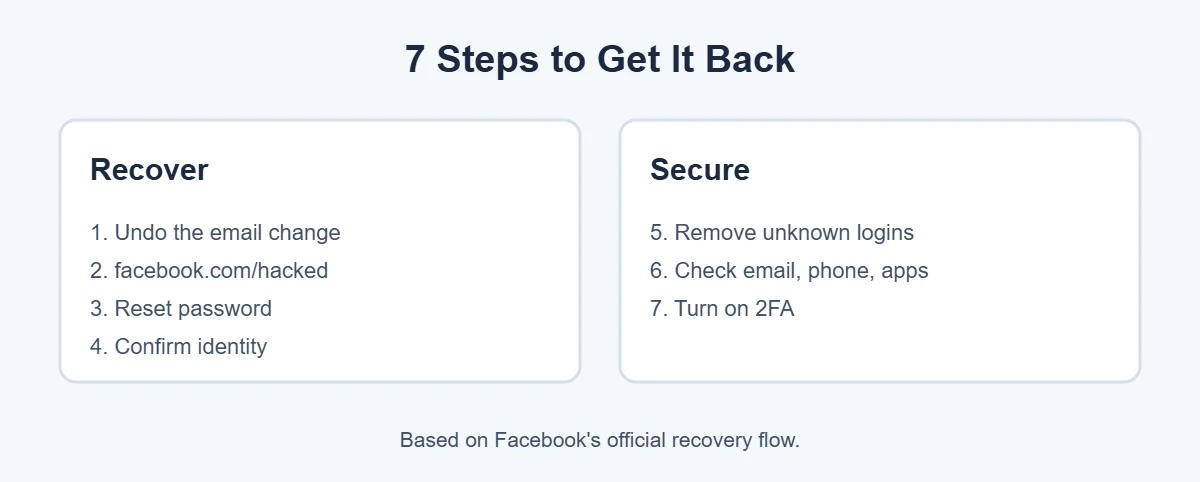
1. Undo the email change
When the email on your account changes, Facebook sends a message to the old address. It usually has a link like “secure your account” or “this wasn’t me.” Use it quickly, and check your spam folder. Real Facebook security emails come from a facebookmail.com address.
2. Go to facebook.com/hacked
Open facebook.com/hacked and choose the option that matches what happened, such as “I found posts, messages or friend requests that I didn’t make” or “Someone else got into my account without my permission.” Follow the steps.
3. Reset your password
On the login page, tap Forgot password? or Find your account. Enter your email, phone number or name, and Facebook will send a code to a contact method on the account. If the hacker changed both, look for “No longer have access to these?”
4. Confirm your identity
Facebook may ask you to upload a photo of an ID or record a video selfie to prove you’re the owner. Use a clear photo with your name and date of birth visible, matching your profile. Reviews can take a few days.
5. Remove unknown logins
Once you’re in, go to Accounts Center, Password and security, Where you’re logged in and log out of every device you don’t recognize. If unsure, log out of all and log in again on your own devices.
6. Check your email, phone and apps
In Accounts Center, check Personal details to make sure the email and phone are yours. Remove any you don’t recognize. Then check Apps and websites in Settings and remove anything you don’t use.
7. Turn on two-factor authentication
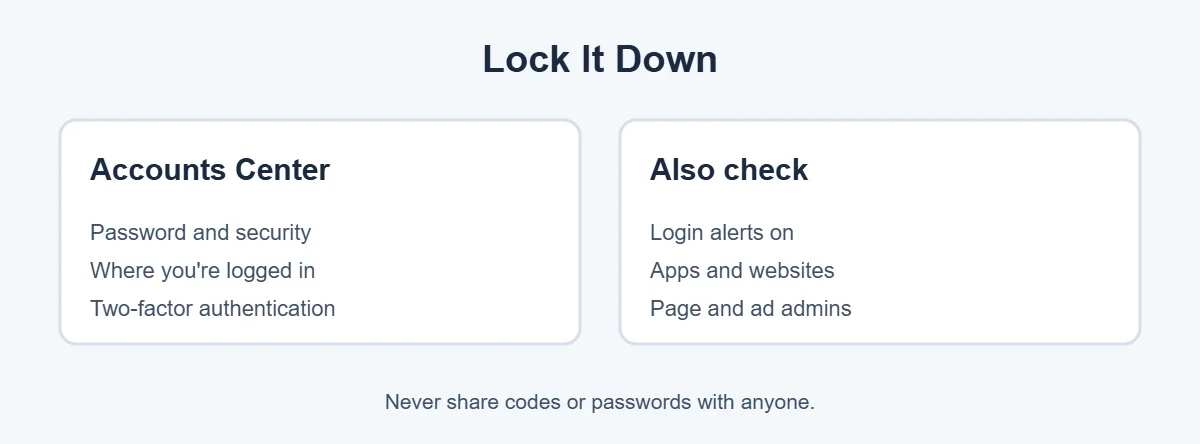
In Accounts Center, Password and security, Two-factor authentication, pick your account and turn it on. An authentication app or security key is safer than text messages. Save your recovery codes somewhere safe. Also turn on login alerts so you’re told about new logins.
Watch Out for Recovery Scams
After a hack, scammers post comments and send messages offering to recover your Facebook for a fee, or pretend to be Meta support. Facebook doesn’t charge to recover accounts and won’t DM you asking for codes or passwords. Only use facebook.com/hacked and the official Facebook Help Center.
For more simple guides, visit TrickieTech.
How Do Facebook Accounts Get Hacked?
A hacked Facebook account usually starts in one of these ways:
- Phishing messages: “Your page will be deleted for violating policy,” “Is this you in this video?” or fake Meta support DMs that lead to a fake login page.
- Reused passwords: a password leaked in a data breach from another site, then tried on Facebook.
- Hacked email: if someone controls your email, they can reset your Facebook password.
- Code requests from “friends”: a hacked friend asks you to send back a code. It’s your reset code.
- Fake apps and quizzes: apps that ask you to log in with Facebook to see “who viewed your profile.”
- Malware on your computer: info-stealing malware can copy saved passwords and login cookies from your browser.
Hacked Facebook Account With a Business Page or Ads
A hacked Facebook account that manages Pages or ad accounts is a big target, because hackers can spend your money on ads.
- Once you’re back in, open Meta Business Suite or Business Settings.
- Check People and Partners and remove anyone you don’t know.
- Check Ad accounts and Billing for ads or charges you didn’t create. Pause them and contact your bank to dispute charges.
- Check Page roles, and give team members their own access instead of sharing your login.
- Report the hack through Meta’s business help center.
If Your Hacked Facebook Account Was Disabled
A hacked Facebook account sometimes gets disabled, because hackers post content that breaks the rules. When you try to log in, you should see a message with an option to appeal or request a review. Explain that your account was hacked and follow any identity checks. Don’t make a new account with the same details while the review is open, because that can complicate things.
Warn Your Friends
A hacked Facebook account is often used to message your friends with fake emergencies (“I’m stuck abroad, can you send money?”) or scam links. While you recover it:
- Tell friends through another app, text or call that your Facebook was hacked.
- Ask them not to send money, codes or click links from “you.”
- Ask them to report posts and messages from your account as hacked.
Once you’re back, delete posts and messages the hacker sent and check your profile details.
Secure Your Email Account Too
Your email is the master key. Many people end up with a hacked Facebook account because their email was hacked first. If your email password was stolen, change it, turn on two-factor authentication and check for forwarding rules. In Gmail, look at Settings, See all settings, Forwarding and POP/IMAP and Filters and Blocked Addresses. In Outlook, check Settings, Mail, Forwarding and Rules. Hackers often add a rule that hides Facebook’s security emails from you.
Real-Life Examples
“A message said my Page would be deleted”
It linked to a fake Meta page that asked for a password and code, which led to a hacked Facebook account. After recovering through facebook.com/hacked, the owner removed an unknown admin from Business Settings.
“My friend’s account messaged me asking for money”
The friend’s account had been hacked. A quick phone call confirmed it, and the friend recovered it by using Facebook’s “secure your account” email.
“The hacker changed my email and phone”
Using “No longer have access?” and uploading a photo ID got the account back after a few days.
[ADD PERSONAL EXPERIENCE: add a short real example if you have one.]
Quick Checklist
- Check your old email for “secure your account.”
- Go to facebook.com/hacked from a familiar device.
- Reset your password.
- Confirm your identity if asked.
- Log out unknown devices.
- Check email, phone, apps and Page admins.
- Turn on two-factor authentication and login alerts.
- Secure your email account.
- Warn friends and delete scam posts.
Hacked Facebook Account: What Not to Do
- Don’t pay “recovery experts” who comment on your posts or message you. Recovering a hacked Facebook account through Facebook is free.
- Don’t call phone numbers you find in search ads claiming to be Facebook support. Many are scams.
- Don’t share codes sent to your phone or email with anyone.
- Don’t keep clicking “resend code” over and over, which can trigger limits.
- Don’t log in through links in messages. Type facebook.com yourself or use the app.
Recover a Hacked Facebook Account on Phone vs Computer
| Step | Phone (app) | Computer (browser) |
|---|---|---|
| Start recovery | Tap Forgot password on the login screen | Click Forgot password? or go to facebook.com/hacked |
| Security settings | Menu, Settings & privacy, Settings, Accounts Center | Profile picture, Settings & privacy, Settings, Accounts Center |
| Check logins | Password and security, Where you’re logged in | Password and security, Where you’re logged in |
| Turn on 2FA | Password and security, Two-factor authentication | Password and security, Two-factor authentication |
If the app doesn’t offer the option you need, try a browser on a computer you’ve used before. Recovering a hacked Facebook account sometimes works better on a familiar computer.
Keep a Backup of Your Facebook Data
Years of photos, posts and messages live in your account. After you recover a hacked Facebook account, download a copy so you never lose it. Go to Accounts Center, Your information and permissions, Download your information, choose your Facebook profile, pick the data and date range, and request the file. Facebook emails you when it’s ready. Store it on your computer or cloud storage, and repeat every few months.
Set Up Recovery Options Before You Need Them
The easiest hacked Facebook account to recover is one that was prepared in advance. Take five minutes now:
- Add a second email and phone number in Accounts Center, Personal details, Contact info, so you have a backup if one is lost or taken.
- Save your two-factor recovery codes in a password manager or print them and keep them at home.
- Add a security key or authentication app, which are harder to steal than text codes.
- Keep your profile name and photos real, because identity checks compare your ID or selfie to your profile.
- Remember your devices: log in on one trusted phone or computer you keep, which helps Facebook recognize you later.
These small steps can turn a stressful week of recovery into a five-minute fix.
Report Fake Profiles Copying You
Sometimes friends report a “hacked” account, but it’s really a fake copy. Visit the fake profile, click the three dots, choose Report profile, and select that it’s pretending to be you. Ask friends to report it too, and post on your real profile that the copy is fake. Facebook reviews impersonation reports separately from hacked accounts.
Help an Older Relative With a Hacked Account
Parents and grandparents are often targeted, and the recovery steps can feel confusing. Sit with them and use their usual phone or computer, since Facebook trusts familiar devices. Read each screen together, and help them take a clear photo of their ID if asked.
Write down the new password in a safe place, or set up a simple password manager. Then turn on two-factor authentication together.
Show them how to spot fake messages, like urgent requests for money from “friends.” A calm session usually gets a hacked Facebook account back and prevents the next hack.
Check in every few months to review login alerts and make sure their recovery email and phone number are still up to date.
How Long Should You Wait Before Giving Up?
Don’t give up too soon. Identity reviews for a hacked Facebook account can take several days, sometimes longer when many people are asking for help. Check your email, including spam, once a day for messages from Facebook.
If a week passes with no reply, try the recovery steps again from your most familiar device. Keep your ID ready, and use the same name that’s on your profile.
Frequently Asked Questions
How do I recover a hacked Facebook account?
Go to facebook.com/hacked on a device you’ve used before and follow the steps. If the hacker changed your email, look for Facebook’s email to your old address with an option to secure your account. Facebook may ask you to reset your password and confirm your identity with an ID or video selfie.
What if I can’t access my email or phone anymore?
Go to facebook.com/hacked or use Find your account on the login page and look for an option saying you no longer have access. Facebook may let you add a new email or phone and confirm your identity with a photo ID or video selfie. Reviews can take a few days.
How long does Facebook take to restore a hacked account?
If you reset your password from the email link, it can take minutes. If Facebook needs to review your ID or video selfie, it may take a few days or longer. Avoid sending many repeated requests. Watch your email for updates from Facebook.
Can I talk to someone at Facebook about my hacked account?
Facebook mostly handles hacked accounts through its online recovery tools rather than phone support. Some paid Meta Verified subscribers get access to account support. Be careful: anyone calling or messaging you claiming to be Facebook support and asking for money or codes is a scammer.
Why was my Facebook account disabled after a hack?
Hackers often post scams or break rules, which can get the account disabled. When you try to log in, Facebook usually shows an option to appeal. Explain that your account was hacked and follow the identity checks. Don’t create a new account with the same details while the appeal is open.
How do I stop my Facebook from being hacked again?
Use a unique password you don’t use anywhere else, turn on two-factor authentication with an authentication app or security key, turn on login alerts, secure your email account, and never share codes. Remove old apps connected to Facebook that you no longer use.
The Bottom Line
To recover a hacked Facebook account, use the “secure your account” email if you have one, then facebook.com/hacked from a familiar device. Be ready to confirm your identity with an ID or video selfie.
Once you’re back in, log out unknown devices, check your email and phone, and turn on two-factor authentication. Never pay anyone who offers to recover your account.
{“@context”:”https://schema.org”,”@type”:”FAQPage”,”mainEntity”:[{“@type”:”Question”,”name”:”How do I recover a hacked Facebook account?”,”acceptedAnswer”:{“@type”:”Answer”,”text”:”Go to facebook.com/hacked on a device you’ve used before and follow the steps. If the hacker changed your email, look for Facebook’s email to your old address with an option to secure your account. Facebook may ask you to reset your password and confirm your identity with an ID or video selfie.”}},{“@type”:”Question”,”name”:”What if I can’t access my email or phone anymore?”,”acceptedAnswer”:{“@type”:”Answer”,”text”:”Go to facebook.com/hacked or use Find your account on the login page and look for an option saying you no longer have access. Facebook may let you add a new email or phone and confirm your identity with a photo ID or video selfie. Reviews can take a few days.”}},{“@type”:”Question”,”name”:”How long does Facebook take to restore a hacked account?”,”acceptedAnswer”:{“@type”:”Answer”,”text”:”If you reset your password from the email link, it can take minutes. If Facebook needs to review your ID or video selfie, it may take a few days or longer. Avoid sending many repeated requests. Watch your email for updates from Facebook.”}},{“@type”:”Question”,”name”:”Can I talk to someone at Facebook about my hacked account?”,”acceptedAnswer”:{“@type”:”Answer”,”text”:”Facebook mostly handles hacked accounts through its online recovery tools rather than phone support. Some paid Meta Verified subscribers get access to account support. Be careful: anyone calling or messaging you claiming to be Facebook support and asking for money or codes is a scammer.”}},{“@type”:”Question”,”name”:”Why was my Facebook account disabled after a hack?”,”acceptedAnswer”:{“@type”:”Answer”,”text”:”Hackers often post scams or break rules, which can get the account disabled. When you try to log in, Facebook usually shows an option to appeal. Explain that your account was hacked and follow the identity checks. Don’t create a new account with the same details while the appeal is open.”}},{“@type”:”Question”,”name”:”How do I stop my Facebook from being hacked again?”,”acceptedAnswer”:{“@type”:”Answer”,”text”:”Use a unique password you don’t use anywhere else, turn on two-factor authentication with an authentication app or security key, turn on login alerts, secure your email account, and never share codes. Remove old apps connected to Facebook that you no longer use.”}}]}