
To stop spam texts, turn on your phone’s built-in filter. On iPhone, go to Settings, Apps, Messages and turn on Screen Unknown Senders (iOS 26) or Filter Unknown Senders on older versions. On Android, open Google Messages settings and turn on Spam protection. Then report and block spam as it arrives, and forward scam texts to 7726 in the US or UK.
Below are eight easy ways to stop spam texts, plus the scams to watch for.
[ADD PERSONAL EXPERIENCE: one line about the most annoying spam text you’ve received.]
Table of Contents
Why Spam Texts Are Everywhere
Texts are cheap to send in huge numbers, and people open them more than emails. Scammers use them to steal card details, passwords and money with fake toll fees, delivery problems, bank alerts and “wrong number” chats. Your number may also have leaked in a data breach or been sold by an app.
8 Easy Ways to Stop Spam Texts
1. Filter unknown senders on iPhone
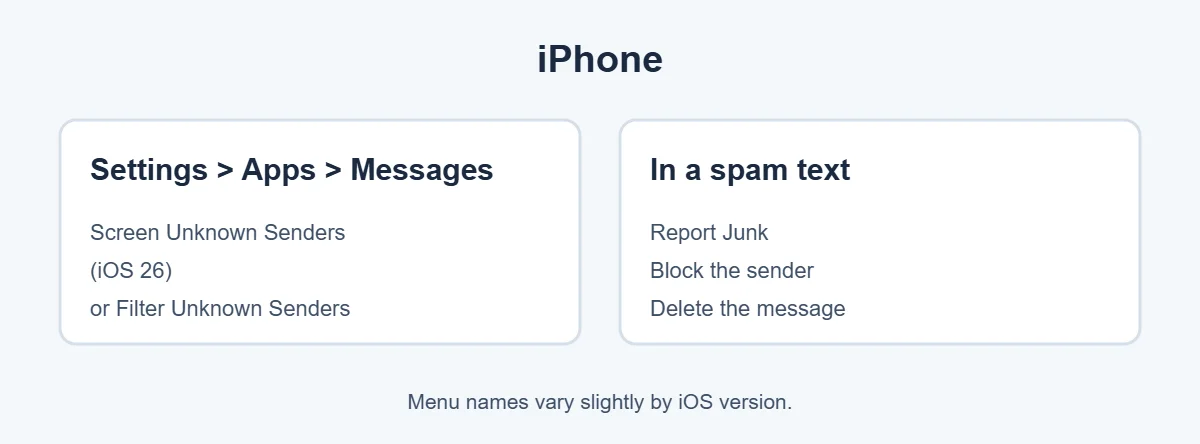
Go to Settings, Apps, Messages. On iOS 26, turn on Screen Unknown Senders. Texts from numbers not in your contacts go to a separate Unknown Senders list without notifying you. On older iOS versions, turn on Filter Unknown Senders.
2. Turn on spam protection on Android
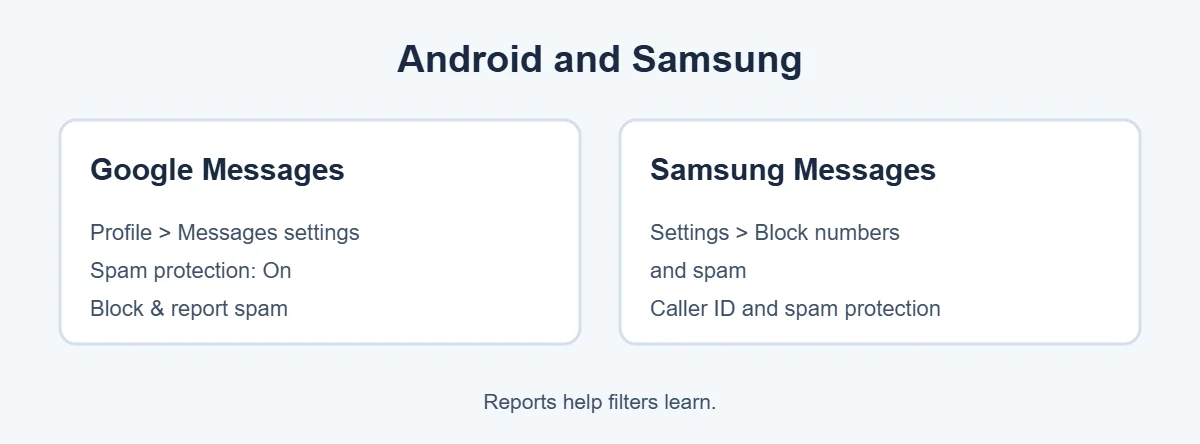
In Google Messages, tap your profile picture, Messages settings, Spam protection, and turn it on. On Samsung Messages, open Settings, Block numbers and spam, and turn on spam protection.
3. Report junk and block the sender
- iPhone: under the message, tap Report Junk if you see it. Or tap the sender at the top, then the info button, and Block Caller.
- Android: press and hold the conversation, tap Block, and tick Report spam.
4. Forward scam texts to 7726
In the US and UK, forward the text to 7726 (SPAM). It’s free and helps carriers block the sender for everyone.
5. Use your carrier’s free tools
Carrier apps like Verizon Call Filter, AT&T ActiveArmor and T-Mobile Scam Shield can also filter scam texts. Many carriers in the UK, Canada and Australia block known scam messages automatically.
6. Don’t reply to unknown senders
Replying, even with STOP, confirms your number works. Only reply STOP to real businesses you signed up with.
7. Unsubscribe from real marketing texts
For legit shops and services, reply STOP. By law in many countries, they must stop texting you. You can also turn off text marketing in your account settings with them.
8. Report scams to the authorities
In the US, report at ReportFraud.ftc.gov. In the UK, report to Action Fraud. In Canada, use the Canadian Anti-Fraud Centre. In Australia, report to Scamwatch.
Common Spam Text Scams
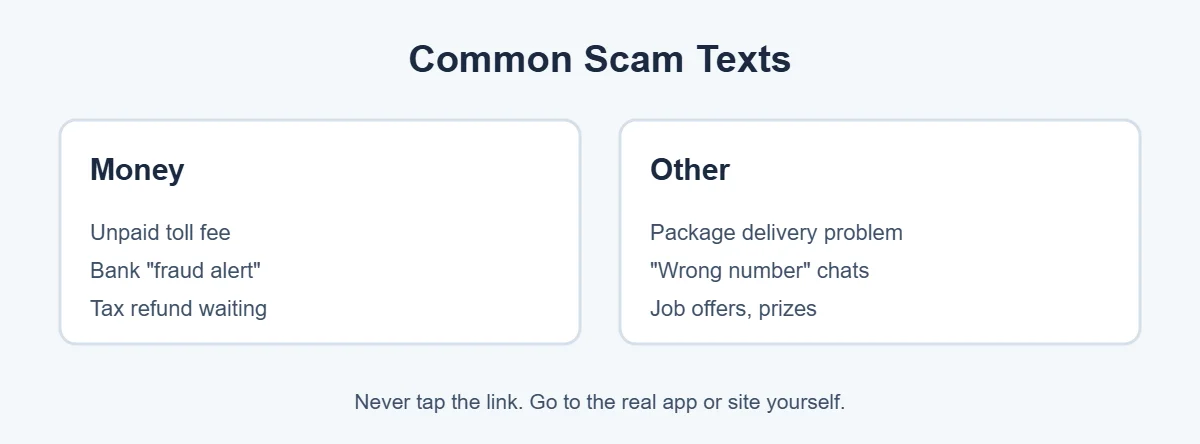
- Unpaid toll texts: “You have an outstanding toll balance, pay now to avoid fines.”
- Delivery texts: “Your package is on hold, update your address.”
- Bank alerts: “Did you make this purchase? Reply YES or NO.”
- Tax refund texts: “You’re owed a refund, claim it here.”
- Wrong number: “Hi, is this Mike? Sorry, wrong number!” followed by friendly chat.
- Job offers: easy remote work for high pay.
The rule for all of them: don’t tap the link. Go to the real company’s app or website yourself.
For more simple guides, visit TrickieTech.
How to Spot a Scam Text in Seconds
| Warning sign | Example |
|---|---|
| Urgency or threats | “Pay within 24 hours or face penalties” |
| Odd links | Short links or web addresses with extra words, like toll-pay-center.com |
| Unknown or foreign number | Long numbers, email addresses as senders, or overseas codes |
| Asks for codes or card details | “Reply with the code we sent to confirm” |
| Too good to be true | “You’ve won a $500 gift card” |
| Wrong-number chat | Friendly messages that slowly turn to investment talk |
If a text has two or more of these signs, treat it as a scam. Learning these signs is one of the easiest ways to stop spam texts from fooling you. Real companies rarely text links asking you to pay or sign in.
Toll and Delivery Text Scams Explained
These are among the most common scams in the US, UK, Canada and Australia, and a top reason people want to stop spam texts. The texts look official, mention a small amount like $3.95 or £1.50, and link to a convincing fake payment page. The small fee is just bait. The real goal is your full card details.
- Toll agencies and road operators generally send bills through their own accounts and apps, so check your balance there.
- Delivery companies show real problems in their official app or tracking page.
- If you’re not sure, call the company using a number from its official website, not from the text.
What to Do If You Clicked a Spam Text Link
- Didn’t enter anything: close the page. You’re very likely fine.
- Entered card details: call your bank right away to block the card.
- Entered a password: change it on the real site and turn on two-factor authentication.
- Downloaded an app or file: delete it, run a security scan, and on iPhone check Settings, General, VPN & Device Management for unknown profiles.
Keep Your Number Out of Spam Lists
- Don’t post your number on social media or public websites.
- Use a second number or email for shop sign-ups and contests.
- Untick “share with partners” boxes when you sign up for services.
- Check if your number appeared in a data breach and be extra alert if it did.
- Ignore and delete; never reply to unknown senders.
Spam Texts on WhatsApp and iMessage
Spam isn’t only SMS. To stop spam texts in chat apps: On WhatsApp, tap the unknown chat, then Block and Report. In WhatsApp, Settings, Privacy, you can also limit who can add you to groups. On iMessage, scam messages may come from email addresses. Use Report Junk to send them to Apple, then delete them.
Help Family Members Stop Spam Texts
Older relatives and kids are common targets, so help them stop spam texts too. Turn on message filtering on their phones, show them how to report junk, and agree on one rule: never tap links in texts about money, deliveries or accounts. If they’re unsure, they can send you a screenshot first.
Real-Life Examples
“I got a toll text but I hadn’t driven on a toll road”
It was a scam. Forwarding it to 7726 and deleting it was all that was needed.
“A ‘wrong number’ text turned into a friendly chat”
After a week, the stranger started talking about a crypto investment. That’s a classic scam. Blocking and reporting ended it.
[ADD PERSONAL EXPERIENCE: add a short real example if you have one.]
Quick Checklist
- Turn on Screen or Filter Unknown Senders (iPhone).
- Turn on Spam protection (Android).
- Report junk and block senders.
- Forward scam texts to 7726.
- Use your carrier’s free tools.
- Don’t reply to unknown senders.
- Reply STOP only to real businesses.
- Never tap links about money or accounts.
Stop Spam Texts From Email-to-Text Gateways
Some spam texts arrive from email addresses instead of phone numbers, which makes them harder to stop. Spam texts like these need a different fix. These come through “email-to-text” systems that carriers use. Blocking each address rarely helps, because spammers change them constantly.
Ask your carrier whether they can turn off email-to-text messages for your line. Some carriers offer this in their app or account settings, and it can stop spam texts from that source almost completely.
Stop Spam Texts on an iPad or Mac
If you use iMessage on an iPad or Mac, filtering is separate on each device. On iPad, go to Settings, Apps, Messages and turn on the unknown sender filter. On a Mac, open Messages, Settings, and look for the option to filter unknown senders. Blocked contacts sync across your Apple devices through iCloud, which saves time.
Do Spam Blocker Apps Help?
Apps like Robokiller, Hiya and Truecaller can stop spam texts with larger spam databases. On iPhone, approved filtering apps can be turned on in Settings, Apps, Messages, under Text Message Filter, if you’ve installed one. Many have free versions with basic filtering and paid plans with more.
Read the privacy policy before you sign up. Some apps upload your contacts or message details to their servers. Built-in filters are usually enough for most people.
How to Stop Spam Texts for Good
There’s no single switch to stop spam texts forever, but combining these steps gets very close. Turn on filtering, report every scam, never reply, and keep your number private. Most people see far fewer spam texts within a few weeks of using these steps together, and the ones that do arrive end up quietly in a filtered folder instead of your main inbox.
Spam Texts That Pretend to Be Your Bank
Fake bank texts are some of the most dangerous, because they look urgent and real. Knowing the signs helps you stop spam texts from turning into fraud. A typical one says, “We noticed an unusual payment of $499. If this wasn’t you, reply NO or call us.” If you reply, a scammer calls pretending to be the fraud team and asks you to “move your money to a safe account” or read out a code.
- Your bank will never ask you to move money to a safe account.
- Your bank will never ask for your full PIN, password or a one-time code by phone or text.
- If you’re worried, call the number on the back of your card or open your bank’s app yourself.
Most banks in the US, UK, Canada and Australia let you report suspicious texts directly. Check your bank’s website for its reporting address or number, and forward the message there as well as to 7726.
Simple Words You’ll See
- Smishing: phishing by text message.
- Spoofing: faking the sender name or number so a text looks real.
- 7726: the free US and UK number for reporting spam texts.
- Unknown Senders: a filtered list for texts from numbers not in your contacts.
- Two-factor code: a one-time code for signing in. Never share it.
Group Text Spam and How to Leave
To stop spam texts in groups, you need a different approach. Sometimes spammers add you to a group text with dozens of strangers, and every reply from someone else pings your phone. Here’s how to get out:
- iPhone (iMessage group): open the group, tap the group icons at the top, and choose Leave this Conversation if it’s available. If not, turn on Hide Alerts and delete the chat.
- iPhone (SMS group): you may not be able to leave. Mute it with Hide Alerts, report it as junk and delete it.
- Android (Google Messages): open the group, tap the three dots, choose Details, then Leave group or turn off notifications, and block the numbers.
Don’t reply in the group, even to say “remove me.” That only adds to the noise and confirms your number to the spammer.
Keep a Record if You Lost Money
Even if you stop spam texts going forward, keep evidence of past scams. If a spam text led to a loss, take screenshots of the message, the sender number, the link and any payment receipts before deleting anything. Your bank and the police may ask for them. Then report the text to 7726 and to your country’s fraud reporting service, and contact your bank or card issuer as soon as possible.
Turn Off Message Previews on the Lock Screen
Even after you stop spam texts reaching your inbox, some may show on your lock screen. Spam texts can show scary or rude previews there, and scam codes or links can be seen by anyone nearby. On iPhone, go to Settings, Notifications, Show Previews and choose When Unlocked. On Android, go to Settings, Notifications, and set lock screen notifications to hide sensitive content. This keeps spam out of sight and protects real codes from being read over your shoulder.
Frequently Asked Questions
How do I stop spam texts for free?
Turn on your phone’s built-in filter: Screen or Filter Unknown Senders on iPhone, or Spam protection in Google Messages on Android. Report and block spam texts as they arrive, forward scam texts to 7726 in the US or UK, and don’t reply to unknown senders.
Should I reply STOP to spam texts?
Only to texts from real businesses you signed up with, where STOP is a legal way to unsubscribe. For scam texts from random numbers, don’t reply at all. Any reply, including STOP, tells scammers your number is active and can bring more texts.
What happens if I tap a link in a spam text?
If you only opened the page and typed nothing, the risk is low. Close it, and don’t enter any information. If you entered card details, call your bank. If you typed a password, change it and turn on two-factor authentication. Run a security scan if you downloaded anything.
Why am I getting so many spam texts suddenly?
Your number may have leaked in a data breach, been sold by an app or website, or been picked up by random number generators. Spam waves also follow big news events, like tax season or holiday shopping, when scammers send fake delivery or refund texts.
What is 7726 for spam texts?
7726 spells SPAM on a phone keypad. In the US and UK, forwarding a spam text to 7726 reports it to your carrier for free, helping them block the sender. Your carrier may reply asking for the sender’s number.
Are “wrong number” texts a scam?
Often, yes. Friendly “Hi, is this Sarah?” texts are a common start of romance and investment scams. The scammer tries to build a friendship, then asks you to invest or send money. Don’t reply. Block and report the number.
The Bottom Line
To stop spam texts, filter unknown senders on iPhone or turn on spam protection on Android, then report and block messages as they arrive.
Forward scams to 7726, never tap links in unexpected texts, and only reply STOP to businesses you actually signed up with.
{“@context”:”https://schema.org”,”@type”:”FAQPage”,”mainEntity”:[{“@type”:”Question”,”name”:”How do I stop spam texts for free?”,”acceptedAnswer”:{“@type”:”Answer”,”text”:”Turn on your phone’s built-in filter: Screen or Filter Unknown Senders on iPhone, or Spam protection in Google Messages on Android. Report and block spam texts as they arrive, forward scam texts to 7726 in the US or UK, and don’t reply to unknown senders.”}},{“@type”:”Question”,”name”:”Should I reply STOP to spam texts?”,”acceptedAnswer”:{“@type”:”Answer”,”text”:”Only to texts from real businesses you signed up with, where STOP is a legal way to unsubscribe. For scam texts from random numbers, don’t reply at all. Any reply, including STOP, tells scammers your number is active and can bring more texts.”}},{“@type”:”Question”,”name”:”What happens if I tap a link in a spam text?”,”acceptedAnswer”:{“@type”:”Answer”,”text”:”If you only opened the page and typed nothing, the risk is low. Close it, and don’t enter any information. If you entered card details, call your bank. If you typed a password, change it and turn on two-factor authentication. Run a security scan if you downloaded anything.”}},{“@type”:”Question”,”name”:”Why am I getting so many spam texts suddenly?”,”acceptedAnswer”:{“@type”:”Answer”,”text”:”Your number may have leaked in a data breach, been sold by an app or website, or been picked up by random number generators. Spam waves also follow big news events, like tax season or holiday shopping, when scammers send fake delivery or refund texts.”}},{“@type”:”Question”,”name”:”What is 7726 for spam texts?”,”acceptedAnswer”:{“@type”:”Answer”,”text”:”7726 spells SPAM on a phone keypad. In the US and UK, forwarding a spam text to 7726 reports it to your carrier for free, helping them block the sender. Your carrier may reply asking for the sender’s number.”}},{“@type”:”Question”,”name”:”Are \”wrong number\” texts a scam?”,”acceptedAnswer”:{“@type”:”Answer”,”text”:”Often, yes. Friendly \”Hi, is this Sarah?\” texts are a common start of romance and investment scams. The scammer tries to build a friendship, then asks you to invest or send money. Don’t reply. Block and report the number.”}}]}