

Got a black spot on laptop screen? First, check if it shows on an external monitor. If it doesn’t, the laptop’s screen is the problem, usually from dead pixels, pressure damage or liquid. If it does, it’s a software or driver issue you can often fix at home in minutes.
Below I’ll help you find the cause in two minutes, walk you through six easy fixes, and tell you honestly when a black spot on laptop screen needs a repair. These steps work for Dell, HP, Lenovo, ASUS and other brands.
[ADD PERSONAL EXPERIENCE: one line about a time you noticed a dark spot on a screen and what caused it.]
Table of Contents
What Causes a Black Spot on Laptop Screen?
A black spot on laptop screen can be small like a dot, or a bigger dark patch. Here are the usual causes:
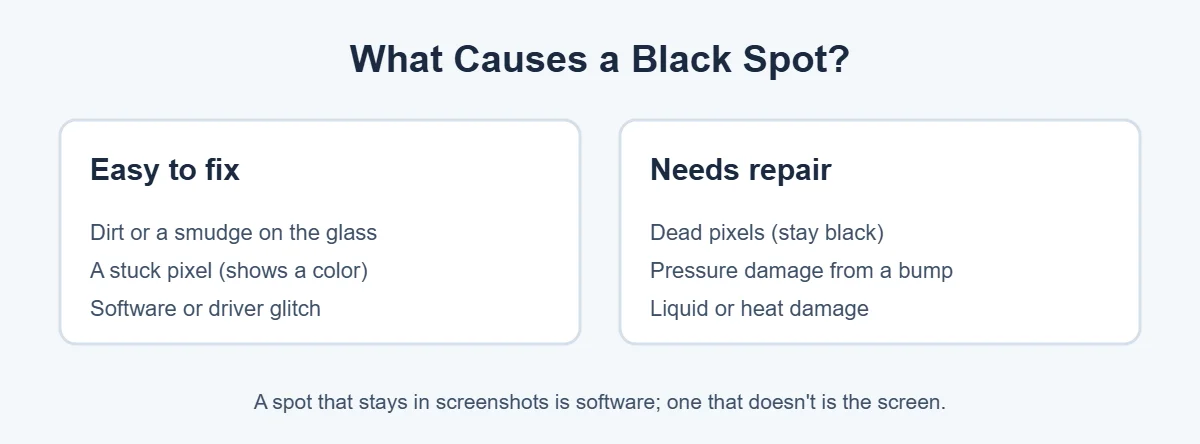
- Dirt or a smudge: looks like a spot but wipes away.
- Dead pixels: tiny dots that stay black because they get no power.
- Pressure damage: a bump, a tight bag or something left on the keyboard can press into the screen layers.
- Liquid or heat: moisture inside the panel can leave dark blotches.
- Software or drivers: rare, but a glitch can show dark areas that move or disappear.
Step 1: Find Out If It’s the Screen or Software
Not every black spot on laptop screen means a broken panel. Before you try any fix, run two quick tests. They tell you whether the black spot on laptop screen is a hardware or software problem.
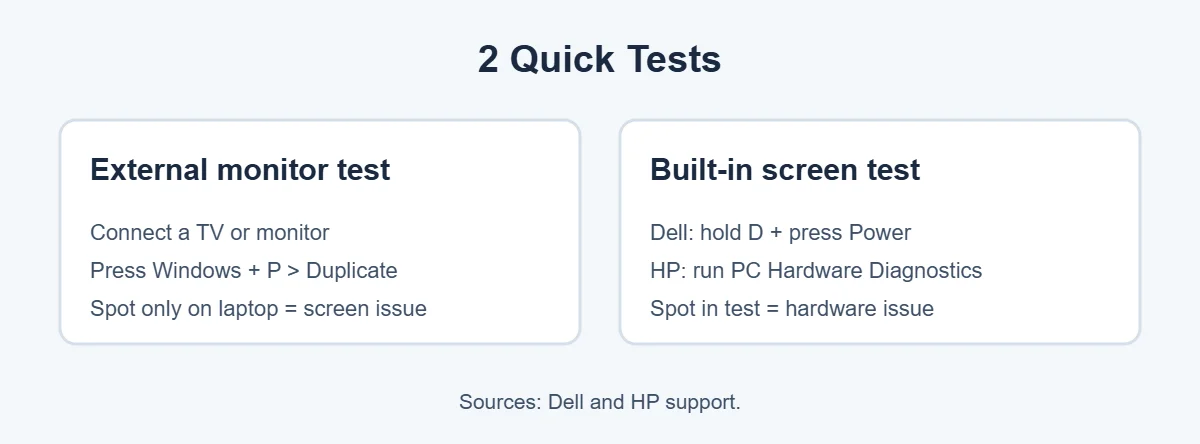
Test 1: Connect an external monitor
Plug your laptop into a TV or monitor with HDMI. Press Windows + P and choose Duplicate. Dell explains that if the external display looks fine, the laptop screen may be faulty.
Test 2: Run the built-in screen test
On a Dell, turn the laptop off, hold the D key and press Power. The LCD built-in self-test cycles through black, white, red, green and blue. If you see dots or dark areas during the test, Dell says the screen may need service. On an HP, use the free HP PC Hardware Diagnostics tool to check the display.
6 Easy Fixes for a Black Spot on Laptop Screen
Try these in order, and stop when the black spot on laptop screen is gone.
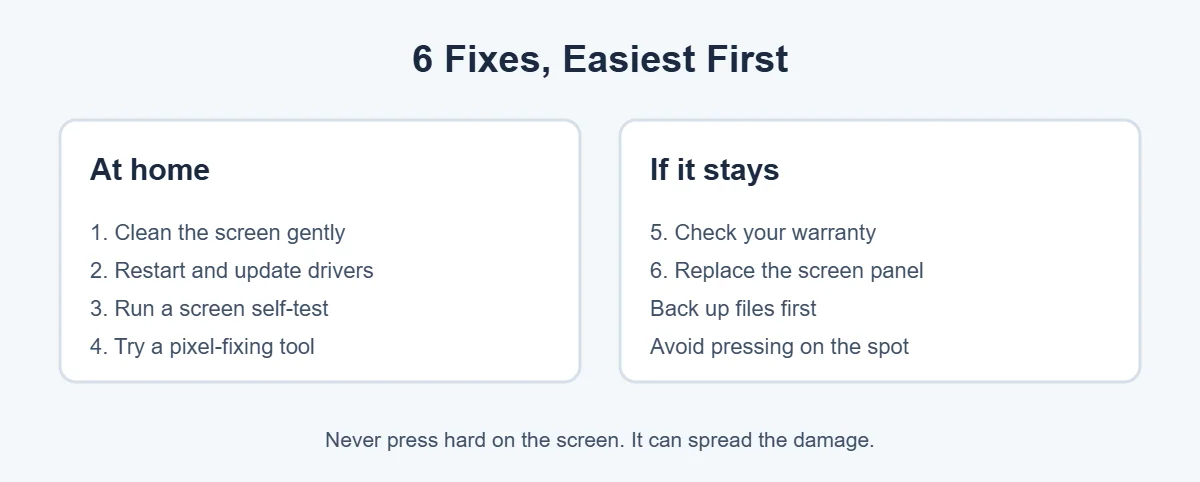
1. Clean the screen gently
Sometimes a black spot on laptop screen is just dirt. Turn the laptop off. Wipe the screen with a dry microfiber cloth using light, circular motions. If something is stuck on, lightly dampen the cloth with water. Never spray liquid directly on the screen.
2. Restart and update your graphics driver
If the spot moved or flickered, it may be software. Restart, then install Windows updates and the latest graphics driver from your laptop maker’s support page. Dell also recommends checking that your resolution is set to the recommended value.
3. Run the screen self-test again
After updates, run the self-test or diagnostics again. If the colors are now clean, the problem was software.
4. Try a pixel-fixing tool
If the spot is just one or a few tiny dots, they may be stuck pixels. A free tool like JScreenFix flashes colors over them for 10 to 60 minutes. It works on stuck pixels more often than on fully dead ones. Avoid it if you have photosensitive epilepsy.
5. Check your warranty
Many brands replace screens with too many bad pixels. For example, Dell’s pixel guidelines allow up to five dark subpixels on HD+ laptop screens. Physical damage, like cracks or pressure marks, is usually not covered by standard warranty, but support can still give you repair options.
6. Replace the screen panel
If the black spot on laptop screen is from pressure or liquid damage, it won’t go away on its own and may grow. A new panel is the only real fix. Back up your files first, and get a quote from the maker or a trusted local repair shop.
What Not to Do
- Don’t press or rub hard on the spot. It can spread pressure damage.
- Don’t use heat. Hair dryers can damage the screen layers.
- Don’t spray cleaners on the screen. Liquid can seep into the edges and make it worse.
How to Prevent Black Spots
- Close the lid gently and never leave pens or earbuds on the keyboard.
- Use a padded sleeve and don’t overstuff your bag.
- Keep drinks away from your laptop.
- Don’t lift the laptop by the screen.
If your laptop is old and fixing the black spot on laptop screen costs too much, it may be time to move on. Here’s how long laptops usually last and where to sell or recycle an old laptop.
Frequently Asked Questions
Why is there a black spot on my laptop screen?
Most black spots come from dead pixels, pressure damage from a bump or tight bag, or liquid getting into the screen. Sometimes it’s just dirt on the glass. If the spot doesn’t show up on an external monitor, the laptop screen itself is the cause.
Can a black spot on a laptop screen spread?
It can, especially if it came from pressure or liquid damage. A single dead pixel usually stays the same, but a growing dark patch often means the panel layers are damaged. Back up your files and get a repair quote if the spot gets bigger.
Can I fix a black spot on my laptop screen myself?
You can fix dirt, software glitches and some stuck pixels yourself. A truly dead area or physical damage usually needs a new screen panel. Pressing or massaging the spot rarely helps and can make it worse.
Does warranty cover a black spot on a laptop screen?
Pixel faults are often covered, depending on the brand’s pixel policy. Dell, for example, allows up to five dark subpixels on HD+ laptop screens before replacing them. Physical damage like cracks or pressure marks is usually not covered by standard warranty.
How do I test my Dell laptop screen for black spots?
Turn the laptop off, hold the D key and press Power. Dell’s built-in self-test shows solid colors. If the black spot appears in the test, it’s a screen hardware issue. If the colors look clean, the problem is likely a driver or Windows setting.
Is it worth fixing a black spot on a laptop screen?
If it’s small and near the edge, many people live with it. If it’s in the middle, growing, or the laptop is still under warranty, a repair is worth it. For an old laptop, compare the repair price with the cost of a new one.
The Bottom Line
A black spot on laptop screen is usually dead pixels, pressure damage or liquid. Start with an external monitor test and your laptop’s built-in screen test. If the spot shows only on the laptop, clean it, update drivers and try a pixel tool.
If it stays or grows, check your warranty and get a screen replacement quote. Catching it early keeps a small black spot from turning into a bigger problem.
{“@context”:”https://schema.org”,”@type”:”FAQPage”,”mainEntity”:[{“@type”:”Question”,”name”:”Why is there a black spot on my laptop screen?”,”acceptedAnswer”:{“@type”:”Answer”,”text”:”Most black spots come from dead pixels, pressure damage from a bump or tight bag, or liquid getting into the screen. Sometimes it’s just dirt on the glass. If the spot doesn’t show up on an external monitor, the laptop screen itself is the cause.”}},{“@type”:”Question”,”name”:”Can a black spot on a laptop screen spread?”,”acceptedAnswer”:{“@type”:”Answer”,”text”:”It can, especially if it came from pressure or liquid damage. A single dead pixel usually stays the same, but a growing dark patch often means the panel layers are damaged. Back up your files and get a repair quote if the spot gets bigger.”}},{“@type”:”Question”,”name”:”Can I fix a black spot on my laptop screen myself?”,”acceptedAnswer”:{“@type”:”Answer”,”text”:”You can fix dirt, software glitches and some stuck pixels yourself. A truly dead area or physical damage usually needs a new screen panel. Pressing or massaging the spot rarely helps and can make it worse.”}},{“@type”:”Question”,”name”:”Does warranty cover a black spot on a laptop screen?”,”acceptedAnswer”:{“@type”:”Answer”,”text”:”Pixel faults are often covered, depending on the brand’s pixel policy. Dell, for example, allows up to five dark subpixels on HD+ laptop screens before replacing them. Physical damage like cracks or pressure marks is usually not covered by standard warranty.”}},{“@type”:”Question”,”name”:”How do I test my Dell laptop screen for black spots?”,”acceptedAnswer”:{“@type”:”Answer”,”text”:”Turn the laptop off, hold the D key and press Power. Dell’s built-in self-test shows solid colors. If the black spot appears in the test, it’s a screen hardware issue. If the colors look clean, the problem is likely a driver or Windows setting.”}},{“@type”:”Question”,”name”:”Is it worth fixing a black spot on a laptop screen?”,”acceptedAnswer”:{“@type”:”Answer”,”text”:”If it’s small and near the edge, many people live with it. If it’s in the middle, growing, or the laptop is still under warranty, a repair is worth it. For an old laptop, compare the repair price with the cost of a new one.”}}]}