
Why does my phone get hot when charging? A little warmth is normal. Charging, especially fast or wireless charging, creates heat, and using the phone at the same time adds more. But if your phone shows a temperature warning, stops charging or shuts down, it’s too hot, and you should unplug it and let it cool.
Below I’ll explain why your phone gets hot when charging, what’s normal and what’s not, seven easy fixes, and how to cool down your phone safely.
[ADD PERSONAL EXPERIENCE: one line about when your phone got hot while charging, like during a game or in a hot car.]
Table of Contents
Why Does My Phone Get Hot When Charging?
When a battery charges, some energy turns into heat. Your phone gets hot when charging even more if it’s also doing hard work at the same time. Apple and Google both list these common causes:
- Fast charging or wireless charging.
- Setting up a new phone or restoring a backup.
- Installing a big software update.
- Playing games, streaming HD video or using the camera.
- Using the phone as a hotspot.
- Sitting in direct sunlight, a hot car or a closed space.
Normal Warm vs Too Hot
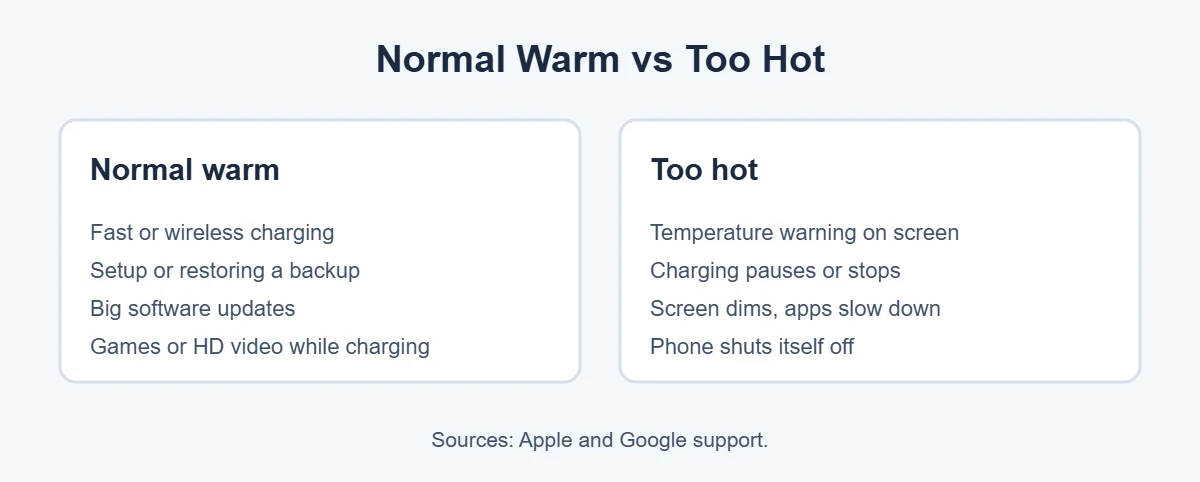
Apple says iPhones work best in surroundings between 0 and 35°C (32 to 95°F). When a phone gets too hot, Apple and Google explain that it protects itself by slowing or stopping charging, dimming the screen, slowing apps or even shutting down. If you see a temperature warning, that’s your cue to act.
7 Easy Fixes When Your Phone Gets Hot When Charging
1. Stop heavy use while charging
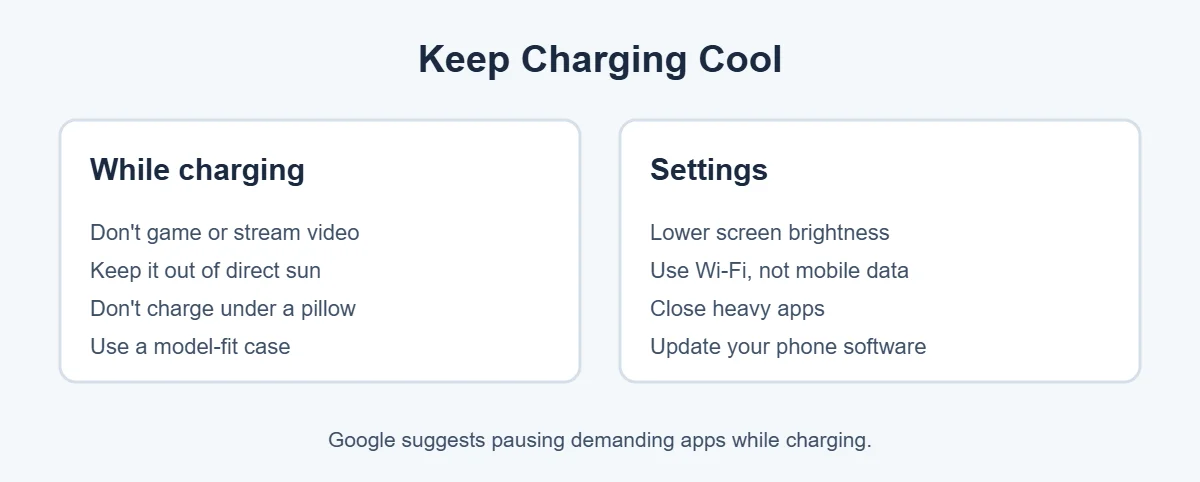
Google suggests pausing demanding apps, especially while charging. Games and video are the biggest heat makers, so let the phone charge in peace.
2. Move it out of the sun
Never charge on a sunny windowsill or in a hot car. Both Apple and Google warn about direct sun and hot vehicles.
3. Charge on a hard, open surface
Does your phone get hot when charging overnight? Beds, pillows and sofas trap heat. A table lets air move around the phone.
4. Check your case
Google recommends using a case made for your exact phone model. Very thick cases can hold heat, so take it off if your phone gets hot when charging every time.
5. Use a good charger and cable
A bad charger can make your phone get hot when charging. Damaged or cheap chargers can make things worse. Use the charger that came with your phone or a quality certified one, and replace any frayed cable.
6. Lower brightness and use Wi-Fi
Google suggests lowering screen brightness and using Wi-Fi instead of mobile data when possible. Both reduce the work your phone does.
7. Update your phone and restart it
If your phone still seems to get hot when charging, a buggy app or old software may be keeping the processor busy in the background. Install updates and restart your phone.
How Do I Cool Down My Phone Safely?
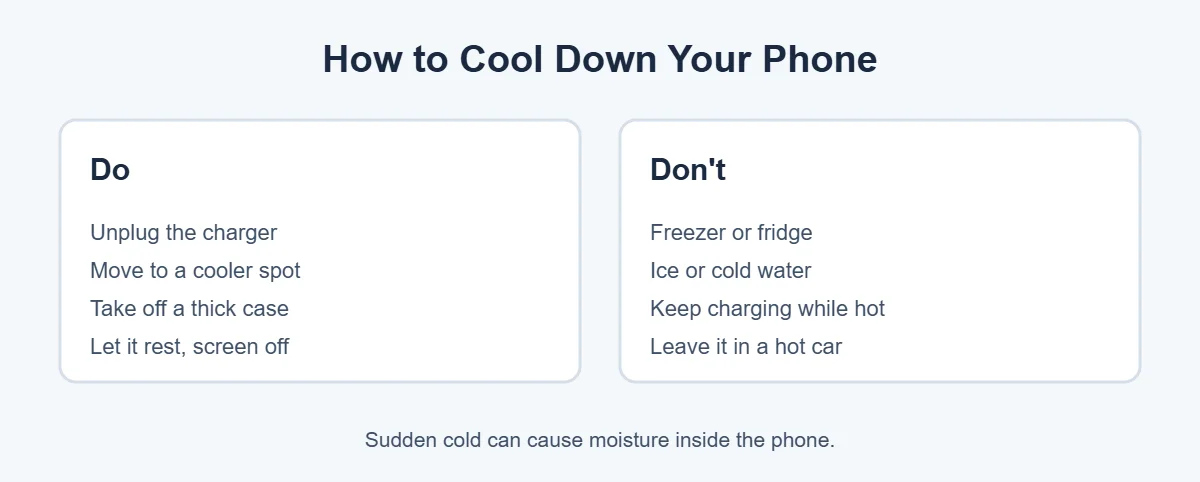
- Unplug the charger.
- Close games, video and camera apps.
- Take off a thick case.
- Move the phone to a cooler, shaded place.
- Leave it alone with the screen off until it feels normal.
Apple suggests turning the phone off and moving it somewhere cooler if a temperature warning appears. Don’t put your phone in a freezer, fridge or cold water. Sudden cold can cause moisture to form inside.
When to Worry
If your phone gets hot when charging every single time, even while it’s just sitting there, the battery, port or charger may be failing. Try another charger first. If the battery looks swollen, the phone smells odd or it keeps shutting off, stop charging it and contact your phone maker or a repair shop.
Done with an old phone? Don’t throw it away, since batteries can leak harmful pollutants in landfills. You can recycle or sell it at an ecoATM kiosk. Here’s what ecoATM accepts.
Frequently Asked Questions
Is it normal for my phone to get hot when charging?
Some warmth is normal, especially with fast or wireless charging, or while the phone is setting up, updating or restoring a backup. Apple and Google both say it should cool down once the activity ends. A warning screen or charging that stops means it’s too hot.
How hot is too hot for a phone?
Apple says iPhones work best in surroundings between 0 and 35°C (32 to 95°F). If your phone shows a temperature warning, stops charging, dims the screen or shuts off, it’s too hot. Unplug it and let it cool somewhere shaded.
How do I cool down my phone quickly and safely?
Unplug it, close heavy apps, take off a thick case and move it to a cooler, shaded spot. Let it rest with the screen off. Don’t put it in the freezer or fridge, because sudden cold can cause moisture inside.
Can a bad charger make my phone hot?
Yes. A damaged, cheap or uncertified charger or cable may not manage power properly and can make the phone hotter. Use the charger that came with your phone or a good-quality certified one, and stop using any damaged accessory.
Why does my phone get hot when charging at night?
Charging under a pillow, on a bed or inside a thick case traps heat. Charge on a hard, open surface like a table. Some phones also pause charging near 80 percent overnight to protect the battery, which is normal.
Should I worry if my phone gets very hot every time it charges?
If it gets very hot every time, even when you’re not using it, the battery or charging port may have a problem. Try another charger first. If it keeps happening, contact your phone maker or a repair shop to have the battery checked.
The Bottom Line
Why does my phone get hot when charging? Charging makes heat, and using the phone at the same time adds more. Some warmth is normal, but warnings, paused charging or shutdowns mean it’s too hot.
Charge on a hard surface out of the sun, skip games while charging, use a good charger and let your phone cool down naturally. If it gets hot every time, get the battery checked.
{“@context”:”https://schema.org”,”@type”:”FAQPage”,”mainEntity”:[{“@type”:”Question”,”name”:”Is it normal for my phone to get hot when charging?”,”acceptedAnswer”:{“@type”:”Answer”,”text”:”Some warmth is normal, especially with fast or wireless charging, or while the phone is setting up, updating or restoring a backup. Apple and Google both say it should cool down once the activity ends. A warning screen or charging that stops means it’s too hot.”}},{“@type”:”Question”,”name”:”How hot is too hot for a phone?”,”acceptedAnswer”:{“@type”:”Answer”,”text”:”Apple says iPhones work best in surroundings between 0 and 35°C (32 to 95°F). If your phone shows a temperature warning, stops charging, dims the screen or shuts off, it’s too hot. Unplug it and let it cool somewhere shaded.”}},{“@type”:”Question”,”name”:”How do I cool down my phone quickly and safely?”,”acceptedAnswer”:{“@type”:”Answer”,”text”:”Unplug it, close heavy apps, take off a thick case and move it to a cooler, shaded spot. Let it rest with the screen off. Don’t put it in the freezer or fridge, because sudden cold can cause moisture inside.”}},{“@type”:”Question”,”name”:”Can a bad charger make my phone hot?”,”acceptedAnswer”:{“@type”:”Answer”,”text”:”Yes. A damaged, cheap or uncertified charger or cable may not manage power properly and can make the phone hotter. Use the charger that came with your phone or a good-quality certified one, and stop using any damaged accessory.”}},{“@type”:”Question”,”name”:”Why does my phone get hot when charging at night?”,”acceptedAnswer”:{“@type”:”Answer”,”text”:”Charging under a pillow, on a bed or inside a thick case traps heat. Charge on a hard, open surface like a table. Some phones also pause charging near 80 percent overnight to protect the battery, which is normal.”}},{“@type”:”Question”,”name”:”Should I worry if my phone gets very hot every time it charges?”,”acceptedAnswer”:{“@type”:”Answer”,”text”:”If it gets very hot every time, even when you’re not using it, the battery or charging port may have a problem. Try another charger first. If it keeps happening, contact your phone maker or a repair shop to have the battery checked.”}}]}