
iPhone won’t charge? Plug it into a wall outlet, check the cable and adapter for damage, and gently clear lint from the charging port. Then restart the iPhone and leave it charging for 30 minutes. If it’s stuck at 80 percent, that’s often normal: Optimized Battery Charging or heat can pause it on purpose.
Below are eight easy fixes when your iPhone won’t charge, in the same order as Apple’s official guide, plus what the 80 percent limit and “Accessory Not Supported” alerts really mean.
[ADD PERSONAL EXPERIENCE: one line about your own iPhone charging problem and what caused it.]
Table of Contents
8 Easy Fixes When Your iPhone Won’t Charge
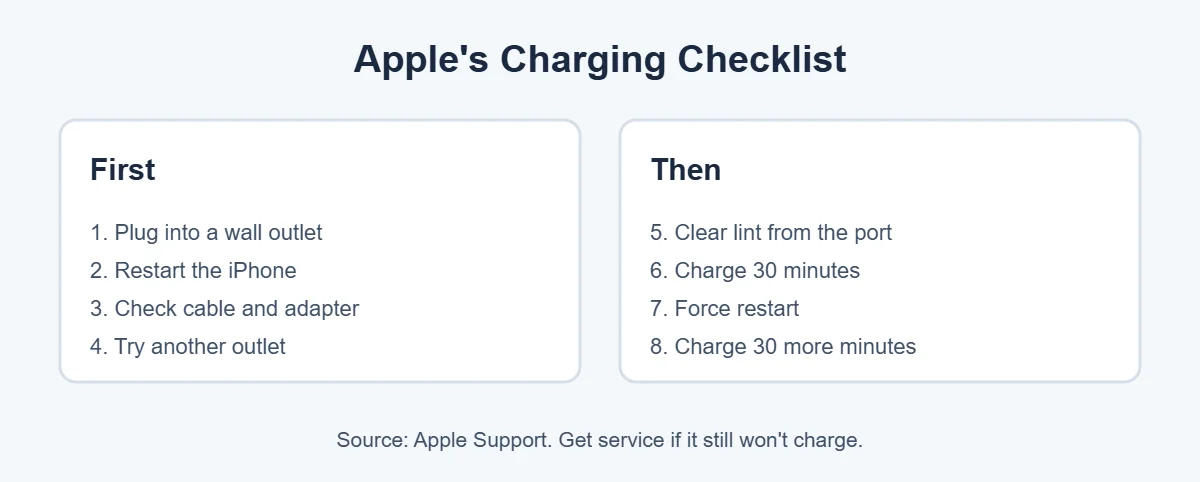
These come from Apple’s “If your iPhone won’t charge” guide. Apple says to try again after each step.
1. Use a wall outlet
Apple recommends plugging into a wall outlet. Laptop USB ports and weak power strips may not give enough power, which can make it look like your iPhone won’t charge.
2. Restart your iPhone
If your iPhone won’t charge because of a software glitch, a simple restart often fixes it. Turn it off and back on.
3. Check the cable and adapter
Look for frayed cables, bent prongs or a loose fit. Apple says to stop using damaged accessories. Try a different cable and adapter if you have them.
4. Try another outlet
Check all the connections between the cable, adapter and outlet, or move to a different outlet.
5. Clear the charging port
Pocket lint is one of the most common reasons an iPhone won’t charge. Turn the phone off, shine a light into the port and gently remove debris with a wooden toothpick. Then plug the cable in firmly.
6. Charge for 30 minutes
Sometimes it only looks like your iPhone won’t charge. A fully drained battery may need time before anything shows on screen. Leave it charging for half an hour.
7. Force restart
If the iPhone still won’t power on, force restart it. On iPhone 8 and later, quickly press Volume Up, then Volume Down, then hold the side button until the Apple logo appears.
8. Charge for another 30 minutes, then get service
Apple says to charge for another half hour. If your iPhone still won’t charge or turn on, it may need service from Apple or an Apple Authorized Service Provider.
iPhone Stops Charging at 80 Percent?
This isn’t always a problem. Apple explains three normal reasons:
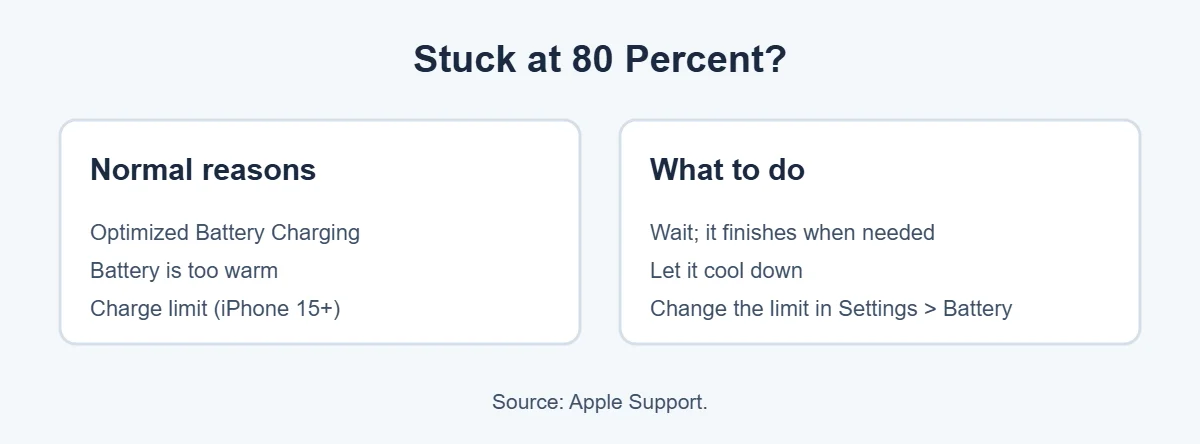
- Optimized Battery Charging: your iPhone may hold at 80 percent to slow battery aging, then finish charging before you usually need it.
- Heat: if the battery gets too warm, software may limit charging above 80 percent until it cools.
- Charge limit: on iPhone 15 and later, a charge limit may be set. You can change it in Settings, then Battery.
“Accessory Not Supported” Alert
If your iPhone won’t charge and shows an accessory alert, Apple lists a dirty or damaged port, a defective accessory, or a charger not designed for phones as possible causes.
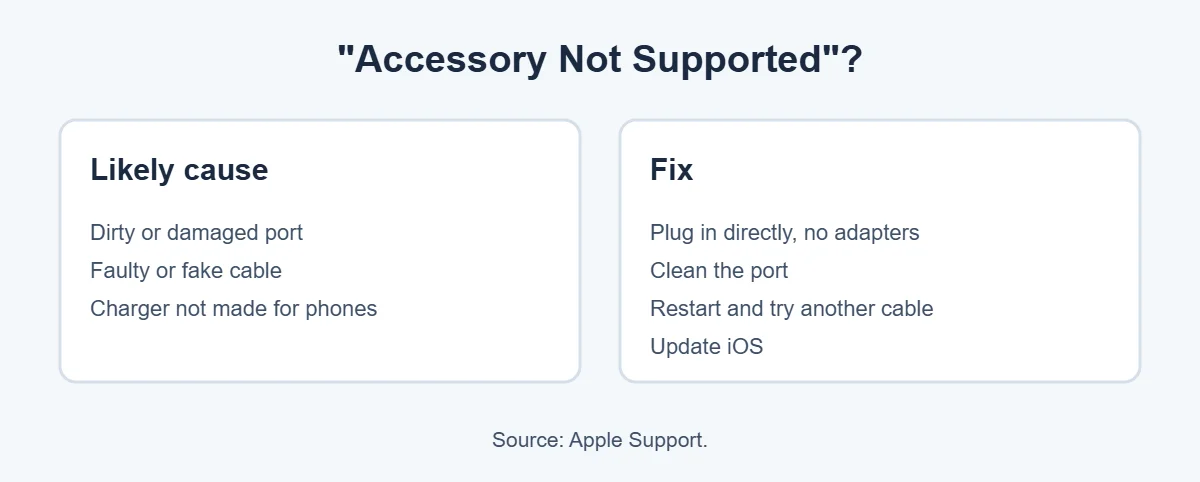
Connect the cable directly to the charger without adapters, clean the port, restart, try a different cable or charger, and update iOS.
Check Your Battery Health
An old battery can make it seem like your iPhone won’t charge, because it charges slowly or dies quickly. Go to Settings, Battery, Battery Health. Apple says if you see a message that the battery’s health is significantly degraded, a battery replacement is recommended.
Too Hot to Charge?
Apple notes that a “Charging On Hold” message means the iPhone is too hot or too cold to charge. Move it out of direct sunlight, remove it from a hot car, and let it reach a normal temperature.
Ready to upgrade from an old iPhone? You can sell it for cash at an ecoATM kiosk. Here’s what ecoATM accepts.
Frequently Asked Questions
Why won’t my iPhone charge when plugged in?
Usually the cable or adapter is damaged, the outlet isn’t working, or lint is blocking the port. Apple suggests a wall outlet, checking the cable and adapter, clearing the port and restarting. If it still won’t charge, a force restart and 30 more minutes on the charger may help.
Why does my iPhone stop charging at 80%?
Apple explains that Optimized Battery Charging can hold the charge at 80 percent to slow battery aging, then finish when you need it. Charging can also pause above 80 percent if the battery is warm. On iPhone 15 and later, a charge limit may be set in Settings.
How do I clean my iPhone charging port?
Turn the iPhone off, shine a light into the port and gently remove lint with a wooden toothpick or soft brush. Don’t use metal, liquid or compressed air. Then plug the cable in firmly and try charging again.
What does “Accessory Not Supported” mean on iPhone?
It means the iPhone doesn’t recognize the cable or charger. Apple lists a dirty or damaged port, a defective or uncertified accessory, or a charger not designed for phones as possible causes. Clean the port, try another cable and update iOS.
Why is my iPhone charging so slowly?
A weak adapter, a laptop USB port, heavy app use or heat can all slow charging. Use a wall adapter, close demanding apps and let a warm iPhone cool. Apple says iPhones may slow or pause charging when they get too hot.
When should I get my iPhone battery or port fixed?
If your iPhone won’t charge after trying Apple’s steps, including a new cable, a clean port and a force restart, Apple suggests getting service. Also check Settings, Battery, Battery Health for a service message.
The Bottom Line
When your iPhone won’t charge, start with the basics: a wall outlet, a good cable and adapter, and a clean port. Then restart, charge for 30 minutes and force restart if needed.
Stuck at 80 percent? That’s usually Optimized Battery Charging, heat or a charge limit, not a fault. If nothing works, Apple service is the next step.
{“@context”:”https://schema.org”,”@type”:”FAQPage”,”mainEntity”:[{“@type”:”Question”,”name”:”Why won’t my iPhone charge when plugged in?”,”acceptedAnswer”:{“@type”:”Answer”,”text”:”Usually the cable or adapter is damaged, the outlet isn’t working, or lint is blocking the port. Apple suggests a wall outlet, checking the cable and adapter, clearing the port and restarting. If it still won’t charge, a force restart and 30 more minutes on the charger may help.”}},{“@type”:”Question”,”name”:”Why does my iPhone stop charging at 80%?”,”acceptedAnswer”:{“@type”:”Answer”,”text”:”Apple explains that Optimized Battery Charging can hold the charge at 80 percent to slow battery aging, then finish when you need it. Charging can also pause above 80 percent if the battery is warm. On iPhone 15 and later, a charge limit may be set in Settings.”}},{“@type”:”Question”,”name”:”How do I clean my iPhone charging port?”,”acceptedAnswer”:{“@type”:”Answer”,”text”:”Turn the iPhone off, shine a light into the port and gently remove lint with a wooden toothpick or soft brush. Don’t use metal, liquid or compressed air. Then plug the cable in firmly and try charging again.”}},{“@type”:”Question”,”name”:”What does \”Accessory Not Supported\” mean on iPhone?”,”acceptedAnswer”:{“@type”:”Answer”,”text”:”It means the iPhone doesn’t recognize the cable or charger. Apple lists a dirty or damaged port, a defective or uncertified accessory, or a charger not designed for phones as possible causes. Clean the port, try another cable and update iOS.”}},{“@type”:”Question”,”name”:”Why is my iPhone charging so slowly?”,”acceptedAnswer”:{“@type”:”Answer”,”text”:”A weak adapter, a laptop USB port, heavy app use or heat can all slow charging. Use a wall adapter, close demanding apps and let a warm iPhone cool. Apple says iPhones may slow or pause charging when they get too hot.”}},{“@type”:”Question”,”name”:”When should I get my iPhone battery or port fixed?”,”acceptedAnswer”:{“@type”:”Answer”,”text”:”If your iPhone won’t charge after trying Apple’s steps, including a new cable, a clean port and a force restart, Apple suggests getting service. Also check Settings, Battery, Battery Health for a service message.”}}]}