
The Android Auto calling bug is a voice-command loop: when you ask Gemini to call or text a contact by name, it shows the right person and then asks “Who do you want to call?” again instead of dialing. As of November 8, 2026, Google has acknowledged reports but has not announced a fix. The most reliable workaround is to say the full phone number or to place the call from the Android Auto phone screen while parked.
If you rely on hands-free calling during a commute, that’s more than an annoyance. Below is what’s going on, which phones are hit, what actually works right now, and how to help Google fix it faster.
What is the Android Auto Gemini calling bug?
The Android Auto calling bug is a failure where Gemini, Google’s assistant in Android Auto, recognizes the contact you name but never completes the call or text. Instead, it loops back to the same prompt, often while the correct contact is already shown on the car’s screen.
Typical reports look like this:
- You say “Call Mom” or “Text Alex I’m running late.”
- Gemini displays the right contact card.
- Seconds later it asks “Who do you want to call?” again.
- Repeating the name restarts the loop rather than placing the call.
Both calling and texting are affected, according to reports collected by Gadget Hacks and SammyGuru. It is a voice problem only: manual calls placed by tapping still go through.
Gemini is Google’s AI assistant. It replaced Google Assistant on most Android phones in September 2026, and Android Auto now hands voice commands to it. That timing matters, because reports of the loop climbed soon after.
[ADD PERSONAL EXPERIENCE: If you or a reader has hit the loop, describe the exact car/head unit, phone, wired or wireless connection, and what you said, plus whether saying the number worked.]
Which phones are affected, and when did it start?
The Android Auto calling bug has been reported on recent Pixel and Samsung Galaxy phones since early October 2026, with a fresh wave of reports in the first week of November. Android Authority first collected the complaints from Google’s Android Auto Help Community, and 9to5Google and SamMobile followed on November 5.
Phones named in user reports so far include:
| Brand | Models mentioned in reports |
|---|---|
| Google Pixel | Pixel 10, Pixel 10 Pro |
| Samsung Galaxy | Galaxy S24, Galaxy S25 Ultra, Galaxy S26 |
This is not an official list of phones with the Android Auto calling bug. 9to5Google noted the issue doesn’t seem tied to one phone model or one Android Auto version, so other Android phones running Gemini may see it too. Wired and wireless Android Auto both appear in reports.
Is Google fixing the Android Auto calling bug?
Google knows about the problem but has not named a cause or a fix date as of November 8, 2026. On Google’s Android Auto Help Community, an Android Auto team member replied on November 4: “Thank you for reporting this issue,” and asked users for details to help the investigation.
That’s a normal first step, not a promise. For context, a similar “who do you want to call” loop hit Google Assistant in Android Auto in August 2024, and 9to5Google reported it was still unfixed three weeks after Google acknowledged it. A different Gemini calling failure in June 2026 was fixed faster: Google confirmed it on June 16 and pushed an app update within days.
So expect a fix through a Google app, Gemini or Android Auto update in the Play Store rather than a full phone software update. That’s an educated guess based on how Google fixed the June bug, not a Google statement.
Workarounds that work right now
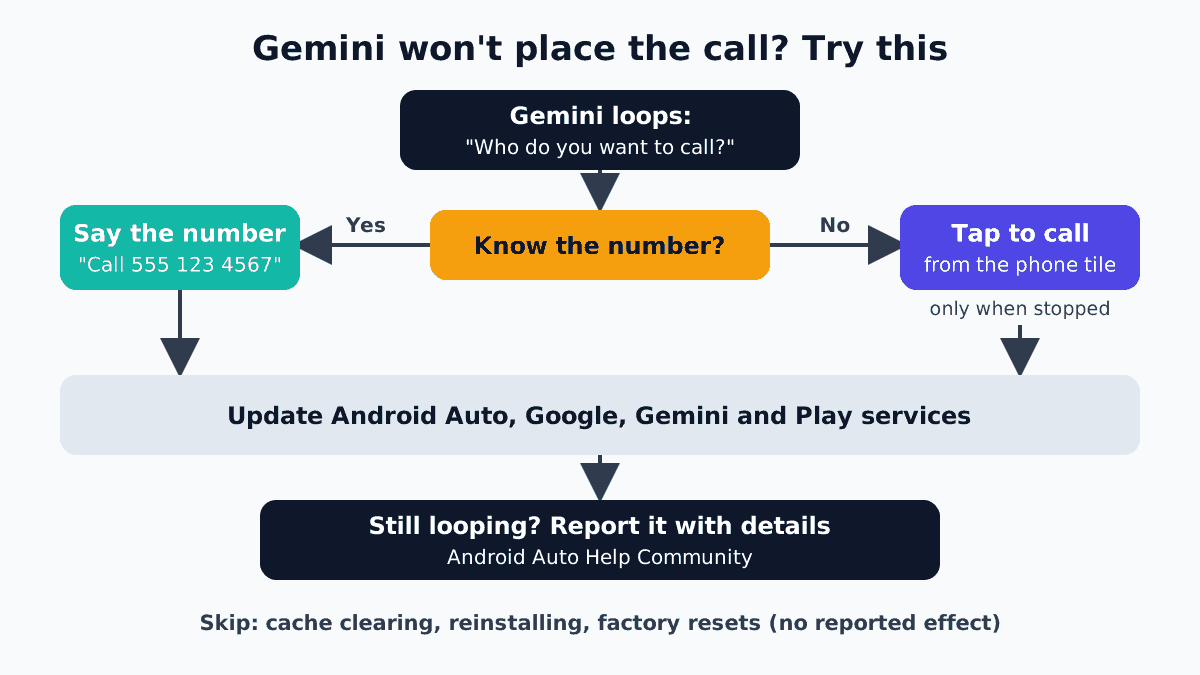
For the Android Auto calling bug, the two workarounds with consistent user reports are saying the phone number instead of the name and placing calls from the Android Auto phone app when it’s safe to tap. Neither is perfect, but both get the call out.
1. Say the number, not the name
Several people hit by the Android Auto calling bug report that “Call 555 123 4567” goes through even when “Call Sarah” loops. That suggests the bug sits in how Gemini matches names to your contacts. The obvious limit: you need to know the number, and this hasn’t been reported to work for texts.
2. Use the phone app on the car screen (while stopped)
Open the phone tile in Android Auto and pick a recent call, a favorite or a contact. Manual calls still connect normally. Do this at a red light only if your state’s hands-free law allows a single tap, or better, before you pull away or after you’ve pulled over.
3. Start important calls before you drive
If you know you’ll need to call someone on the road, start the call from your phone before you put the car in drive, then let Android Auto take over the audio. It’s low-tech, but it avoids fiddling with screens at speed.
4. Keep your Google apps updated
Open the Play Store, tap your profile picture, then Manage apps & device > Updates available, and update Android Auto, Google, Gemini and Google Play services if they’re listed. This won’t fix the loop today, but it’s the most likely route for Google’s fix, and it’s how the June 2026 calling bug was resolved.
5. Text by voice from the notification instead
When a message comes in, Android Auto offers to read it and let you reply. Users haven’t flagged that reply flow as broken in the same way, so replying to an existing thread may work when starting a new text doesn’t. Treat this as worth trying, not a guaranteed fix.
What doesn’t fix the Android Auto calling bug
Reinstalling Android Auto, clearing its cache, repeating the contact’s name and switching between call and text commands haven’t fixed the loop for users who tried them. Gadget Hacks also found no source backing factory resets, re-pairing Bluetooth or swapping USB cables for this specific bug.
That doesn’t mean those steps are useless for other Android Auto problems, like random disconnects. They just aren’t the answer here, and a factory reset costs you hours for nothing.
One more thing people ask: can you switch back to Google Assistant? In June, that was the go-to fix. Since Gemini replaced Assistant on most Android phones in September 2026, that option is gone for most users.
June 2026 Gemini bug vs. the October loop
These are two different bugs, and the fix for the first one doesn’t solve the second. Several articles mix them up, so here’s the difference at a glance.
| June 2026 bug | October–November 2026 loop | |
|---|---|---|
| What you saw | “Something went wrong. Please try again.” | “Who do you want to call?” over and over |
| Where | Gemini calls on phones and Android Auto | Gemini calls and texts in Android Auto |
| Google response | Confirmed June 16, 2026 | Acknowledged on Help Community, Nov 4, 2026 |
| Fix | App update via Play Store | None yet (as of Nov 8, 2026) |
| Best workaround then | Switch back to Google Assistant | Say the number or tap to call while parked |
How to report the bug so Google can fix it
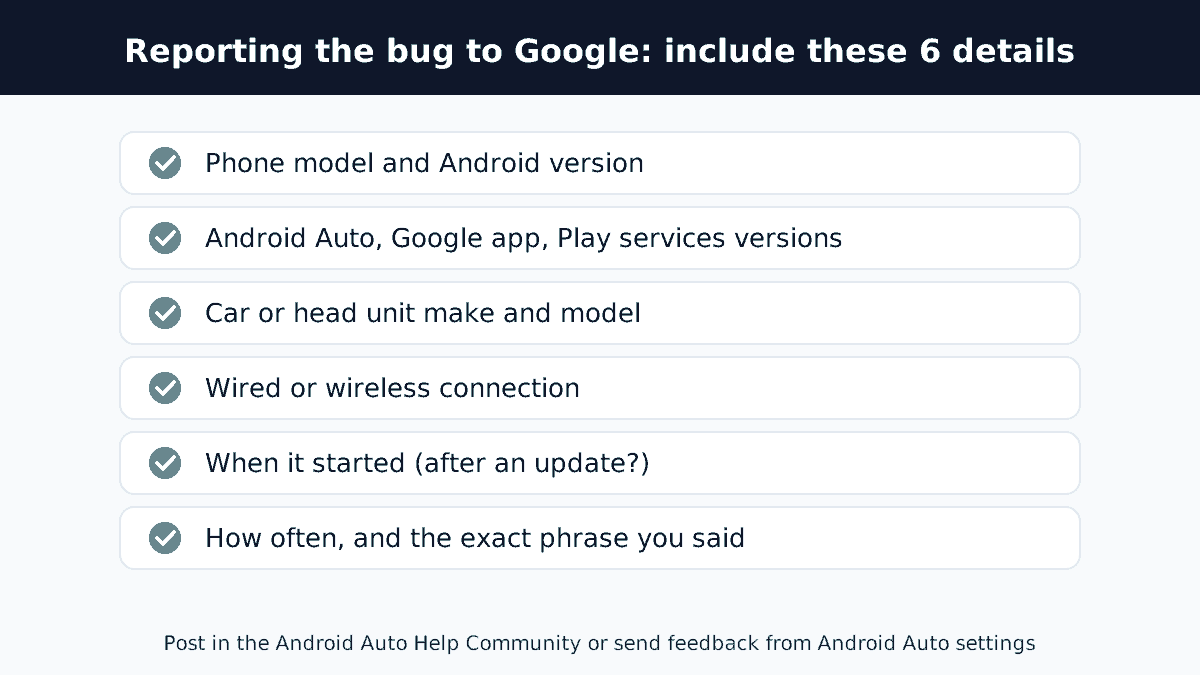
Google’s Android Auto team is asking affected users for specific details, and a complete report is more useful than another “same here.” Post in the Android Auto Help Community thread about contacts not being recognized (support.google.com/androidauto), or send feedback from the Android Auto settings on your phone.
Include:
- Phone model and Android version
- Android Auto, Google app and Google Play services versions (find them in Settings > Apps)
- Car or head unit make and model
- Wired or wireless connection
- When it started and whether an update came just before
- How often it happens and the exact phrase you used
How to know when it’s fixed
Watch for an update to Android Auto, the Google app, Gemini or Google Play services, then test with a short command while parked. Say “Call” plus a contact name. If it dials, you’re set.
We’ll update this article when Google confirms an Android Auto calling bug fix. Google support pages and the Help Community thread are the first places an official answer will show up.
FAQ
Why does Android Auto keep asking who I want to call?
That’s the Android Auto calling bug reported since early October 2026. Gemini recognizes your contact but fails to complete the call, so it returns to the “Who do you want to call?” prompt. Google acknowledged the reports in early November 2026 and is collecting data, but hadn’t announced a fix as of November 8.
Is Google fixing the Android Auto Gemini bug?
Google’s Android Auto team has acknowledged the problem on its Help Community and asked users for details, but it hasn’t given a cause or timeline as of November 8, 2026. Based on how Google fixed a June 2026 Gemini calling bug, a fix will likely arrive as a Play Store app update.
Can I switch back to Google Assistant in Android Auto?
For most people, no. Gemini replaced Google Assistant on most Android phones in September 2026, so the old workaround of switching your default assistant back to Assistant is no longer available. For now, say the phone number aloud or place calls from the Android Auto phone screen while stopped.
How do I call someone on Android Auto without voice commands?
Tap the phone icon on the Android Auto screen, then choose a recent call, favorite or contact. Manual calls still work during this bug. For safety, do it before you drive or when parked, and check your state’s hands-free driving rules about touching the screen.
Does clearing the Android Auto cache fix the calling loop?
No. Users who cleared the cache or reinstalled Android Auto say the loop came back. That’s a sign the problem sits in Gemini’s contact handling rather than in your phone’s stored data. Save time and use the phone-number or tap-to-call workarounds until Google releases an update.
Which phones have the Android Auto calling bug?
Reports name the Pixel 10, Pixel 10 Pro, Galaxy S24, Galaxy S25 Ultra and Galaxy S26, on both wired and wireless Android Auto. Google hasn’t published an official list, and 9to5Google reports the issue isn’t limited to one model or app version, so other Android phones using Gemini can be affected.
The bottom line
The Android Auto calling bug is a Gemini problem, not a fault with your phone, car or cable, so skip the resets. Until Google ships a fix, say the phone number instead of the name, or tap to call from the Android Auto screen before you drive. Keep your Google apps updated, and if you’re affected, add your details to Google’s Help Community thread. The more complete the reports, the faster the fix tends to come.
