Can you use ecoATM without ID? No. ecoATM requires an unexpired state-issued ID, like a driver’s license or state ID card, for every sale, and you must be 18 or older. The kiosk scans your ID and checks that your face matches the photo, so there’s no way around it.
But don’t worry. Below I’ll explain which IDs work, why ecoATM needs one, and five easy options if you don’t have a valid ID right now.
[ADD PERSONAL EXPERIENCE: one line about what happened at the kiosk when you or someone you know tried to sell a phone.]
Table of Contents
Can You Use ecoATM Without ID?
No. People search for how to use ecoATM without ID all the time, but there’s no workaround. The ecoATM FAQ says an unexpired state-issued ID is required, and it’s used to prove you’re over 18.
Which IDs does ecoATM accept?
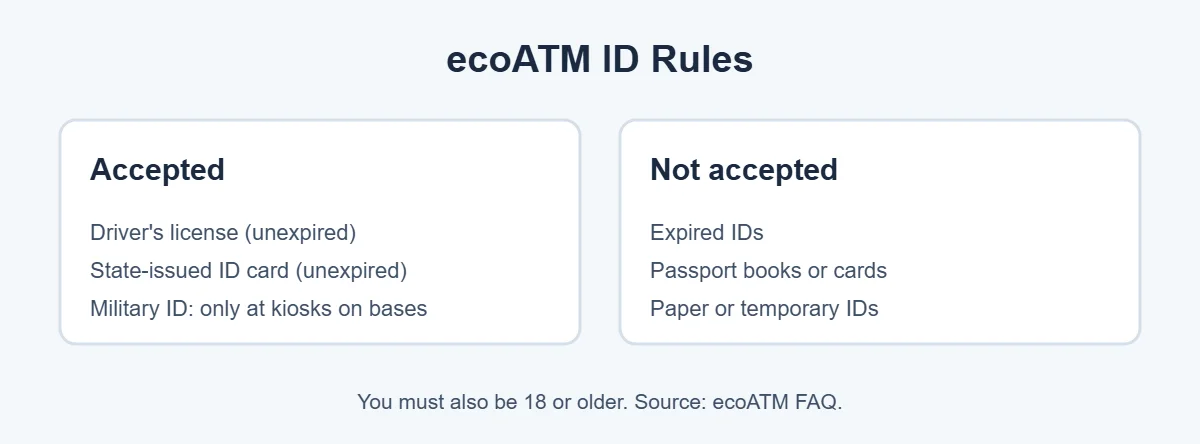
- Accepted: an unexpired driver’s license or state-issued ID card.
- Military ID: accepted only at kiosks located on military bases, according to ecoATM’s prepare page.
- Not accepted: expired IDs, passport books or cards, and paper IDs.
If your ID is expired or you only have a passport, the kiosk will turn you away. That’s the main reason trying ecoATM without ID ends in a wasted trip.
Why Does ecoATM Need Your ID?
The ID check is how ecoATM stops people from selling stolen phones. According to ecoATM’s law enforcement FAQ:
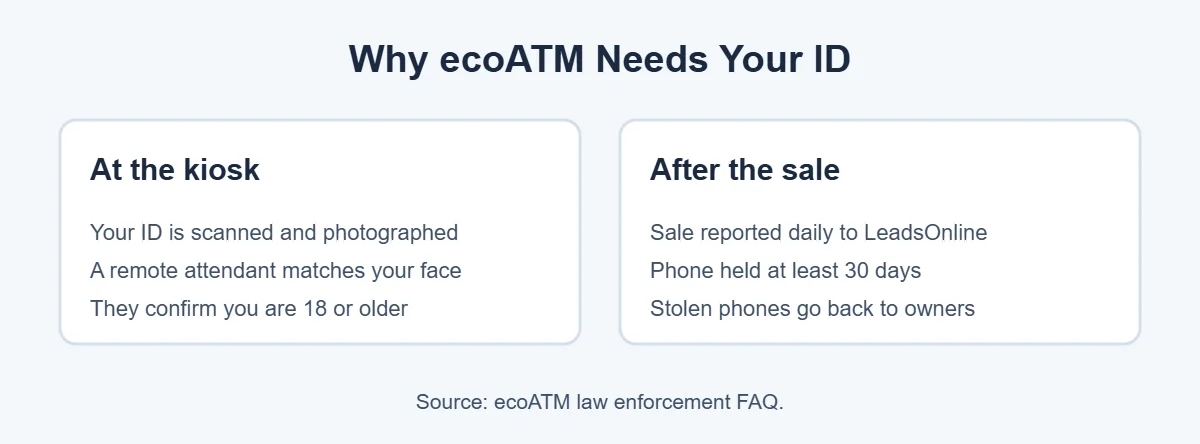
- The kiosk scans and photographs your ID and checks its security features.
- A remote attendant uses the kiosk camera to compare your face with the ID photo in real time.
- Every sale is uploaded daily to LeadsOnline, a database police can use.
- Phones are held for at least 30 days, so stolen ones can be returned to their owners.
So using ecoATM without ID isn’t just against the rules. The whole system is built around that check.
No ID? 5 Easy Options
If you can’t use ecoATM without ID, here are other ways to sell or get rid of your phone. Always check each option’s own rules, since some also ask for ID or proof of ownership.
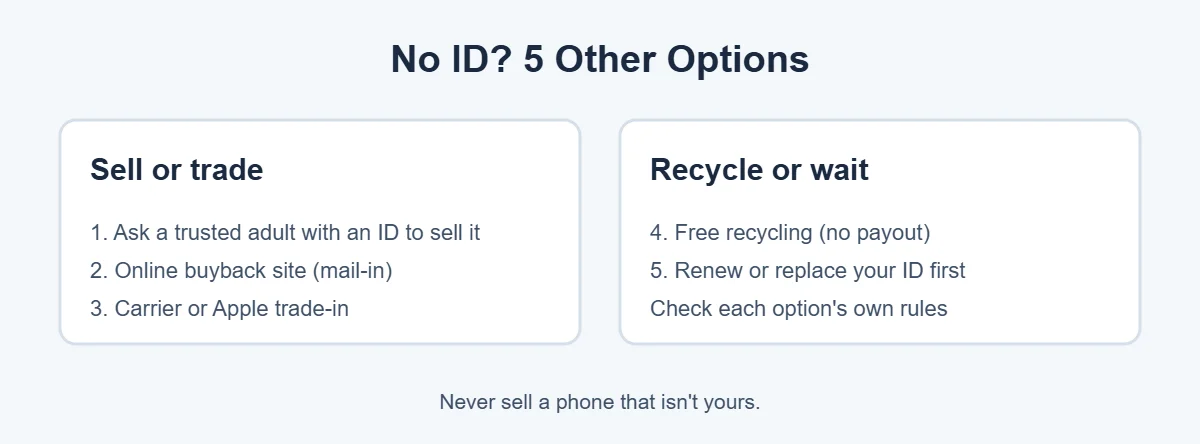
1. Ask a trusted adult to sell it for you
Someone who is 18 or older and has a valid state ID can sell the phone at the kiosk. Remember, their ID is the one scanned, so only ask someone you trust, and only if the phone is legally yours.
2. Try an online buyback site
Mail-in buyback sites like ItsWorthMore give you an online quote, send a free shipping label and pay you by methods like PayPal or check. They work differently from a kiosk, so read their terms before you ship.
3. Use a carrier or Apple trade-in
If you’re buying a new phone anyway, your carrier or Apple Trade In can give you credit. Apple also recycles devices with no trade-in value for free.
4. Recycle it for free
If the phone is old or broken, free recycling is the simplest option. Best Buy and Dell Reconnect both take old electronics, and many cities run free e-waste drop-off days.
5. Renew or replace your ID first
If your ID is just expired, renewing it is the most direct fix, and it beats searching for ways to use ecoATM without ID. Then you can use any ecoATM kiosk like normal.
What to Bring Once You Have an ID
- Your unexpired driver’s license or state ID card (remember, there’s no ecoATM without ID).
- The phone, charged and turned on.
- Your phone signed out of your accounts, with Find My or the Google lock turned off.
- A drop-off code if you got a quote online (it’s locked for 7 days).
With your ID in hand, the sale takes about ten minutes, which is far easier than hunting for a way to use ecoATM without ID. Want to know more before you go? See whether ecoATM takes laptops too.
Frequently Asked Questions
Can I use ecoATM without an ID?
No. ecoATM’s FAQ says an unexpired state-issued ID is required for every sale. The kiosk scans your ID, and a remote attendant checks that your face matches the photo. There’s no way to complete a sale at the kiosk without a valid ID.
Does ecoATM accept a passport?
No. ecoATM says it does not accept passport books, passport cards or paper IDs. Bring an unexpired driver’s license or state ID card instead. Military IDs only work at kiosks located on military bases.
Can I use an expired ID at ecoATM?
No. The ID must be unexpired. ecoATM’s preparation page specifically says expired IDs aren’t accepted. Renew your license or state ID first, or use one of the other options in this guide.
Can someone else sell my phone at ecoATM for me?
Yes, as long as that person is 18 or older, has their own valid state ID, and the phone is legally yours to sell. The person selling is the one whose ID gets scanned, so only ask someone you trust.
Why does ecoATM take my photo?
To prevent stolen phone sales. ecoATM’s law enforcement page says a remote attendant compares your face with your ID photo, and each sale is reported to LeadsOnline, a database police can check. It’s a safety step, not a trick.
Do I need to be 18 to use ecoATM?
Yes. ecoATM uses your ID to confirm you are over 18. If you’re younger, ask a parent or guardian to sell the phone for you with their own ID, or recycle it for free.
The Bottom Line
You can’t use ecoATM without ID. Every sale needs an unexpired state-issued ID and a seller who is 18 or older, because that’s how ecoATM keeps stolen phones out.
No ID right now? Ask a trusted adult with a valid ID to help, try an online buyback site or trade-in, or recycle the phone for free. And if your ID just expired, renewing it fixes the problem for good.