
How do you know if your phone is hacked? Look for several warning signs together: the battery drains much faster, data use jumps, apps appear that you didn’t install, pop-ups won’t stop, or you get login alerts you don’t recognize. If you see these, update your phone, delete unknown apps, change your passwords from a safe device and turn on two-factor authentication.
The good news: real phone hacks are less common than people think, and many “hacked” phones just have a bad app or an old setting. Below I’ll show you 10 warning signs, how to check iPhone and Android with built-in tools, and how to fix it.
[ADD PERSONAL EXPERIENCE: one line about a time you or someone you know thought their phone was hacked, and what it turned out to be.]
Table of Contents
What Does It Mean When a Phone Is Hacked?
A phone is “hacked” when someone gets access to it, or to the accounts on it, without your permission. That can happen in a few ways:
- Malware or spyware: a harmful app that collects data or shows ads.
- Account takeover: someone gets your Apple, Google, email or social media password.
- Physical access: someone who knows your passcode installs something or changes settings.
- SIM swap: a scammer moves your phone number to their SIM to get your text codes.
Often, it’s the accounts that get hacked, not the phone itself. You may think your phone is hacked when it’s really your password. That’s why changing passwords matters so much.
10 Warning Signs Your Phone Is Hacked
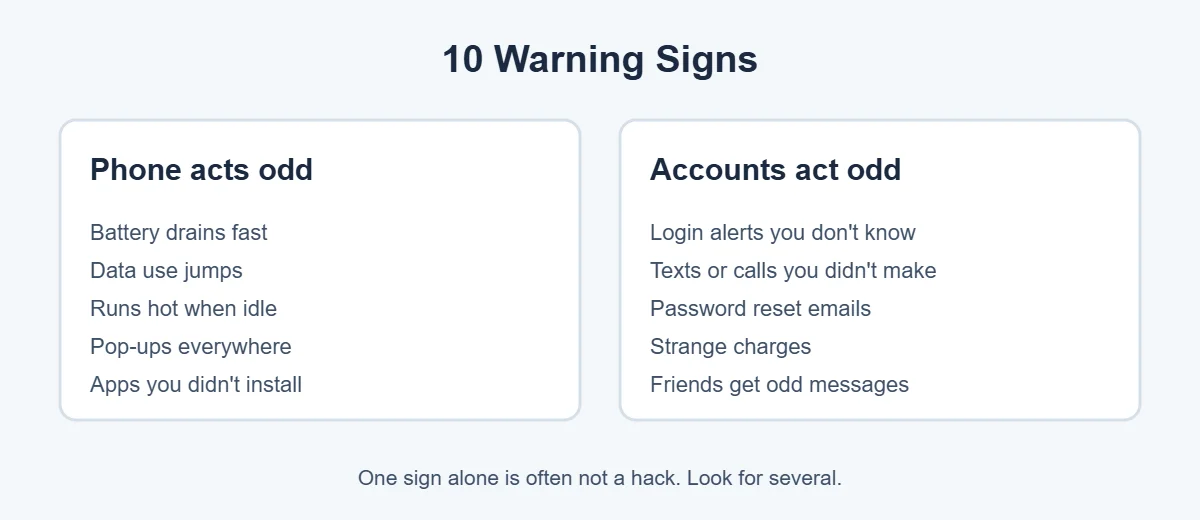
1. The battery drains much faster than normal
When a phone is hacked, hidden apps running in the background use power. Check Settings, Battery to see which apps use the most. An app you don’t recognize near the top is a red flag.
2. Your data use suddenly jumps
If your phone is hacked, spyware sends data out. Check data use in Settings, Cellular (iPhone) or Settings, Network & internet, Data usage (Android).
3. The phone runs hot when you’re not using it
A warm phone while charging or gaming is normal. A hot phone sitting on the table is not.
4. Apps you didn’t install
A common sign your phone is hacked is new apps. Scroll through all your apps. Anything you don’t remember installing deserves a closer look.
5. Pop-ups and ads everywhere
Ads that appear on your home screen or lock screen, outside any app, usually come from an adware app.
6. Login alerts you don’t recognize
Emails like “new sign-in from Windows in another city” can mean your phone is hacked or someone has your password.
7. Texts or calls you didn’t make
Check your sent messages and call log, and your phone bill for premium-rate texts.
8. Password reset emails you didn’t ask for
Someone may be trying to get into your accounts. Don’t click the links. Go to the app or website yourself.
9. Strange charges
Check your bank, App Store or Google Play purchase history for things you didn’t buy.
10. Friends get odd messages from you
If friends say you sent them strange links, your messaging or social media account may be compromised.
Remember: one sign alone, like a slow phone or bad battery, usually has a normal cause, such as an old battery or a recent update. Look for several signs together.
How to Check If Your Phone Is Hacked
On iPhone
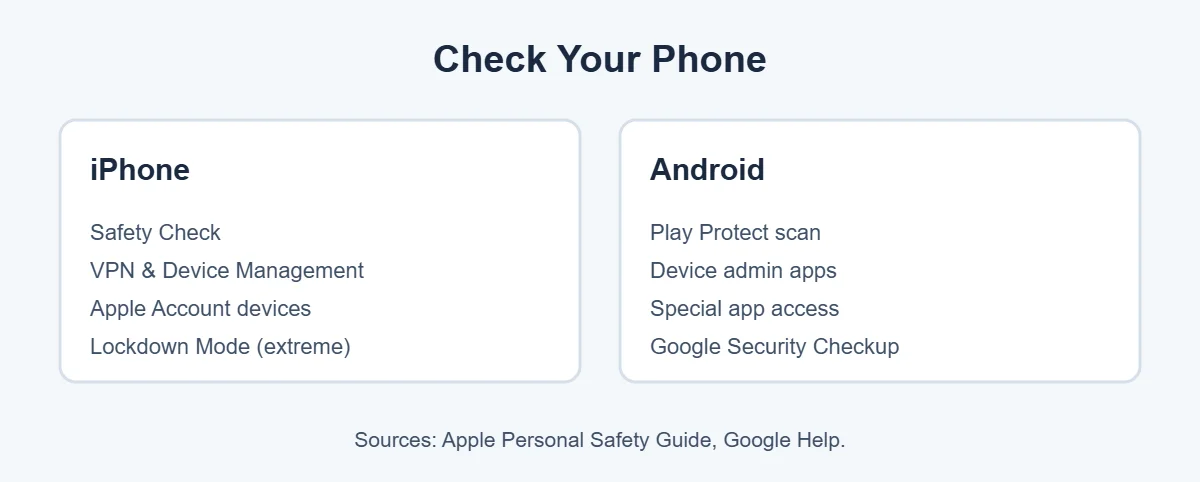
- Run Safety Check: go to Settings, Privacy & Security, Safety Check. It shows who you share with, which apps have access, and lets you sign out of other devices. Apple explains it in its Personal Safety guide.
- Check for profiles: go to Settings, General, VPN & Device Management. If you see a profile you didn’t install, and the phone isn’t from work or school, remove it.
- Check your Apple Account devices: tap your name at the top of Settings and scroll to see all signed-in devices. Remove any you don’t know.
- Check app permissions: in Privacy & Security, review Location, Camera, Microphone and Photos access.
On Android
- Run Google Play Protect: open the Play Store, tap your profile picture, then Play Protect, and tap Scan. Google explains it on its Play Protect help page.
- Check device admin apps: search Settings for Device admin apps. Only things like Find My Device or work apps should be there.
- Check special app access: search Settings for Special app access and look at “Display over other apps” and “Install unknown apps.”
- Run Google Security Checkup: visit your Google Account, Security, and review recent activity and signed-in devices.
How to Fix a Phone That Is Hacked
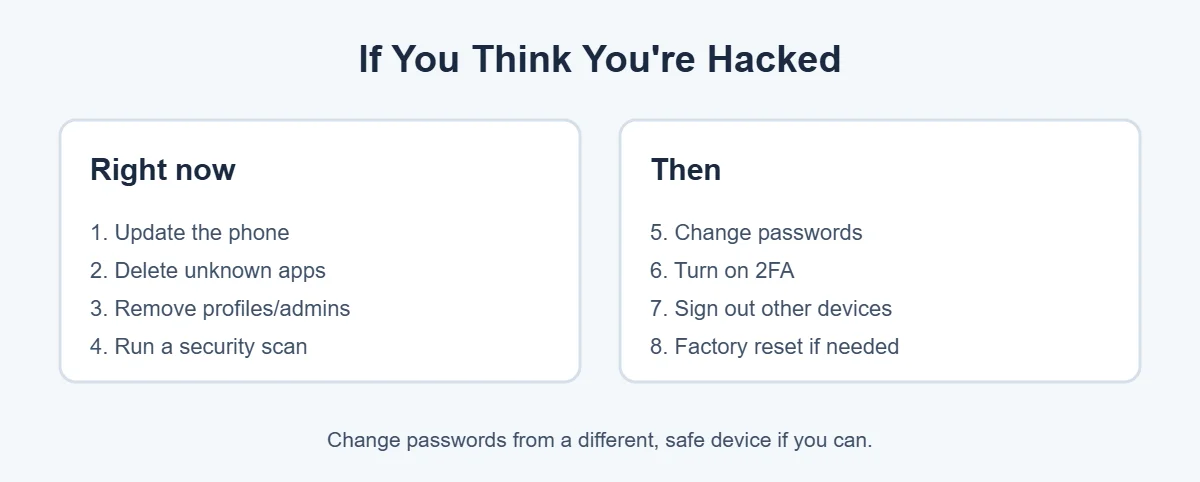
- Update your phone. Updates close security holes.
- Delete apps you don’t know or trust. On Android, if you can’t uninstall one, check Device admin apps first and remove its permission.
- Remove unknown profiles (iPhone) or device admin access (Android).
- Run a scan with Play Protect, or a trusted security app.
- Change your passwords, starting with your email, Apple or Google account, and banking. Do this from a different device if you can.
- Turn on two-factor authentication everywhere you can.
- Sign out of other devices in your account settings.
- Factory reset if problems continue. Back up photos first, but don’t restore apps or a backup from after the problem started.
When to Get Help
Contact your carrier straight away if your phone suddenly shows No Service and you didn’t change anything. That can be a SIM swap. Contact your bank if you see charges you didn’t make. If you think someone is tracking or stalking you, contact local police or a support service, and plan safely before removing anything, because they may notice.
The Microsoft guide to hacked phones also covers common signs if you’d like a second source. For more simple guides, visit TrickieTech.
Is It Really Hacked? Common False Alarms
Before you assume your phone is hacked, rule out these everyday causes. Many people who think their phone is hacked find a simple reason instead:
| What you notice | Normal cause | Hack sign? |
|---|---|---|
| Battery drains fast | Old battery, new update, bright screen | Only if an unknown app tops the battery list |
| Phone is slow | Storage full, old phone | Rarely on its own |
| Pop-ups in the browser | Website ads | Only if they appear outside the browser |
| “Your iPhone has a virus!” page | Scam web page | No, close the tab and never call the number |
| Login alert | You signed in on a new device | Yes, if it wasn’t you |
Fake “virus” warnings on websites are a scam, not proof your phone is hacked. Real warnings that a phone is hacked don’t come from random web pages. Close the page, clear your browser history, and don’t install anything they suggest.
Protect Yourself From SIM Swap Scams
A SIM swap can feel like your phone is hacked. A scammer convinces your carrier to move your number to their SIM. Then they get your text codes and can reset your passwords. Signs include your phone suddenly losing service and texts saying your SIM was changed.
- Ask your carrier to add a PIN or passcode to your account, and a port-out or number lock if they offer one.
- Use an authenticator app or passkeys instead of text codes for important accounts.
- Don’t post your phone number publicly.
Stalkerware: When Someone You Know Installs It
Stalkerware is spyware installed by someone with access to your phone, like a partner or family member. It can track location, messages and calls. Signs include the other person knowing things they shouldn’t, location sharing you didn’t set up, and unknown apps with device admin rights on Android.
If you think this is happening, think about your safety first. Removing the app may alert the person. Contact a support service, such as a domestic abuse helpline in your country, for help making a safe plan. Apple’s Safety Check includes an Emergency Reset option that quickly stops sharing and signs you out of other devices.
Extra Protection for High-Risk People
Journalists, activists and public figures may be targeted by advanced spyware. On iPhone, Lockdown Mode (Settings, Privacy & Security, Lockdown Mode) blocks many attack methods but also limits some features. On Android 16 and later, Advanced Protection can be turned on in Settings on supported devices. Most people don’t need these modes, but they’re there if your risk is high.
How to Stop Your Phone Getting Hacked
- Keep your phone and apps updated, and turn on automatic updates.
- Install apps only from the App Store or Google Play.
- Use a strong passcode, not 1234 or your birthday.
- Turn on two-factor authentication for email, Apple, Google, banking and social media.
- Never share verification codes with anyone, even “your bank.”
- Don’t tap links in unexpected texts or emails.
- Avoid public charging cables you don’t own; use your own charger and a wall plug.
- Use a password manager so every account has a different password.
Real-Life Examples
“My battery died in hours and I saw ads on my home screen”
It looked like the phone is hacked, but a free flashlight app was showing ads outside the app. Deleting it fixed both problems. It wasn’t a full hack, just adware.
“My Instagram was posting crypto ads”
The phone was fine, but the Instagram password had been leaked. Changing the password and turning on two-factor authentication stopped it.
“My phone showed No Service, then I couldn’t log in to my email”
This was a SIM swap. The carrier restored the number, and switching to an authenticator app protected the email from then on.
[ADD PERSONAL EXPERIENCE: add a short real example if you have one.]
Simple Words You’ll See
- Malware: any harmful software.
- Spyware: malware that secretly collects your information.
- Adware: apps that flood your phone with ads.
- Phishing: fake messages or websites that trick you into giving passwords.
- SIM swap: a scam that moves your phone number to someone else’s SIM.
- Two-factor authentication (2FA): a second check, like a code, when you sign in.
Quick Checklist
- Look for several warning signs, not just one.
- Check battery and data use by app.
- Run Safety Check (iPhone) or Play Protect (Android).
- Remove unknown apps, profiles and device admins.
- Update the phone.
- Change passwords from a safe device.
- Turn on two-factor authentication.
- Sign out of unknown devices.
- Factory reset if problems continue.
- Call your carrier if you suddenly lose service.
What to Do First If You Think Your Phone Is Hacked
If you’re worried right now, don’t panic. Take these three steps in the next 10 minutes, then work through the rest of this guide:
- Secure your main email account. Your email can reset almost every other password, so change it first, from a computer or another trusted device if possible.
- Check your bank and payment apps for transactions you don’t recognize, and call your bank using the number on your card if you see any.
- Turn on two-factor authentication for your email, Apple or Google account, and banking.
These steps protect what matters most, even before you know for sure whether your phone is hacked. Then go back and check apps, profiles and permissions as described above.
Frequently Asked Questions
How can I tell if my phone is hacked?
Look for several signs together: fast battery drain, a jump in data use, apps you didn’t install, constant pop-ups, the phone running hot when idle, and account alerts you don’t recognize. One sign alone usually has a normal cause, so check your apps, settings and account activity before you panic.
Can someone hack my phone by calling me?
Answering a normal call can’t install malware on an up-to-date phone. The risk is what the caller gets you to do, like sharing a code, installing an app, or giving passwords. Never share verification codes, and hang up on callers who pressure you. Keep your phone updated to fix security holes.
Can my phone be hacked through a text?
Rarely, by tapping a malicious link or downloading a file. The most common danger is phishing texts that trick you into entering a password on a fake site. Don’t tap links in unexpected texts, keep your phone updated, and report spam texts to your carrier by forwarding them to 7726 (SPAM) in the US and UK.
Does a factory reset remove hackers?
A factory reset removes most malware and unwanted apps, because it erases the phone. But it won’t protect accounts the hacker already accessed. After a reset, don’t restore from a backup made after the problem began, and change your important passwords and turn on two-factor authentication.
Can someone see my screen or camera remotely?
Only if spyware is installed or someone has your accounts and passwords. On iPhone and Android, a green or orange dot appears when the camera or microphone is in use. Check which apps have camera and microphone permission, and remove any you don’t trust.
Should I install an antivirus app on my phone?
Built-in protection, Google Play Protect on Android and Apple’s app review on iPhone, covers most people. A trusted security app can add extra checks, like scam link warnings. Avoid free “cleaner” or “booster” apps with lots of ads, which can cause the very problems you’re worried about.
The Bottom Line
If you think your phone is hacked, look for several warning signs, not just one. Then check with Safety Check on iPhone or Play Protect on Android.
Update the phone, delete unknown apps, change your passwords from a safe device and turn on two-factor authentication. A factory reset is the last step if problems don’t go away.
{“@context”:”https://schema.org”,”@type”:”FAQPage”,”mainEntity”:[{“@type”:”Question”,”name”:”How can I tell if my phone is hacked?”,”acceptedAnswer”:{“@type”:”Answer”,”text”:”Look for several signs together: fast battery drain, a jump in data use, apps you didn’t install, constant pop-ups, the phone running hot when idle, and account alerts you don’t recognize. One sign alone usually has a normal cause, so check your apps, settings and account activity before you panic.”}},{“@type”:”Question”,”name”:”Can someone hack my phone by calling me?”,”acceptedAnswer”:{“@type”:”Answer”,”text”:”Answering a normal call can’t install malware on an up-to-date phone. The risk is what the caller gets you to do, like sharing a code, installing an app, or giving passwords. Never share verification codes, and hang up on callers who pressure you. Keep your phone updated to fix security holes.”}},{“@type”:”Question”,”name”:”Can my phone be hacked through a text?”,”acceptedAnswer”:{“@type”:”Answer”,”text”:”Rarely, by tapping a malicious link or downloading a file. The most common danger is phishing texts that trick you into entering a password on a fake site. Don’t tap links in unexpected texts, keep your phone updated, and report spam texts to your carrier by forwarding them to 7726 (SPAM) in the US and UK.”}},{“@type”:”Question”,”name”:”Does a factory reset remove hackers?”,”acceptedAnswer”:{“@type”:”Answer”,”text”:”A factory reset removes most malware and unwanted apps, because it erases the phone. But it won’t protect accounts the hacker already accessed. After a reset, don’t restore from a backup made after the problem began, and change your important passwords and turn on two-factor authentication.”}},{“@type”:”Question”,”name”:”Can someone see my screen or camera remotely?”,”acceptedAnswer”:{“@type”:”Answer”,”text”:”Only if spyware is installed or someone has your accounts and passwords. On iPhone and Android, a green or orange dot appears when the camera or microphone is in use. Check which apps have camera and microphone permission, and remove any you don’t trust.”}},{“@type”:”Question”,”name”:”Should I install an antivirus app on my phone?”,”acceptedAnswer”:{“@type”:”Answer”,”text”:”Built-in protection, Google Play Protect on Android and Apple’s app review on iPhone, covers most people. A trusted security app can add extra checks, like scam link warnings. Avoid free \”cleaner\” or \”booster\” apps with lots of ads, which can cause the very problems you’re worried about.”}}]}