
iPhone keeps turning off? The most common cause is a worn battery that can’t deliver enough peak power, especially when the charge is low or it’s cold outside. Check Settings, Battery, Battery Health first. Then keep your iPhone at room temperature, update iOS and force restart it.
Below I’ll explain why an iPhone keeps turning off, how to check if the battery is to blame, and seven easy fixes, all based on Apple’s official guides.
[ADD PERSONAL EXPERIENCE: one line about when your iPhone started shutting down on its own and what was happening.]
Table of Contents
Why Does My iPhone Keep Turning Off?
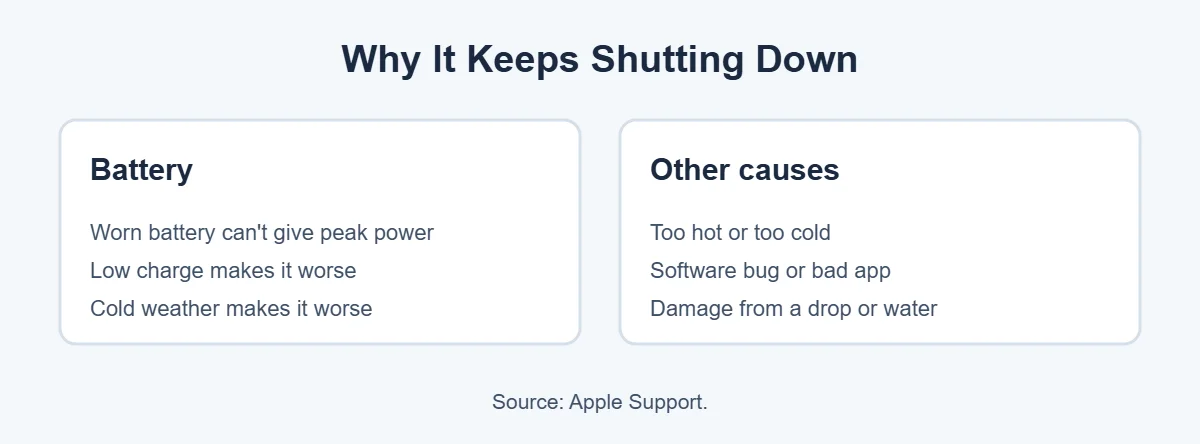
According to Apple, an iPhone may shut down unexpectedly when the battery can’t supply enough peak power. This is more likely when:
- The battery is old and has lost capacity.
- The charge is low.
- It’s cold outside.
Other reasons your iPhone keeps turning off include extreme heat, a software bug, a misbehaving app, or damage from a drop or water.
Step 1: Check Your Battery Health
Battery Health tells you whether the battery is why your iPhone keeps turning off.
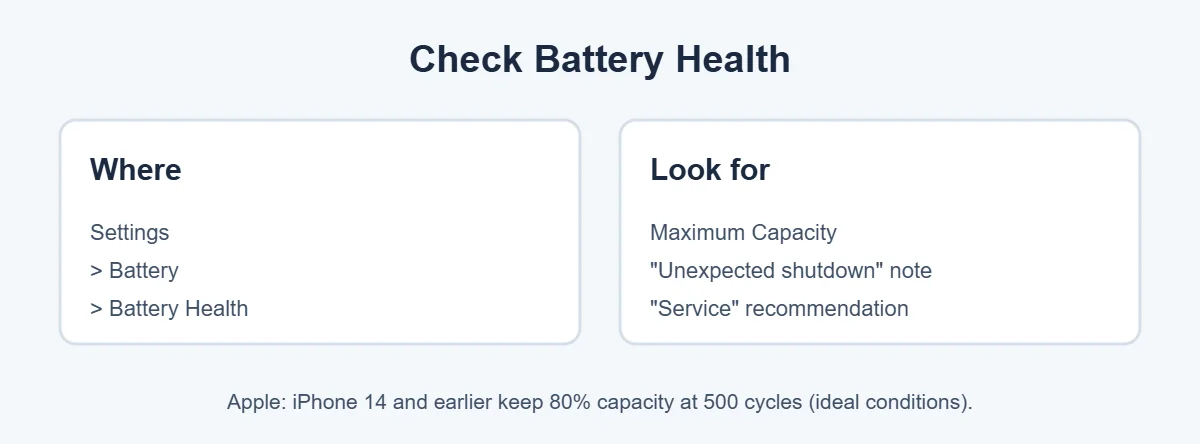
- Open Settings.
- Tap Battery, then Battery Health.
- Look at Maximum Capacity.
- Read any message under Peak Performance Capability.
Apple says that after an unexpected shutdown, you may see a note that the battery “was unable to deliver the necessary peak power.” If you see a message that battery health is significantly degraded, an Apple Authorized Service Provider can replace it. Apple also notes that iPhone 14 and earlier batteries are designed to keep 80 percent capacity at 500 complete charge cycles under ideal conditions.
7 Easy Fixes When Your iPhone Keeps Turning Off
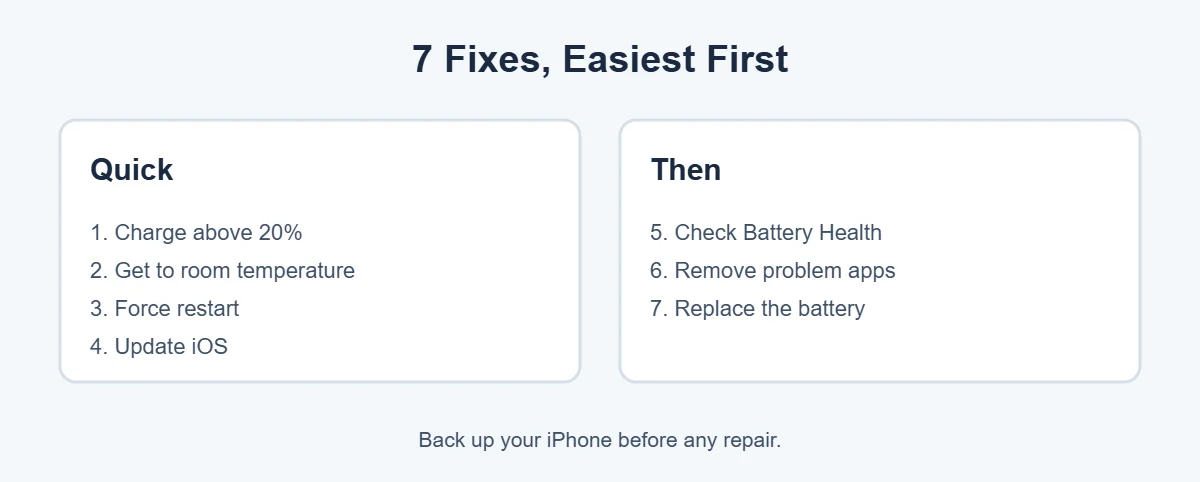
1. Keep the charge above 20 percent
An older battery struggles most when it’s low, which is when an iPhone keeps turning off the most. Charge more often, and turn on Low Power Mode when you’re below 20 percent.
2. Let it reach room temperature
Apple says iPhones work best in surroundings between 0 and 35°C (32 to 95°F). In the cold, the iPhone may turn off. In heat, it may slow down or shut down to protect itself. Keep it in an inside pocket in winter and out of hot cars in summer.
3. Force restart
A force restart clears software glitches. On iPhones with Face ID, quickly press Volume Up, then Volume Down, then hold the side button until the Apple logo appears, as Apple explains.
4. Update iOS
Go to Settings, General, Software Update. If a bug is the reason your iPhone keeps turning off, an update may fix it.
5. Check performance management
Apple says iOS can limit peak performance on older batteries to help prevent unexpected shutdowns. You’ll see this in Battery Health under Peak Performance Capability. Turning it off can bring the shutdowns back, so leave it on until you replace the battery.
6. Remove problem apps
If your iPhone keeps turning off since you installed a new app, update or delete that app and see if things improve.
7. Replace the battery
If Battery Health shows a service message or low Maximum Capacity, and your iPhone keeps turning off, a new battery is the real fix. Apple says the one-year warranty covers a defective battery, and it charges for service outside warranty. Back up your iPhone before any repair.
When It’s Not the Battery
If your battery is healthy but your iPhone still keeps turning off, it may be damaged inside from a drop or water, or have a deeper software problem. Book an appointment with Apple or an Apple Authorized Service Provider.
If your iPhone is old and repairs aren’t worth it, you can sell or recycle it at an ecoATM kiosk. Here’s what ecoATM accepts.
iPhone Keeps Turning Off While Charging
If your iPhone keeps turning off even when it’s plugged in, the charger may not be giving enough power, or the battery is badly worn.
- Use a different cable and adapter. Try an Apple or MFi-certified cable. Cheap cables can break inside without looking damaged.
- Clean the charging port. Lint from your pocket often builds up in the port. Look with a flashlight and gently remove it with a wooden toothpick. Don’t use metal or liquids.
- Plug into a wall outlet, not a laptop or car port, which may give less power.
- Let it charge for 30 minutes before you try to turn it on, if the battery was completely empty.
If the iPhone keeps turning off on the charger with a good cable, that points strongly to the battery or a charging part inside, and it needs service.
iPhone Keeps Turning Off and On (Stuck on the Apple Logo)
This is different. If your iPhone keeps turning off and restarting, or it’s stuck on the Apple logo, it’s usually a software problem, not the battery. People call this a boot loop.
- Try a force restart first, as described above.
- Connect it to a computer. On a Mac, open Finder. On a Windows PC, open the Apple Devices app or iTunes.
- Put the iPhone in recovery mode. Press Volume Up, then Volume Down, then hold the side button. Keep holding past the Apple logo until you see the computer and cable on the screen.
- Choose Update, not Restore. Update tries to reinstall iOS without erasing your data.
Apple explains this in its guide on using recovery mode. If Update doesn’t work, Restore will erase the iPhone, so you’ll need a backup.
Signs Your Battery Is the Problem
Not sure if the battery is why your iPhone keeps turning off? If your iPhone keeps turning off often, look for these signs:
- It shuts down at 20, 30 or even 50 percent.
- The percentage jumps up or down suddenly.
- It dies quickly in cold weather.
- It feels slow when the battery is low.
- Battery Health shows a low Maximum Capacity or a service message.
- The screen looks lifted or the case bulges.
Important: If the screen is lifting or the back is bulging, the battery may be swollen. Stop using and charging the iPhone and take it to Apple or an authorized repair shop. A swollen battery can be a safety risk.
How to Check Hidden Shutdown Logs
Your iPhone keeps a log of crashes. You don’t need to understand it, but it can help a repair technician.
Go to Settings, Privacy & Security, Analytics & Improvements, Analytics Data. Files with “panic” in the name show that the iPhone crashed and restarted. If you see many of them, mention it when you book a repair. This only works if Share iPhone Analytics is turned on.
Battery Replacement: Your Options
If the battery is the reason your iPhone keeps turning off, you have a few choices.
| Option | Good for | Things to know |
|---|---|---|
| Apple Store or mail-in | Genuine part, warranty on repair | Book online; covered free if under warranty or AppleCare+ and the battery qualifies |
| Apple Authorized Service Provider | Genuine parts, often closer to home | Prices may vary by shop |
| Apple Self Service Repair | Confident DIY users | Available for some models and countries; needs tools and care |
| Independent repair shop | Lower price | Newer iPhones may show a parts message in Settings for non-genuine batteries |
You can see which parts have been changed in Settings, General, About, under Parts and Service History, on supported models.
How to Stop Your iPhone Turning Off Again
Once your iPhone works again, a few habits help the battery last longer.
- Turn on Optimized Battery Charging (Settings, Battery, Charging). It learns your routine and waits to finish charging past 80 percent.
- Avoid heat. Don’t leave the iPhone in a hot car or charge it under a pillow. Heat ages batteries fastest.
- Use Low Power Mode when you’re out and the battery is low.
- Keep iOS updated so you get bug fixes and battery improvements.
- Take off thick cases while charging if the iPhone gets hot.
- Don’t let it hit 0 percent often. Charging little and often is fine.
Back Up Before Any Repair
If your iPhone keeps turning off, there’s a small chance it stops turning on at all. Back it up now while it works. Go to Settings, your name, iCloud, iCloud Backup, Back Up Now, or connect it to a computer and back up with Finder or the Apple Devices app.
Quick Checklist
- Charge above 20 percent and warm it up if it’s cold.
- Force restart.
- Update iOS.
- Check Battery Health.
- Try another cable and clean the port.
- Use recovery mode if it’s stuck on the Apple logo.
- Back up, then book a battery replacement if needed.
iPhone Keeps Turning Off After Water or a Drop?
A phone that got wet or was dropped hard can act normal for days, then start shutting down. Damage inside can cause short circuits that make the iPhone keep turning off at random.
- Don’t charge an iPhone that you think is still wet. Apple says to unplug it and let it dry, and wait until it’s dry before charging again.
- Don’t put it in rice. Apple advises against this, because small rice particles can get into the phone.
- Remove the case, dry the outside with a soft cloth, and leave it in a dry place with some airflow.
If the shutdowns started after a spill or a fall, tell the repair technician. Liquid damage usually isn’t covered by the standard warranty, but AppleCare+ may cover accidental damage for a fee.
Is It Worth Fixing an Old iPhone?
When an older iPhone keeps turning off, it’s fair to ask whether a repair is worth the money. Here’s a simple way to decide:
- Repair it if it still gets iOS updates, you like it, and only the battery is worn. A new battery can make an old iPhone feel almost new.
- Replace it if it no longer gets iOS updates, has other damage like a cracked screen, or the repair costs close to the phone’s value.
If you replace it, don’t throw the old one in the trash. Erase it first (Settings, General, Transfer or Reset iPhone, Erase All Content and Settings), then trade it in, sell it or recycle it.
What Not to Do
- Don’t keep using a swollen battery. It can get worse.
- Don’t download “battery fix” apps. Apps can’t repair a worn battery.
- Don’t open the iPhone yourself unless you have the right tools and guide. It’s easy to damage the screen cable or puncture the battery.
- Don’t restore without a backup. Restore erases everything.
Follow the steps in order, and in most cases you’ll know within an hour why your iPhone keeps turning off and what it will take to fix it.
Real-Life Examples
Here are a few common situations where an iPhone keeps turning off, and what usually fixes them.
“It dies at 30 percent every winter morning”
When an iPhone keeps turning off in winter, it’s the classic sign of an aging battery plus cold weather. Keep the iPhone in an inside pocket on your way out, and check Battery Health. If Maximum Capacity is low, a battery replacement is the long-term fix.
“It turned off right after an iOS update”
Updates sometimes run background tasks for a day or two, which uses more power. Charge it fully, force restart once, and give it 48 hours. If the iPhone keeps turning off after that, check for a newer update or a problem app.
“It shuts down while gaming or using the camera”
If your iPhone keeps turning off during games, it’s often power demand. Games, video recording and GPS need lots of power at once. An older battery may not keep up, so the iPhone shuts off. It may also be overheating. Take off the case, let it cool down, and check Battery Health.
“It turns off in my car on the dashboard”
If your iPhone keeps turning off in the car, heat is likely. Sun on a dashboard can heat the iPhone quickly, and navigation plus charging adds even more heat. Move it to an air vent mount out of direct sun, and it should stop shutting down.
[ADD PERSONAL EXPERIENCE: if you have helped a friend or family member with this problem, add one short real example here.]
Frequently Asked Questions
Why does my iPhone keep turning off by itself?
The most common cause is a worn battery that can’t deliver enough peak power, especially at low charge or in cold weather. Apple says this can cause unexpected shutdowns. Extreme heat or cold, software bugs and physical damage can also make an iPhone keep turning off.
How do I check if my iPhone battery needs replacing?
Go to Settings, Battery, Battery Health. Look at Maximum Capacity and any message about unexpected shutdowns or service. Apple says a message that battery health is significantly degraded means an Apple Authorized Service Provider can replace it.
Why does my iPhone turn off in the cold?
Cold temperatures reduce how much power the battery can deliver. Apple says that in cold conditions, battery life may shorten temporarily and the iPhone may turn off. Keep it in an inside pocket, and it should work normally once it warms up.
Why does my iPhone turn off at 20 or 30 percent?
An aging battery can’t supply enough peak power, so it shuts down even when the percentage still looks fine. Check Battery Health. If Maximum Capacity is low or you see a service message, a new battery usually fixes it.
Can an iOS update fix random shutdowns?
Sometimes. If a software bug is causing the shutdowns, updating iOS can fix it. Go to Settings, General, Software Update. Apple also says iOS can manage performance to help prevent unexpected shutdowns on older batteries.
How much does it cost to replace an iPhone battery?
It depends on your model and whether you’re under warranty or AppleCare. Apple says the one-year warranty covers a defective battery, and it charges for battery service otherwise. Check Apple’s website or an Authorized Service Provider for an exact price.
The Bottom Line
When your iPhone keeps turning off, the battery is usually to blame, especially if it’s older, low on charge or cold. Check Battery Health, keep it at room temperature, force restart and update iOS.
If Battery Health recommends service, a battery replacement will usually stop the random shutdowns for good.
{“@context”:”https://schema.org”,”@type”:”FAQPage”,”mainEntity”:[{“@type”:”Question”,”name”:”Why does my iPhone keep turning off by itself?”,”acceptedAnswer”:{“@type”:”Answer”,”text”:”The most common cause is a worn battery that can’t deliver enough peak power, especially at low charge or in cold weather. Apple says this can cause unexpected shutdowns. Extreme heat or cold, software bugs and physical damage can also make an iPhone keep turning off.”}},{“@type”:”Question”,”name”:”How do I check if my iPhone battery needs replacing?”,”acceptedAnswer”:{“@type”:”Answer”,”text”:”Go to Settings, Battery, Battery Health. Look at Maximum Capacity and any message about unexpected shutdowns or service. Apple says a message that battery health is significantly degraded means an Apple Authorized Service Provider can replace it.”}},{“@type”:”Question”,”name”:”Why does my iPhone turn off in the cold?”,”acceptedAnswer”:{“@type”:”Answer”,”text”:”Cold temperatures reduce how much power the battery can deliver. Apple says that in cold conditions, battery life may shorten temporarily and the iPhone may turn off. Keep it in an inside pocket, and it should work normally once it warms up.”}},{“@type”:”Question”,”name”:”Why does my iPhone turn off at 20 or 30 percent?”,”acceptedAnswer”:{“@type”:”Answer”,”text”:”An aging battery can’t supply enough peak power, so it shuts down even when the percentage still looks fine. Check Battery Health. If Maximum Capacity is low or you see a service message, a new battery usually fixes it.”}},{“@type”:”Question”,”name”:”Can an iOS update fix random shutdowns?”,”acceptedAnswer”:{“@type”:”Answer”,”text”:”Sometimes. If a software bug is causing the shutdowns, updating iOS can fix it. Go to Settings, General, Software Update. Apple also says iOS can manage performance to help prevent unexpected shutdowns on older batteries.”}},{“@type”:”Question”,”name”:”How much does it cost to replace an iPhone battery?”,”acceptedAnswer”:{“@type”:”Answer”,”text”:”It depends on your model and whether you’re under warranty or AppleCare. Apple says the one-year warranty covers a defective battery, and it charges for battery service otherwise. Check Apple’s website or an Authorized Service Provider for an exact price.”}}]}