
Why isn’t my charger charging my phone? In most cases, it’s one of four things: a damaged cable, a faulty adapter, a dead outlet, or lint in the charging port. Try a different outlet, cable and adapter one at a time, clean the port gently, and restart your phone. That fixes most charging problems in minutes.
Below are eight easy fixes for iPhone and Android, based on Apple’s and Google’s official guides, plus how to tell whether the problem is your charger or your phone.
[ADD PERSONAL EXPERIENCE: one line about a time your phone wouldn’t charge and what the real cause was.]
Table of Contents
Why Isn’t My Charger Charging My Phone? Common Causes
- Damaged cable: frayed ends or broken wires inside.
- Faulty or weak adapter: some USB ports and old adapters don’t give enough power.
- Outlet or power strip: the outlet itself may not be working.
- Dirty port: pocket lint stops the cable from fully connecting.
- Software glitch: a restart often fixes it.
- Heat: phones slow or stop charging when they’re too hot.
- Worn battery or port: needs a repair.
8 Easy Fixes When Your Charger Isn’t Charging Your Phone
1. Try a different outlet
Plug the charger straight into a wall outlet. Apple suggests a wall outlet and trying a different one if needed. Skip power strips and laptop USB ports while testing.
2. Swap the cable and adapter
If you’re still asking “why isn’t my charger charging my phone,” find the weak link by swapping one part at a time.
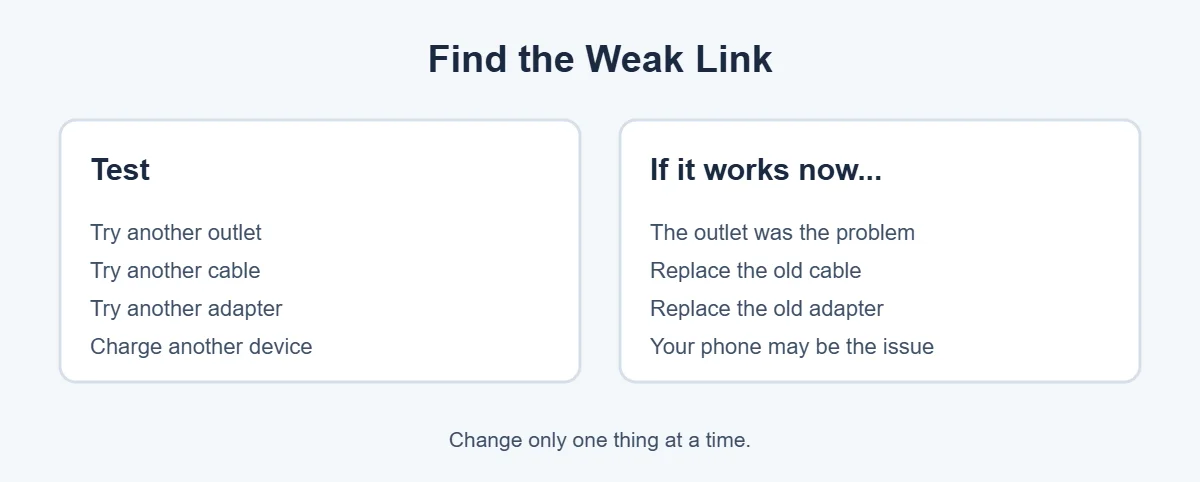
Apple says to check the cable and adapter for breakage or bent prongs, and to stop using damaged accessories. Google’s Android Help suggests testing your adapter and cable with another device. If a “Check charging accessory” message appears on Android, your cable or adapter may be damaged or unsupported.
3. Clean the charging port
If you’re asking “why isn’t my charger charging my phone” and the cable feels loose, check the port. Lint packs into charging ports over time, so the cable can’t connect properly. Both Apple and Google recommend clearing debris from the port.
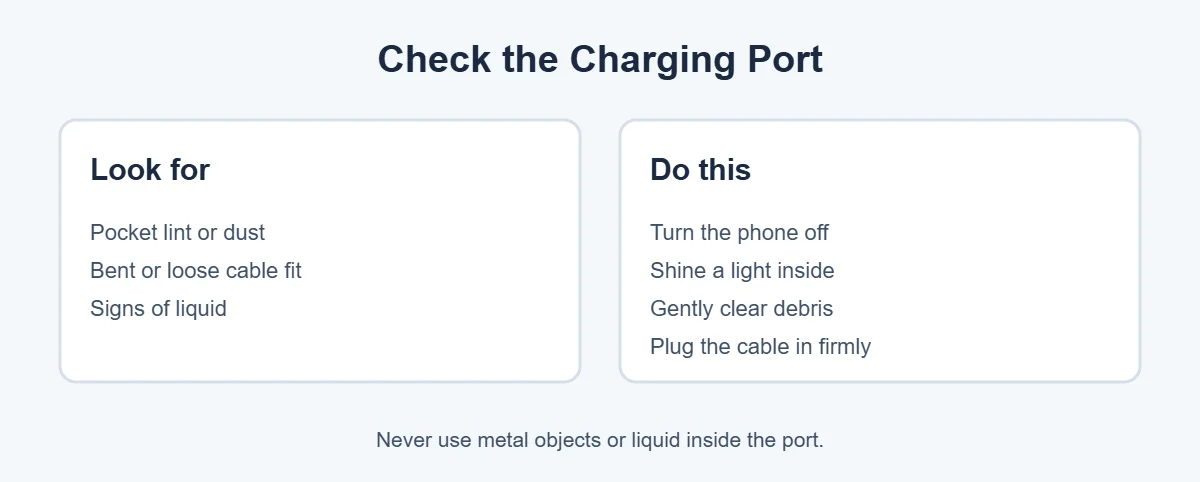
Turn the phone off, shine a flashlight into the port and gently pick out lint with a wooden toothpick. Don’t use metal, water or sprays.
4. Plug the cable in firmly
Push the cable all the way in at both ends. A loose fit is a very common answer to “why isn’t my charger charging my phone.” If it only charges at a certain angle, the cable or port is worn.
5. Restart your phone
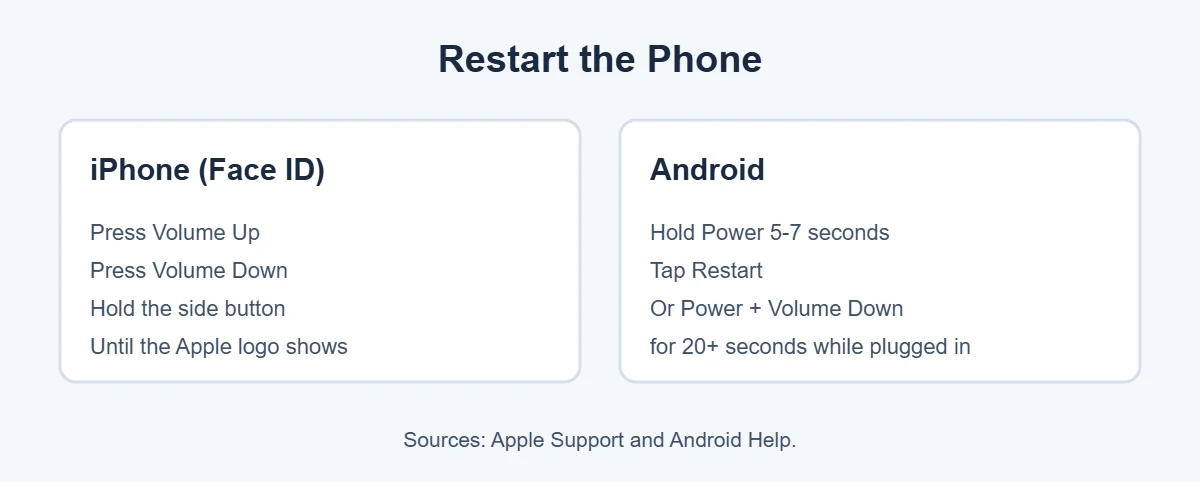
On an iPhone with Face ID, quickly press Volume Up, then Volume Down, then hold the side button until the Apple logo appears. On Android, hold the power button for 5 to 7 seconds and tap Restart.
6. Charge for 30 minutes
Sometimes the real answer to “why isn’t my charger charging my phone” is simply a very empty battery. It may need time before the phone shows anything. Apple and Google both suggest charging for at least 30 minutes, then trying again.
7. Let the phone cool down
Heat is another reason people ask “why isn’t my charger charging my phone.” Phones slow down or pause charging when they’re too hot. Apple says iPhones work best between 0 and 35°C (32 to 95°F). Take the phone out of direct sun, close heavy apps and let it cool.
8. Update software or get it checked
Still wondering “why isn’t my charger charging my phone” after all that? A software bug may be the cause, so install the latest iOS or Android update. If your phone still won’t charge with a new cable, adapter and outlet, the port or battery may need repair. Apple says to get service if it still won’t charge after these steps.
Charger or Phone: Which Is the Problem?
- Your charger charges another phone: your phone is likely the problem.
- Another charger charges your phone: your old charger is the problem.
- Nothing charges your phone: clean the port, then get the phone checked.
Tips to Keep Your Charger Working Longer
- Pull the plug, not the cable.
- Don’t bend the cable tightly near the ends.
- Use good-quality, certified chargers, so you don’t end up asking “why isn’t my charger charging my phone” again.
- Recycle old chargers and batteries properly. They can leak harmful pollutants in landfills.
Frequently Asked Questions
Why isn’t my charger charging my phone?
Most often, the cable or adapter is damaged, the outlet isn’t working, or lint is blocking the charging port. Try a different outlet, cable and adapter one at a time, clean the port, and restart your phone. If nothing works, the phone’s port or battery may need repair.
How do I know if my charger is broken?
Plug the same charger into another phone. If it doesn’t charge that phone either, the charger is the problem. Look for frayed cables, bent prongs or a loose fit. Android may show a “Check charging accessory” message if the cable or adapter is damaged.
Why does my phone say charging but the battery doesn’t go up?
The charger may be too weak, the cable may be damaged, or the phone may be busy with heavy apps while charging. On iPhones, charging can also pause near 80 percent because of Optimized Battery Charging or high temperature. Try a wall outlet and a known-good charger.
How do I clean my phone’s charging port?
Turn the phone off, shine a light into the port and gently remove lint with a wooden toothpick or soft brush. Don’t use metal objects, water or cleaning sprays. Then plug the cable in firmly and try again.
Why won’t my phone charge after it got wet?
Liquid in the port can stop charging, and some phones block charging until the port is dry. Unplug it, let the phone dry in a well-ventilated place, and don’t charge it until the port is completely dry. Avoid heat and rice.
When should I replace my phone battery?
If your phone still won’t charge after trying a new cable, adapter, outlet and a clean port, or if it dies quickly, the battery may be worn out. On iPhone, check Settings, Battery, Battery Health. Repair shops and phone makers can test and replace it.
The Bottom Line
Why isn’t my charger charging my phone? Usually it’s the cable, the adapter, the outlet or a dirty port. Test each one, clean the port, restart and charge for 30 minutes.
If nothing works, even with a new charger, your phone’s port or battery may need a repair. Contact your phone maker or a trusted repair shop.
{“@context”:”https://schema.org”,”@type”:”FAQPage”,”mainEntity”:[{“@type”:”Question”,”name”:”Why isn’t my charger charging my phone?”,”acceptedAnswer”:{“@type”:”Answer”,”text”:”Most often, the cable or adapter is damaged, the outlet isn’t working, or lint is blocking the charging port. Try a different outlet, cable and adapter one at a time, clean the port, and restart your phone. If nothing works, the phone’s port or battery may need repair.”}},{“@type”:”Question”,”name”:”How do I know if my charger is broken?”,”acceptedAnswer”:{“@type”:”Answer”,”text”:”Plug the same charger into another phone. If it doesn’t charge that phone either, the charger is the problem. Look for frayed cables, bent prongs or a loose fit. Android may show a \”Check charging accessory\” message if the cable or adapter is damaged.”}},{“@type”:”Question”,”name”:”Why does my phone say charging but the battery doesn’t go up?”,”acceptedAnswer”:{“@type”:”Answer”,”text”:”The charger may be too weak, the cable may be damaged, or the phone may be busy with heavy apps while charging. On iPhones, charging can also pause near 80 percent because of Optimized Battery Charging or high temperature. Try a wall outlet and a known-good charger.”}},{“@type”:”Question”,”name”:”How do I clean my phone’s charging port?”,”acceptedAnswer”:{“@type”:”Answer”,”text”:”Turn the phone off, shine a light into the port and gently remove lint with a wooden toothpick or soft brush. Don’t use metal objects, water or cleaning sprays. Then plug the cable in firmly and try again.”}},{“@type”:”Question”,”name”:”Why won’t my phone charge after it got wet?”,”acceptedAnswer”:{“@type”:”Answer”,”text”:”Liquid in the port can stop charging, and some phones block charging until the port is dry. Unplug it, let the phone dry in a well-ventilated place, and don’t charge it until the port is completely dry. Avoid heat and rice.”}},{“@type”:”Question”,”name”:”When should I replace my phone battery?”,”acceptedAnswer”:{“@type”:”Answer”,”text”:”If your phone still won’t charge after trying a new cable, adapter, outlet and a clean port, or if it dies quickly, the battery may be worn out. On iPhone, check Settings, Battery, Battery Health. Repair shops and phone makers can test and replace it.”}}]}