
Want to know how to get more storage on iPhone? Open Settings, tap General, then iPhone Storage. Follow the recommendations, like Offload Unused Apps, then delete big videos you don’t need and empty the Recently Deleted album. For long-term space, turn on iCloud Photos with Optimize iPhone Storage.
Below are nine easy ways to get more storage on iPhone, from two-minute fixes to long-term solutions, without losing the photos and data you care about.
[ADD PERSONAL EXPERIENCE: one line about the day your iPhone said “Storage Almost Full” and what was taking up space.]
Table of Contents
Step 1: See What’s Using Your Storage
Before deleting anything, check where your space is going. According to Apple Support:
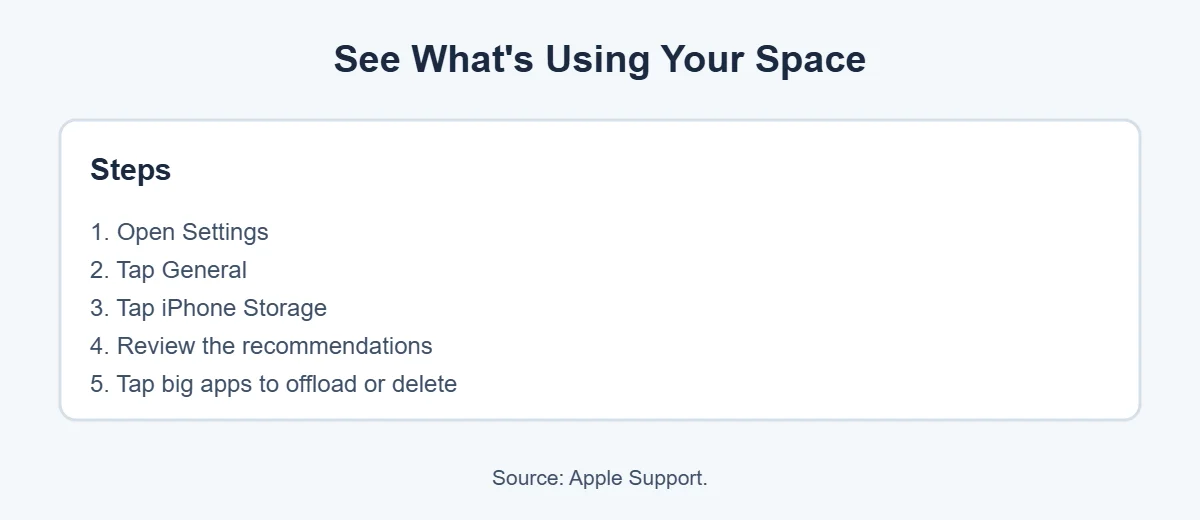
- Open Settings and tap General.
- Tap iPhone Storage.
- Look at the colored bar and the recommendations at the top.
- Scroll down to see your apps, sorted by size.
This list shows you exactly how to get more storage on iPhone, because it points to your biggest space hogs.
How to Get More Storage on iPhone: 9 Easy Ways
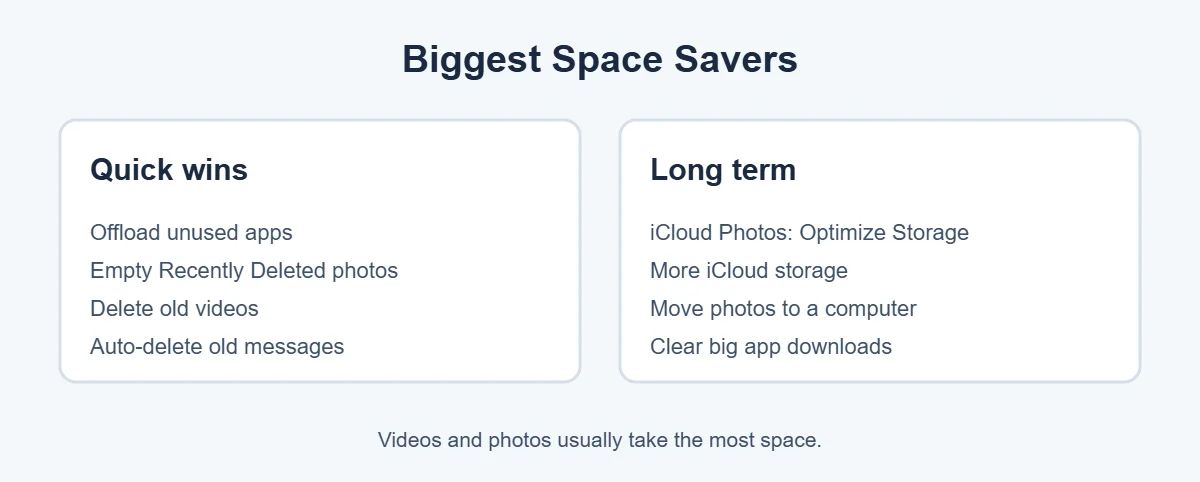
1. Offload unused apps
Apple explains that offloading an app frees the space it uses but keeps its documents and data. Tap an app in iPhone Storage and choose Offload App, or turn on Offload Unused Apps to do it automatically.
2. Delete apps you don’t need
If you never use an app, tap it in iPhone Storage and choose Delete App. This removes the app and its data, so only do it for apps you’re sure about.
3. Empty “Recently Deleted” in Photos
Deleted photos stay in the Recently Deleted album for a while. Open Photos, go to Albums, scroll to Recently Deleted and choose Delete All. This alone can free a lot of space.
4. Clean up videos
Videos take far more space than photos, so they’re the fastest way to get more storage on iPhone. Delete long clips, screen recordings and duplicates you don’t need.
5. Turn on iCloud Photos with Optimize Storage
Go to Settings, tap your name, then iCloud, Photos, and turn on Optimize iPhone Storage. Your iPhone keeps smaller copies while the full versions stay in iCloud. This is one of the best ways to get more storage on iPhone without deleting photos.
6. Auto-delete old messages
Old chats are an easy way to free up space on iPhone. Go to Settings, Messages, Keep Messages, and choose 30 Days or 1 Year. Old chats full of photos and videos can take gigabytes.
7. Remove downloaded media
Movies, shows, podcasts and music downloaded for offline use add up fast. Delete the ones you’ve already watched or listened to inside each app.
8. Clear big app caches
Social media and messaging apps store lots of data. Check their own settings for a storage or cache option, or offload and reinstall them.
9. Get more iCloud storage
You can’t add storage to the iPhone itself, but you can buy more iCloud storage for photos, backups and files. It’s the simplest long-term fix if you take lots of photos and videos. Apple has a guide to managing iCloud storage.
What’s Safe to Delete?
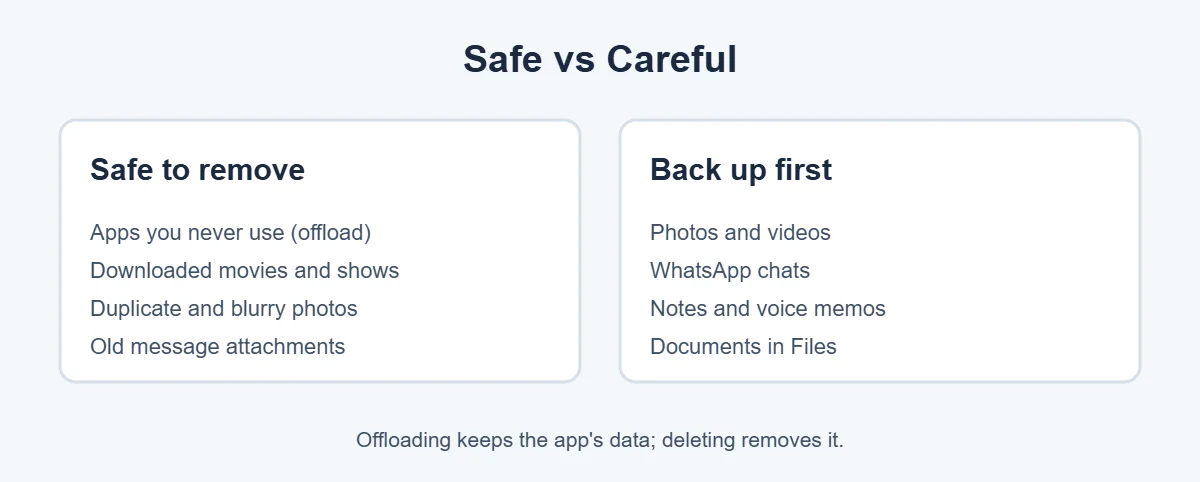
Before you clear storage on iPhone, back up anything important to iCloud or a computer. Offloading keeps app data, deleting doesn’t, so choose carefully.
What Is “Other” or “System” Storage?
Apple says Other includes things like Siri voices, fonts, logs, caches and system data, and System is the space iOS itself uses. You can’t delete these directly, but freeing space elsewhere and restarting your iPhone sometimes shrinks them.
Thinking of upgrading to a phone with more storage? See how to sell your old one at an ecoATM kiosk, which buys phones for cash.
Frequently Asked Questions
How do I get more storage on my iPhone without deleting photos?
Turn on iCloud Photos with Optimize iPhone Storage, which keeps smaller versions on your phone and full-size ones in iCloud. You can also offload unused apps, clear old messages and remove downloaded videos. These free space without deleting any photos.
What does Offload App mean on iPhone?
Offloading removes the app itself but keeps its documents and data, according to Apple. The app icon stays on your Home Screen, and tapping it reinstalls the app with your data intact. It’s a safe way to free space from apps you rarely use.
Why is my iPhone storage full when I don’t have much on it?
Caches, message attachments, downloaded media and the “Other” or System section can take a lot of space. Apple says Other includes things like caches, logs and Siri voices. Restarting your iPhone and clearing app caches or old messages often frees some of it.
Can I add more storage to my iPhone?
You can’t add a memory card or upgrade the built-in storage. To get more storage on iPhone, free up space on the phone itself, or buy more iCloud storage to hold your photos, backups and files in the cloud.
Does deleting messages free up space on iPhone?
Yes, especially if your chats have lots of photos and videos. Go to Settings, Messages, Keep Messages and choose 30 days or 1 year to remove older ones automatically. Back up anything important first.
How much free storage should I keep on my iPhone?
There’s no exact rule, but leaving a few gigabytes free helps updates install and keeps the phone running smoothly. iOS updates in particular need free space, so clear storage before updating if your iPhone is nearly full.
The Bottom Line
The fastest way to get more storage on iPhone is to open Settings, General, iPhone Storage and follow the recommendations. Offload unused apps, empty Recently Deleted, clean up videos and auto-delete old messages.
For long-term space, turn on iCloud Photos with Optimize iPhone Storage or buy more iCloud storage. Check iPhone Storage once a month, and you’ll rarely see “Storage Almost Full” again.
{“@context”:”https://schema.org”,”@type”:”FAQPage”,”mainEntity”:[{“@type”:”Question”,”name”:”How do I get more storage on my iPhone without deleting photos?”,”acceptedAnswer”:{“@type”:”Answer”,”text”:”Turn on iCloud Photos with Optimize iPhone Storage, which keeps smaller versions on your phone and full-size ones in iCloud. You can also offload unused apps, clear old messages and remove downloaded videos. These free space without deleting any photos.”}},{“@type”:”Question”,”name”:”What does Offload App mean on iPhone?”,”acceptedAnswer”:{“@type”:”Answer”,”text”:”Offloading removes the app itself but keeps its documents and data, according to Apple. The app icon stays on your Home Screen, and tapping it reinstalls the app with your data intact. It’s a safe way to free space from apps you rarely use.”}},{“@type”:”Question”,”name”:”Why is my iPhone storage full when I don’t have much on it?”,”acceptedAnswer”:{“@type”:”Answer”,”text”:”Caches, message attachments, downloaded media and the \”Other\” or System section can take a lot of space. Apple says Other includes things like caches, logs and Siri voices. Restarting your iPhone and clearing app caches or old messages often frees some of it.”}},{“@type”:”Question”,”name”:”Can I add more storage to my iPhone?”,”acceptedAnswer”:{“@type”:”Answer”,”text”:”You can’t add a memory card or upgrade the built-in storage. To get more storage on iPhone, free up space on the phone itself, or buy more iCloud storage to hold your photos, backups and files in the cloud.”}},{“@type”:”Question”,”name”:”Does deleting messages free up space on iPhone?”,”acceptedAnswer”:{“@type”:”Answer”,”text”:”Yes, especially if your chats have lots of photos and videos. Go to Settings, Messages, Keep Messages and choose 30 days or 1 year to remove older ones automatically. Back up anything important first.”}},{“@type”:”Question”,”name”:”How much free storage should I keep on my iPhone?”,”acceptedAnswer”:{“@type”:”Answer”,”text”:”There’s no exact rule, but leaving a few gigabytes free helps updates install and keeps the phone running smoothly. iOS updates in particular need free space, so clear storage before updating if your iPhone is nearly full.”}}]}