
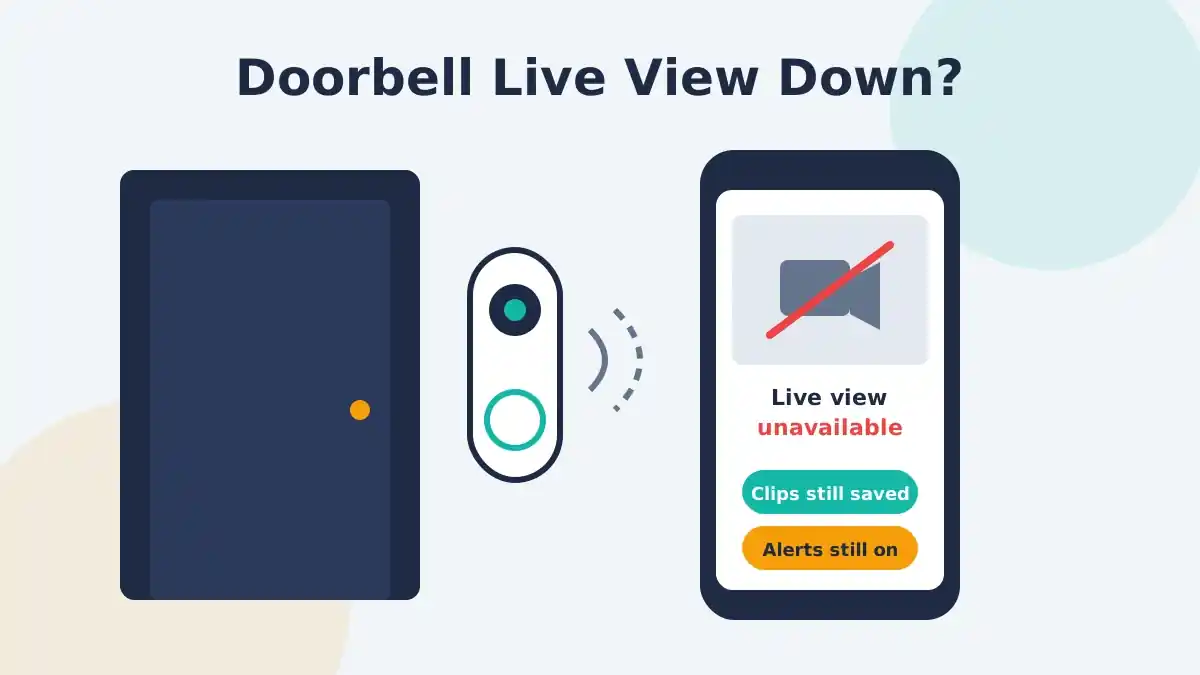
If your Nest Doorbell live view is not working and the Google Home app says the camera may be unreachable, you are probably not doing anything wrong. Since late October 2026, many owners of the original Nest Doorbell (wired, 1st gen), the model also sold as Nest Hello, have reported that live video won’t load, while recordings and alerts keep working. As of November 8, 2026, Google has not publicly confirmed the problem or announced a fix.
That matters because the usual fixes, such as a factory reset, don’t seem to help with this one and can create new headaches. Below is what’s known so far, how to check whether you’re affected, and the steps worth trying (and skipping) while you wait.
What is happening with Nest Doorbell live view?
Short answer: a widespread live view failure is hitting the first-generation wired Nest Doorbell, and the cause has not been confirmed. Owners open the doorbell in the Google Home app and get no live feed, even though the doorbell is online and still saving clips.
Here is the timeline, based on reports as of November 8, 2026:
| Date | What happened |
|---|---|
| Oct 27–30, 2026 | Owners start posting in the Google Nest Community that live view has stopped working |
| Oct 28, 2026 | A reply in the main community thread says the issue will be escalated |
| Oct 30, 2026 | Google rolls out software updates to six older Nest cameras and doorbells, including the 1st gen wired doorbell (9to5Google) |
| Nov 6, 2026 | 9to5Google reports the doorbell is “broken for many” with no fix yet |
| Nov 7, 2026 | AndroidPure reports owners in the US, UK and Germany are affected and Google still hasn’t commented |
The October update was meant to fix audio and video drifting out of sync and unexpected restarts on this doorbell. The timing overlaps with the live view reports, but nobody has shown that the update caused the problem. Treat any “it was the update” claim as a theory, not a fact.
Which models are affected?
The reports center on the Nest Doorbell (wired, 1st gen), also called Nest Hello. A smaller number of people say some first-generation Nest Cam models are acting up too, but those reports are far fewer and less consistent.
Newer models, including the Nest Doorbell (battery) and the Nest Doorbell (wired, 2nd gen), are not part of the reported pattern. If you own one of those and live view fails, your problem is more likely a local network or app issue, and the troubleshooting section below is more likely to help.
What still works?
Most of the doorbell keeps working, which is the good news. According to owner reports:
- Still working: event recording, video history playback, doorbell ring alerts on your phone, and notifications on a Nest Hub display
- Not working: live view in the Google Home app, and for some owners, talking to a visitor through the doorbell after it rings
The error some owners see reads “Live view unavailable – The camera may be unreachable,” even though the camera is clearly online because new clips keep arriving.
[ADD PERSONAL EXPERIENCE: If you own a 1st gen Nest Doorbell, note the exact date live view stopped for you, the exact error text on your phone, and whether talk-back and the Nest Hub view still work.]
How to tell if you have the live view bug or a normal connection problem
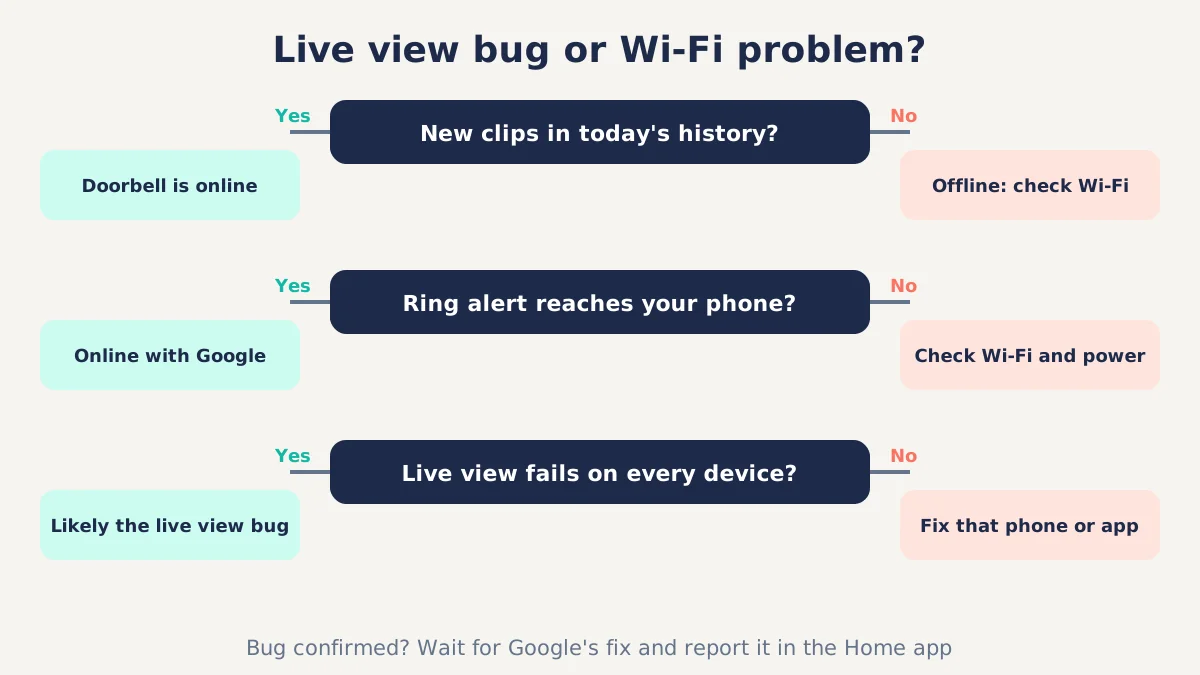
If your doorbell is still saving new clips and sending ring alerts, but live view never loads, you’re most likely seeing the widespread bug. If clips have also stopped, the doorbell is probably offline, and that is a Wi-Fi or power issue you can fix yourself.
Use this quick check:
- Look at today’s event history. New clips from the last hour mean the doorbell is online and uploading.
- Ring the doorbell yourself. If your phone gets the alert, the doorbell’s connection to Google works.
- Try live view on another device. Open it on a second phone, or on a computer through the web viewer Google lists at home.nest.com in its computer troubleshooting guide.
- Check the model name. Open the doorbell’s settings in the Google Home app and confirm it is the wired 1st gen model.
If steps 1 and 2 work, step 3 fails everywhere, and step 4 confirms the 1st gen model, you’re in the same boat as everyone else.
What to do now: steps worth trying
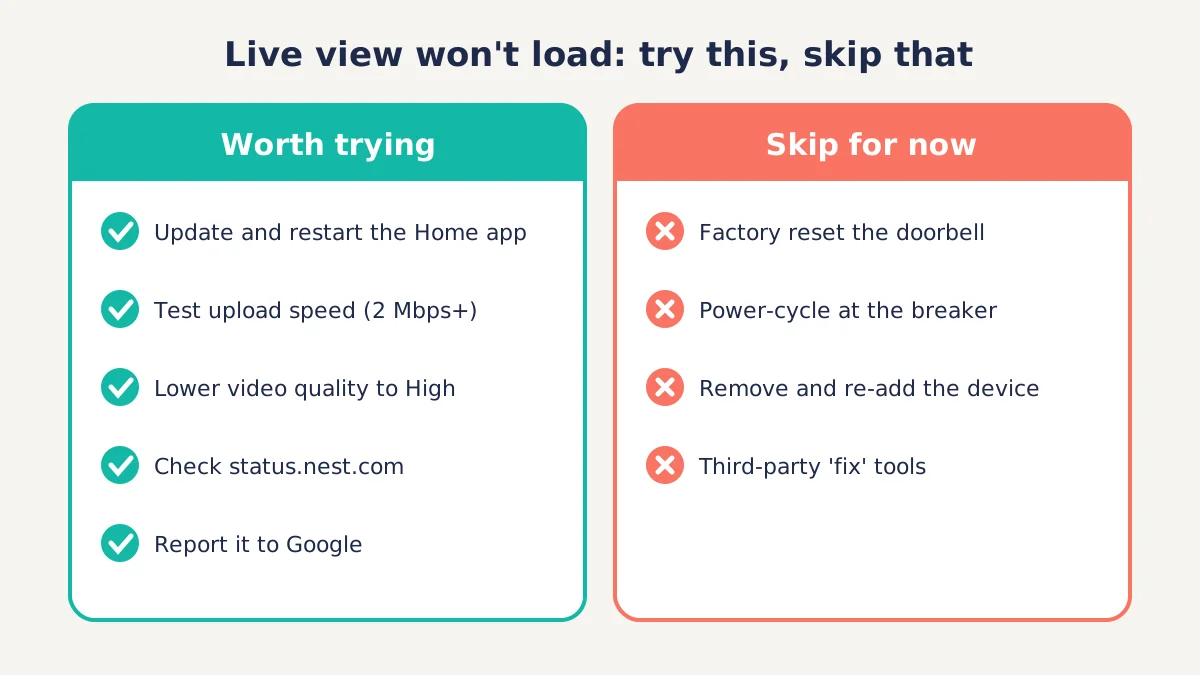
Start with the low-risk checks Google officially recommends, because they rule out problems on your side and take about 10 minutes. They may not fix a server-side bug, but they make sure nothing else is broken.
1. Update and restart the Google Home app
Google’s support page for video that doesn’t play, pauses or skips says to install the latest Google Home app, fully close it, reopen it, and restart your phone if that fails. Google may ship a fix through the app or the doorbell’s firmware, so staying current matters.
2. Check your upload speed
Google recommends at least 2 Mbps of upload bandwidth per camera for smooth streaming. Run a speed test on the same Wi-Fi network the doorbell uses and look at the upload number, not the download number. Pause big uploads, cloud backups or game downloads while you test.
3. Lower the video quality
High quality settings use a lot of bandwidth. In the Google Home app, go to the doorbell’s Settings and lower video quality from Max to High, as Google’s support page describes. It’s a quick test, and you can change it back later.
4. Check Google’s service status
Visit status.nest.com to see if Google lists an outage. As of November 8, 2026, the reported live view problem had not been publicly acknowledged by Google, so a clean status page doesn’t mean you’re imagining things.
5. Report it to Google
Reports help Google size the problem. Use the feedback option in the Google Home app, contact Google Nest support, and add your details to the existing Google Nest Community thread rather than starting a new one. Mention your model, the error text and the date it started.
What not to do
Don’t factory reset your doorbell to fix this specific problem. Owners who tried a factory reset, power-cycling at the breaker, or removing and re-adding the doorbell in the Google Home app report that live view still failed afterward.
A factory reset also wipes your settings, and you’ll need to set the doorbell up again. On an older wired doorbell, that can mean extra time on a ladder or at the chime box if anything goes wrong. Wait for a confirmed fix unless Google support tells you otherwise.
Also skip third-party “fix” tools or browser extensions that promise to restore live view. Some owners suspect Google’s streaming changes are involved, but 9to5Google notes that workarounds based on that theory don’t reliably work.
How to keep your front door covered while live view is down
Your doorbell still records, so you can keep an eye on visitors through alerts and history instead of live view. It’s slower, but it works.
- Use event history. When the doorbell rings, open the latest clip. It usually appears within moments of the event.
- Keep ring alerts on. Check that notifications for the doorbell are turned on in the Google Home app and in your phone’s settings.
- Use a Nest Hub if you have one. Owners report that ring notifications still appear on Nest Hub displays.
- Answer the door the old way for deliveries you’re expecting. Talk-back is failing for some owners, so don’t count on speaking to couriers through the doorbell.
If live view is essential for you, for example because you check on elderly relatives or deliveries while at work, consider whether this is the moment to plan an upgrade. The 1st gen wired doorbell launched in 2018, and it now depends on Google keeping its older hardware working in the Google Home app.
Will Google fix it?
Probably, but there is no confirmed timeline. Google actively pushed updates to older Nest cameras and doorbells as recently as October 30, 2026, which shows the hardware is still supported for owners who moved to the Google Home app.
Fixes for problems like this usually arrive as a server-side change or a firmware update that installs automatically. You shouldn’t need to do anything except keep the doorbell powered and online. We’ll update this article when Google confirms the issue or a fix.
Frequently asked questions
Why does my Nest Doorbell say live view unavailable?
“Live view unavailable” means the Google Home app can’t start a live stream from your doorbell. Usually that comes from weak Wi-Fi, low upload speed or an outage. Since late October 2026, many owners of the wired 1st gen Nest Doorbell have also seen it because of an unconfirmed bug that blocks live view while recordings still work.
Is the Nest Doorbell live view problem fixed yet?
As of November 8, 2026, Google had not confirmed the live view problem or announced a fix, according to 9to5Google and AndroidPure. Reports started in late October 2026 and continued through November 7. A fix would likely arrive automatically through a server change or firmware update, so keep the doorbell powered and online.
Will a factory reset fix Nest Doorbell live view?
Probably not. Owners affected by the current bug report that factory resets, power cycling and re-adding the doorbell in the Google Home app did not restore live view. A reset also erases your settings and means setting the doorbell up again, so hold off unless Google support specifically tells you to do it.
Does my Nest Doorbell still record when live view is down?
Yes, for most affected owners. Reports show the 1st gen wired Nest Doorbell keeps recording events, saving video history and sending ring alerts to phones and Nest Hub displays. Only live view and, for some people, talk-back are failing. Check your event history to confirm your doorbell is still uploading clips.
Which Nest Doorbell models are affected?
The reports focus on the Nest Doorbell (wired, 1st gen), also known as Nest Hello. A few owners mention older first-gen Nest Cam models, but those reports are far fewer. The Nest Doorbell (battery) and Nest Doorbell (wired, 2nd gen) are not part of the reported pattern as of November 8, 2026.
How much upload speed does a Nest camera need?
Google recommends at least 2 Mbps of upload bandwidth for one Nest camera, and more if you run several cameras. Test the upload speed on the same Wi-Fi network your doorbell uses. If it’s low, pause other uploads or lower the doorbell’s video quality from Max to High in the Google Home app.
The bottom line
If your Nest Doorbell live view is not working but clips and alerts still arrive, you’re most likely affected by the reported bug on the wired 1st gen model, not a fault in your home. Run Google’s quick checks, report the problem, skip the factory reset, and rely on event history until Google ships a fix. Bookmark this page, because this is a developing issue and details may change.
