Does ecoATM take locked phones? Yes, in most cases. ecoATM says it buys both locked and unlocked devices, so a carrier-locked phone is fine. But there are three big exceptions: phones with activation lock turned on, financed phones you still owe money on, and phones reported lost or stolen.
Below I’ll explain each type of lock in plain words, show you how to remove the account lock before you go, and share a simple trick that can raise your offer.
[ADD PERSONAL EXPERIENCE: a short note about selling a locked phone, or helping a friend do it.]
Table of Contents
Does ecoATM Take Locked Phones? It Depends on the Lock
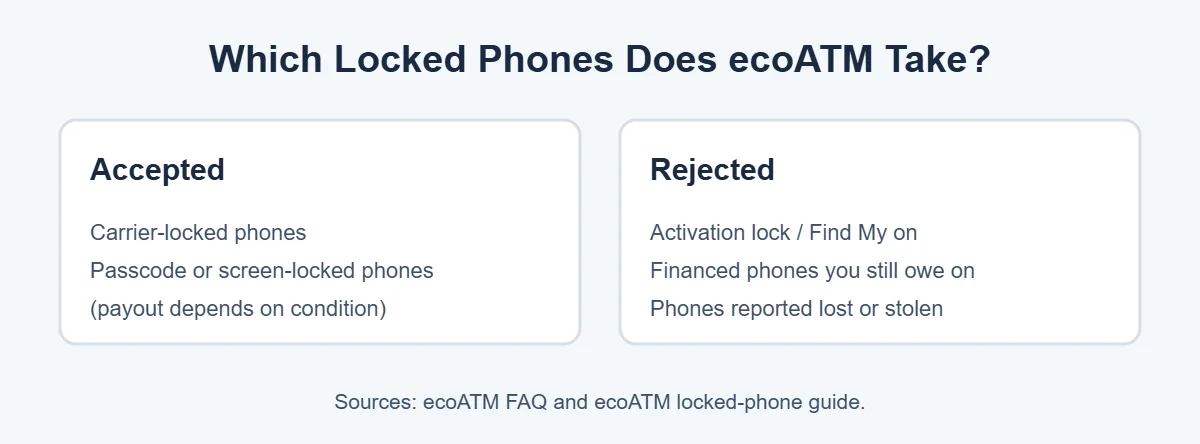
To answer “does ecoATM take locked phones” properly, you need to know your lock type, because “locked” can mean very different things. Some locks are fine for ecoATM, and some mean an instant no. Here’s a quick look.
| Type of lock | What it means | Does ecoATM take it? |
|---|---|---|
| Carrier lock | Works only with one carrier (like AT&T or Verizon) | Yes |
| Passcode or screen lock | You forgot the PIN or pattern | Often yes, but value varies |
| Activation lock (iCloud / Find My, Google lock) | Tied to the owner’s account | No |
| Financed and not paid off | You still owe the carrier or store | No |
| Reported lost or stolen | Blacklisted | No |
Carrier-locked phones: yes
The ecoATM FAQ says it “buys both locked and unlocked devices.” So if your phone only works with one carrier, you can still sell it. That’s the main reason the answer to “does ecoATM take locked phones” is mostly yes.
Passcode-locked phones: often yes
ecoATM’s guide to locked phones says kiosks accept passcode-locked iPhones and iPads, with value depending on whether the lock can be cleared with a factory reset. If you forgot your PIN but the phone isn’t tied to an account, you may still get an offer.
Activation-locked phones: no
This is the big one. ecoATM’s FAQ says it “cannot buy devices with activation lock turned on.” On iPhones, this is Find My and your Apple Account. On Android, it’s the Google account lock that kicks in after a reset. You must remove it first.
Financed phones: no, until paid off
Does ecoATM take locked phones that are still financed? No. If you still owe money on your phone, ecoATM can’t accept it. Once it’s paid off, or if you bought it outright, you’re good to go.
Lost or stolen phones: no
ecoATM checks every device against the CheckMEND database and rejects any phone reported as lost or stolen. Every seller also has to show a valid state ID. So when it comes to “does ecoATM take locked phones,” stolen ones are never accepted.
How to Remove the Account Lock Before You Go
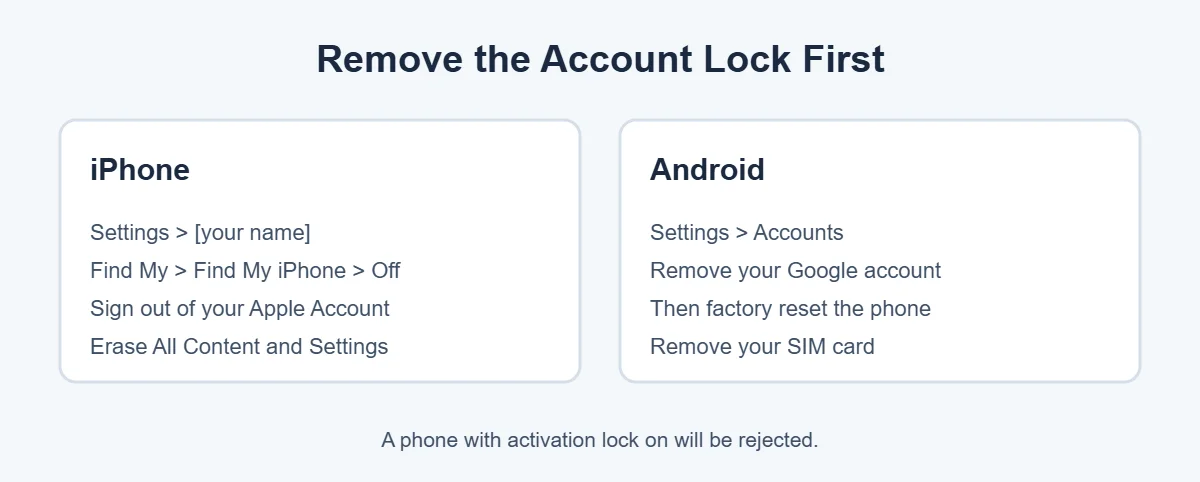
Since activation lock is the most common reason the answer to “does ecoATM take locked phones” turns into a no, deal with it at home.
iPhone
- Back up your iPhone to iCloud or a computer.
- Open Settings, tap your name, then Find My, then Find My iPhone, and turn it off.
- Sign out of your Apple Account.
- Go to Settings, General, Transfer or Reset iPhone, then Erase All Content and Settings.
Android
- Back up your photos and contacts.
- Open Settings, then Accounts, and remove your Google account.
- Factory reset the phone from Settings.
- Take out your SIM card.
Does ecoATM take locked phones with a forgotten account? No. If it’s an old phone and you don’t remember the account login, use the account recovery pages from Apple or Google first. A phone that’s still tied to someone’s account can’t be sold to ecoATM.
How to Get More Money for a Locked Phone
Even though the answer to “does ecoATM take locked phones” is yes for carrier locks, an unlocked phone usually sells for more.
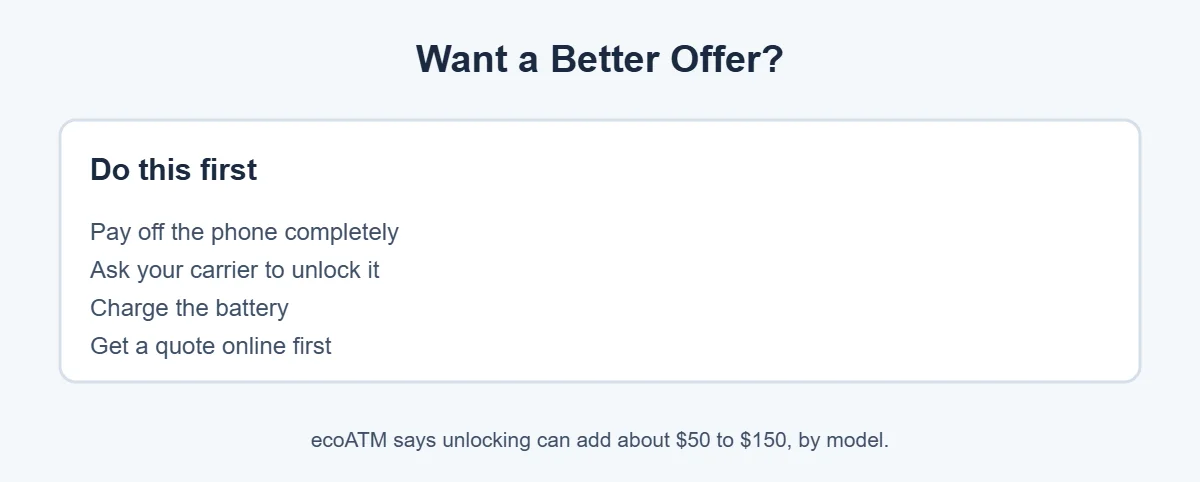
ecoATM’s own locked-phone guide says unlocking a carrier-locked phone can add roughly $50 to $150, depending on the model. Once your phone is paid off, ask your carrier to unlock it. It’s usually free and takes a few days. Then charge the phone, because ecoATM says powered-on devices get higher offers.
What to Bring to the Kiosk
- An unexpired state-issued ID (no passports or paper IDs).
- You must be 18 or older.
- The phone, charged, erased and signed out of your accounts.
Now you know: does ecoATM take locked phones? Mostly yes, as long as you bring the right things. You can sell up to three devices at once and get paid in cash, PayPal or Venmo. Trying to sell other gadgets? ecoATM doesn’t take laptops, but here’s where to sell a laptop instead.
Frequently Asked Questions
Will ecoATM take a carrier-locked phone?
Yes. ecoATM’s FAQ says it buys both locked and unlocked devices. A phone locked to AT&T, Verizon, T-Mobile or another carrier can still be sold at a kiosk, though unlocking it first may get you a better offer.
Will ecoATM take an iCloud-locked phone?
No. ecoATM’s FAQ says it cannot buy devices with activation lock turned on. Turn off Find My iPhone and sign out of your Apple Account before you go. If you can’t remove the lock because you don’t know the account details, the kiosk will reject the phone.
Will ecoATM take a phone I forgot the passcode for?
ecoATM’s guide to locked devices says passcode-locked phones can be accepted at kiosks, with value depending on whether the lock can be cleared with a factory reset. But if activation lock is also on, the phone can’t be sold.
Does ecoATM take financed phones?
Not if you still owe money on them. ecoATM’s FAQ says it can’t accept financed devices that aren’t paid off. Once the phone is fully paid, or if you bought it outright, you can sell it.
Will ecoATM take a blacklisted phone?
ecoATM checks every device against the CheckMEND database and rejects any phone reported as lost or stolen. Its blog says it may accept some phones blocked for other reasons, but with a much lower offer. Stolen phones are always rejected.
How much more is an unlocked phone worth at ecoATM?
According to ecoATM’s guide to locked phones, unlocking a carrier-locked phone before selling can add roughly $50 to $150, depending on the model. Ask your carrier for an unlock once the phone is paid off.
The Bottom Line
Does ecoATM take locked phones? Yes, if it’s a carrier lock or, often, a passcode lock. No, if activation lock is on, the phone isn’t paid off, or it was reported lost or stolen.
Remove your account lock, erase the phone and bring your ID. For the best offer, unlock it with your carrier first.