
The Optimizely hack was a supply-chain attack on November 16, 2026, in which malicious code was slipped into a website testing tool and served to visitors of about 178 big-name sites, including Zoom, CNN, the BBC and Salesforce. It tried to steal card numbers and crypto, and it targeted older iPhones. Most people only need to update their phone and check their card statements.
That’s the short version. Below, you’ll find exactly which sites were named, what the malicious code did, whether your iPhone was at risk, and seven practical steps to take today. Facts are as of November 17, 2026, and this story is still developing.
Table of contents
- What is the Optimizely hack?
- Which websites were affected?
- What did the malicious code do?
- Was my iPhone at risk?
- Optimizely hack: 7 steps to stay safe
- Is it safe to visit these sites now?
- FAQ
What is the Optimizely hack?
The Optimizely hack is an attack in which someone gained write access to the “Project JavaScript” field of many Optimizely customer accounts and added malicious code to it. Because that code loaded from Optimizely’s own servers on every page, visitors’ browsers trusted it like any other part of the site.
Optimizely is a digital experience company. Its Web Experimentation product lets websites run A/B tests (showing two versions of a page to see which works better) by loading a small JavaScript snippet on every page. That reach is exactly what made the snippet valuable to an attacker.
A supply-chain attack is one where criminals hit a trusted supplier instead of the final target. Nobody broke into CNN’s or Zoom’s servers here. Their pages simply loaded a tool that had been tampered with upstream.
Security researcher Scott Helme of Report URI found the malicious code after checking 1,611 Optimizely snippets. He found 188 infected snippets tied to 178 organisations and said the true number is likely higher. Report URI sells script-monitoring tools, so it has a commercial interest in this kind of research, but BleepingComputer confirmed the code was loading on major sites using independent urlscan.io records.
Optimizely told BleepingComputer that an unauthorized party “exploited a vulnerability in the Experimentation account signup flow.” The company says it blocked the vulnerable path, deployed a fix, removed the injected code, revoked tokens and notified affected customers.
Timeline of the attack (UTC)
Here’s how the Optimizely hack unfolded, based on Report URI’s published timeline:
| Time (Nov 16, 2026, UTC) | What happened |
|---|---|
| 04:21 | First injection seen in an Optimizely snippet (BBC) |
| 08:10 | First build of the main malicious script |
| 13:43 | Card skimmer added to the payload |
| 17:13–17:57 | iPhone exploit code added for older iOS versions |
| About 20:40–21:10 | Mass cleanup of infected snippets |
| 21:52 | Only 1 of 188 snippets still infected |
In US Eastern time, the risky window ran from late Sunday night, November 15, to about 5 p.m. on Monday, November 16.
Which websites were affected?
The sites hit by the Optimizely hack were large consumer and business brands that use Optimizely, not small or shady sites. That’s why this attack got so much attention: people did nothing wrong except visit a site they trust.
Names reported across Report URI, BleepingComputer, BNO News and Gizmodo include:
- News and media: CNN, Fox News, the BBC, NPR, Peacock
- Tech and work tools: Zoom, Salesforce, GitLab, Smartsheet, Bitly
- Shopping and travel: IKEA, American Eagle, American Girl, Scheels, Stamps.com, KLM, Air France
- Finance: HSBC Insurance, Equifax, Mutual of Omaha, IG, Ledger
- Nonprofits: UNICEF USA, Change.org, ASPCA
This list of Optimizely hack victims isn’t complete. If a site you used on November 16 isn’t here, that doesn’t prove it was clean. Salesforce reportedly turned off Optimizely scripts across its sites as a precaution.
What did the malicious code do?
The code behind the Optimizely hack did four things: it swapped cryptocurrency wallet addresses, skimmed payment card details, collected cookies and screenshots, and tried to hack older iPhones. How much risk you faced depends on what you did on an affected site.
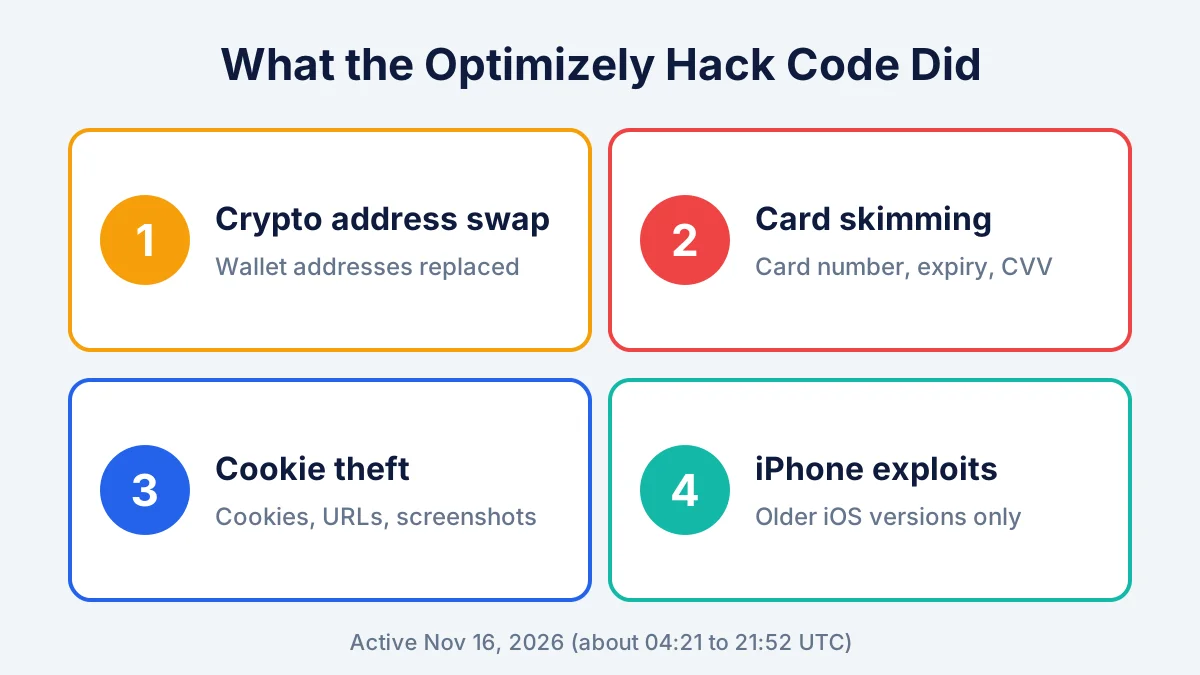
- Crypto address swapping. The script replaced wallet addresses for Bitcoin, Ethereum, TRON, Solana and other coins, including in your clipboard. If you pasted an address to send crypto, the money could go to the attacker instead.
- Card skimming. It captured card numbers, expiry dates and security codes typed into a site’s own checkout fields. Cards typed into hosted payment frames, such as Stripe’s, were out of its reach.
- Cookie and screenshot theft. It sent some browser cookies, page addresses and screenshots to the attacker. Stolen session cookies can sometimes let a criminal act as you on a site.
- iPhone exploits. On older iPhones and iPads, it loaded exploit kits designed to break into the device itself.
According to Report URI, the attacker’s wallets had received about $7,040 by 19:25 UTC on November 16. BleepingComputer notes some of those wallets were active before the attack, so the true amount stolen is unclear. Nobody yet knows how many card numbers were taken.
Was my iPhone at risk?
Your iPhone was only at real risk from the Optimizely hack if it was running iOS 18.6 or earlier and you visited an affected site on November 16. Phones on iOS 26 had basic device details collected but, based on current research, weren’t attacked with a working exploit.
Report URI says the attack used two known iPhone exploit kits:
| Your iOS version | What the attack tried |
|---|---|
| iOS 13 to iOS 17 | “Coruna” exploit kit |
| iOS 18.0 to 18.6 | “DarkSword” exploit kit |
| iOS 26 | Collected device details only |
| iOS 27 | No exploit reported |
The kit’s own code treated iOS 18.7.3 and later, and iOS 26.3 and later, as patched. As of November 17, 2026, the newest versions listed on Apple’s security releases page are iOS 27.2.1, iOS 26.7.3 and iOS 18.7.12 (for older models like the iPhone XS and XR), all released November 9, 2026.
Android phones, Windows PCs and Macs weren’t targeted by the exploit kits. They were still exposed to the card skimming and crypto swapping in the browser.
To check your version, open Settings > General > About and look at “iOS Version.” If you’ve had trouble with recent updates, our guide to iOS 27.2 problems and fixes covers the common ones.
Optimizely hack: 7 steps to stay safe
You can protect yourself from the Optimizely hack in about 20 minutes. Work through these steps in order, and skip any that don’t apply to you.
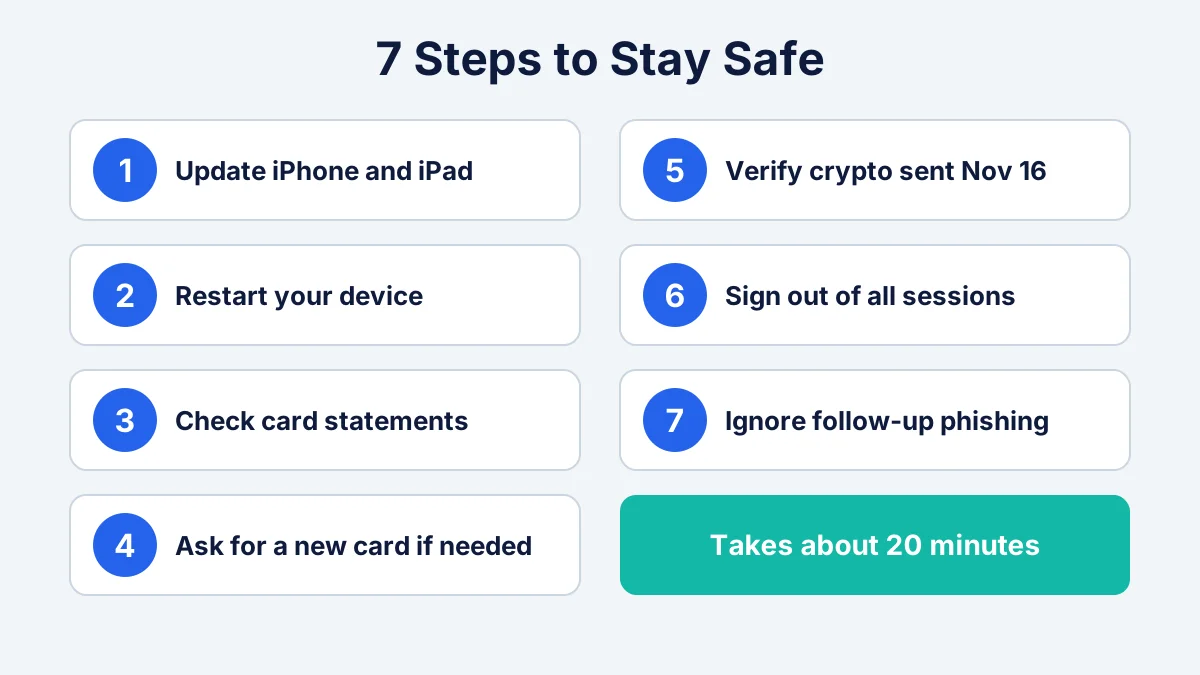
- Update your iPhone and iPad. Go to Settings > General > Software Update and install the latest version. This closes the holes the exploit kits used. If your device can’t go past iOS 18, install iOS 18.7.12.
- Restart after updating. A restart clears anything loaded in memory. If your phone was on iOS 18.6 or older and you visited a listed site on November 16, watch for odd behavior like new profiles, battery drain or unknown apps. Our guide on how to tell if your phone is hacked walks through the signs.
- Check your card statements. Look at every card you used online on November 16, especially on a listed site. Turn on purchase alerts in your banking app so you see new charges right away.
- Ask for a new card if you paid on an affected site. If you typed card details into a listed site that day, call your issuer and request a replacement number. Under US law, your liability for unauthorized credit card charges is capped at $50, and most issuers offer $0 liability, as the FTC explains.
- Verify any crypto sent on November 16. Compare the receiving address in your wallet history with the one you meant to use. Crypto transfers usually can’t be reversed, so report a swapped address quickly to your exchange and to the FBI’s IC3.
- Sign out everywhere on sensitive accounts. Because some cookies were stolen, sign out of all sessions on accounts you used that day, change the password and turn on two-factor authentication. See our two-factor authentication guide.
- Watch for follow-up phishing. Criminals often send fake “security alert” emails after a big news story. Don’t click links claiming to be from Zoom, CNN or your bank about this incident. If you already did, follow our steps for what to do after clicking a phishing link.
[ADD PERSONAL EXPERIENCE: Describe checking your own iPhone version and card alerts after the news broke, including how long it took and what you found.]
Who can skip most of these steps?
If you didn’t visit any listed site on November 16, you mainly need step 1. Keeping your phone updated protects you from the next attack like the Optimizely hack, which is the real lesson here.
Is it safe to visit these sites now?
Yes, based on current reporting, the sites caught up in the Optimizely hack are safe to visit again. Report URI found only one infected snippet left by 21:52 UTC on November 16, and Optimizely says it removed the injected code and fixed the flaw.
Two caveats apply. First, investigators still haven’t fully explained the root cause of the Optimizely hack, including how the attacker got write access. More details may come out. Second, a similar attack could hit a different tool in the future, so the best defense stays the same: keep devices updated, use hosted checkout options like Apple Pay or PayPal where possible, and turn on card alerts.
How the Optimizely hack compares with past skimming attacks
Card-skimming code injected into websites isn’t new. Groups known as “Magecart” have used it for years. What made the Optimizely hack unusual was its scale: one compromised tool reached 178 organisations in a single day, and the payload combined skimming, crypto theft and phone exploits.
| Typical skimming attack | Optimizely hack | |
|---|---|---|
| Entry point | One store’s checkout page | Shared testing tool used by many sites |
| Sites hit | One to a few | About 178 organisations |
| Goals | Card data | Cards, crypto, cookies, iPhone exploits |
| Duration | Weeks or months | Roughly one day |
FAQ
What is Optimizely?
Optimizely is a US-based digital experience company whose tools help websites test and personalize pages. Its Web Experimentation product works by loading a JavaScript snippet on each page. In this attack, that snippet was tampered with, so visitors to customer sites received malicious code along with the normal testing script.
Was my credit card stolen in the Optimizely hack?
Only if you typed your card into an affected site’s own checkout form on November 16, 2026, after the skimmer was added at about 13:43 UTC. Payments through hosted frames like Stripe were out of reach. If you’re unsure, ask your issuer for a new card number; it’s quick and free.
Do I need to do anything if I use Android?
Android users weren’t targeted by the phone exploit kits. The browser-based parts, card skimming and crypto address swapping, could affect any device. If you bought something or sent crypto on a listed site on November 16, check your statements and wallet history. Otherwise, just keep Chrome and Android updated.
Was Zoom hacked?
Zoom’s own systems weren’t reported as breached. Visitors to Zoom’s website loaded a tampered Optimizely script, which is a third-party tool. Zoom meetings and the Zoom app weren’t named as affected. Still, if you entered payment details on Zoom’s site on November 16, check your card activity.
What are Coruna and DarkSword?
Coruna and DarkSword are iPhone exploit kits, which are bundles of attack code that target known security flaws in older iOS versions. In this attack, Coruna was used against iOS 13 to 17 and DarkSword against iOS 18. Updating to a current iOS release blocks both, according to Report URI’s analysis.
How do I know if my iPhone was hacked?
Warning signs include unknown configuration profiles, apps you didn’t install, sudden battery drain, or settings changing on their own. Check Settings > General > VPN & Device Management for unfamiliar profiles. If anything looks wrong, update iOS, back up your data and consider a factory reset. Apple Support can also help.
Should I delete my accounts on affected sites?
No, deleting accounts isn’t necessary. The attack ran in visitors’ browsers, not on the companies’ account databases. Signing out of all sessions, changing your password and turning on two-factor authentication is enough for accounts you used on November 16. Keep watching for official breach notices from those companies.
Conclusion
The Optimizely hack shows how one compromised tool can turn trusted websites into traps for a day. For most people, the fix is simple: update your iPhone or iPad, check your card statements from November 16, and verify any crypto you sent that day.
Bookmark this page. We’ll update our Optimizely hack coverage as Optimizely, Apple and the affected companies share more details. For a broader check-up, see our guide on whether your email was in a data breach.
